EasyManua.ls Logo

Sartorius IS 150 IGG-H - User Manual

Sartorius IS 150 IGG-H
52 pages
Print Icon
To Next Page IconTo Next Page
Loading...
98648-006-06
Sartorius
IS 150 IGG-H, IS 150 IGG-H0CE
IS 300 IGG-H, IS 300IGG-H0CE
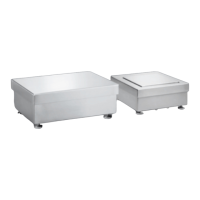
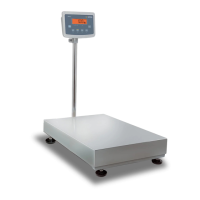
Weighing Platforms
Installation and Operating Instructions
98648-006-06

Questions and Answers

  • D
    Dawn RobertsAug 18, 2025
    What to do if my Sartorius IS 150 IGG-H weight display shows “H”?
    • S
      Savannah GarciaAug 19, 2025
      If the weight display on your Sartorius Scales shows “H”, it means the load exceeds the capacity of the weighing platform. To resolve this, unload the weighing platform.
  • J
    Judy RogersAug 20, 2025
    What does “L” or “Err 54” mean on my Sartorius IS 150 IGG-H display?
    • W
      William HenryAug 20, 2025
      If the weight display on your Sartorius Scales shows “L” or “Err 54”, it indicates that the load plate is not on the weighing platform. Place the load plate on the platform to resolve this issue.
  • T
    taylor00Aug 23, 2025
    What does Err 01 mean on my Sartorius IS 150 IGG-H display?
    • T
      tlandryAug 23, 2025
      If the weight display briefly indicates “Err 01” on your Sartorius Scales, it means that the selected weight unit requires more decimal places than are available in the display. Select a different weight unit.
  • B
    Brenda McdanielAug 25, 2025
    What does error code ERR 08 mean on my Sartorius IS 150 IGG-H Scales?
    • A
      alexandragilbertAug 26, 2025
      If the error code “ERR 08” is displayed on your Sartorius Scales, it means that the load on the weighing platform is too heavy for the platform to be zeroed. Check the “Specifications Chart” for the configuration code you have selected.
  • D
    David WatkinsAug 27, 2025
    What does error code ERR 10 mean on my Sartorius Scales?
    • J
      Jenny GalvanAug 27, 2025
      If the error code “ERR 10” is displayed on your Sartorius Scales, it means that the tare memories for your application are full, and you tried to clear the lower-level tare memory. Clear the tare memories of your application.
  • K
    Kevin BassAug 29, 2025
    How to troubleshoot no display on Sartorius Scales?
    • D
      Dennis AguilarAug 29, 2025
      If no segments appear on the display of your Sartorius Scales, you should check the power supply. Ensure that the AC adapter is properly plugged into both the platform and an electrical outlet. Also, make sure to turn on the isi industrial terminal using the on/off switch.
  • A
    Andrew ContrerasSep 1, 2025
    Why is the weight readout wrong on my Sartorius IS 150 IGG-H Scales?
    • G
      Gregory BlevinsSep 1, 2025
      If the readout of the weighing result on your Sartorius Scales is obviously wrong, the weighing platform may not have been calibrated or adjusted. Calibrate or adjust the weighing platform. Additionally, ensure that the weighing platform was tared before weighing.
  • J
    John NunezSep 3, 2025
    What does Err 02 mean on my Sartorius IS 150 IGG-H?
    • C
      Cody AllenSep 4, 2025
      If the weight display briefly indicates “Err 02” on your Sartorius Scales, it means that one of the requirements for calibration or adjustment has not been met (for example, the weighing platform is still loaded). Check the description of the operating menu or instruction manual and recalibrate or readjust the weighing platform. Unload the weighing platform.
  • S
    Sarah BruceSep 6, 2025
    What does Err 03 mean on my Sartorius Scales?
    • C
      cdoughertySep 6, 2025
      If the weight display briefly indicates “Err 03” on your Sartorius Scales, it means that calibration or adjustment was unable to be completed within a specific time. Allow the equipment to warm up and recalibrate or re-adjust.
  • S
    Sheila BrownSep 8, 2025
    Why does the special code »A« remain displayed on my Sartorius Scales?
    • M
      Melissa DuffySep 8, 2025
      If the special code »A« remains displayed on your Sartorius Scales, it means that none of the keys has been pressed since the weighing platform was switched on. Press any key.

Sartorius IS 150 IGG-H Specifications

General IconGeneral
BrandSartorius
ModelIS 150 IGG-H
CategoryScales
LanguageEnglish

Related product manuals