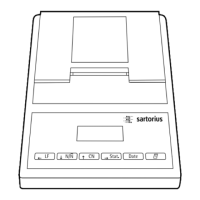
Printing a Hardcopy
of the Statistics Application Settings
§ Open the statistics applications menu:
– Hold down the U key while switching on the printer,
or
– Press and hold the U key (> 5 sec)
> The display is as shown on the left
§ To print the settings, press the P key
> Data is printed as shown on the left (example shows
factory settings)
§ To exit the statistics application menu, press the
key T
31


 To Next Page