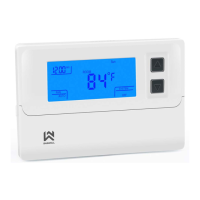
Replace batteries when the battery icon indicates the low battery message.
Change the Air Filter when the Filter Change Icon begins blinking.
Use this thermostat only as described in this manual.
REMOVE THE OLD THERMOSTAT
WARNING ! Electrical Shock Hazard
1. Turn off power at the main service panel by removing the fuse or switching the appropriate
circuit breaker to the OFF position before removing the existing thermostat.
2. Turn off power to the heating and cooling system by removing the fuse or switching the
appropriate circuit breaker off.
3. Remove the cover of the old thermostat. This should expose the wires.
4. Label the existing wires from the existing thermostat before removing.
5. After labeling the wires, remove the wires from the wire terminals.
6. Remove the existing thermostat from the wall.
7. Refer to the following section for instructions on how to install this thermostat.



 To Next Page
 Loading...