79
EN
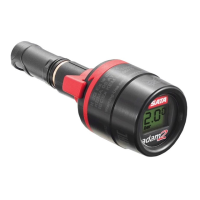
Operating instructions pressure measuring devices SATA adam 2, SATA adam 2 U
Operating instructions pressure measuring devices SATA adam 2, SATA adam 2 U
Warning! Risk of explosion!
The following applications and operations lead to the loss of
the explosion protection and are, therefore, prohibited:
• Battery replacement in explosive areas!
• Installation of a battery other than CR 2032, RENATA (SATA Art. No.
160739)!
7. Use [2]
Warning! Attention!
• Please disconnect spray gun from the air supply prior to the installation of
the SATA adam 2 to the spray gun.
• Pleaseensurethatallscrewsarermlytightened.
Steps 1. - 4. only apply to the SATA adam 2 (mini)
25. Loosen and remove the locking screw [2-1].
26. Removeairmicrometer(airowcontrolknob)[2-2]
27. Insert SATA adam 2 [2-3] in the spray gun.
28. Tightenlockingscrewrmly[2-4].
Warning!
• Checkiflockingscrewhasbeenrmlytightened!SATAadam2(mini)
could otherwise shoot out from the spray gun in an uncontrolled way!
7.1. Disassembly and Assembly of the Display [3]
Disassembly:
• Place the regulation wing [3-1] in the horizontal centre position.
• Press down the locking clip [3-2] and slide display [3-3] upwards out of
the groove.
Assembly:
• Place the regulation wing [3-4] in the horizontal centre position.
• Place display [3-5] correctly in the groove and slide in until it snaps
home.
163881-BAL-SATA adam 2.indb 79 12.02.2016 15:10:48


 To Next Page