4 APD-200 SATEL
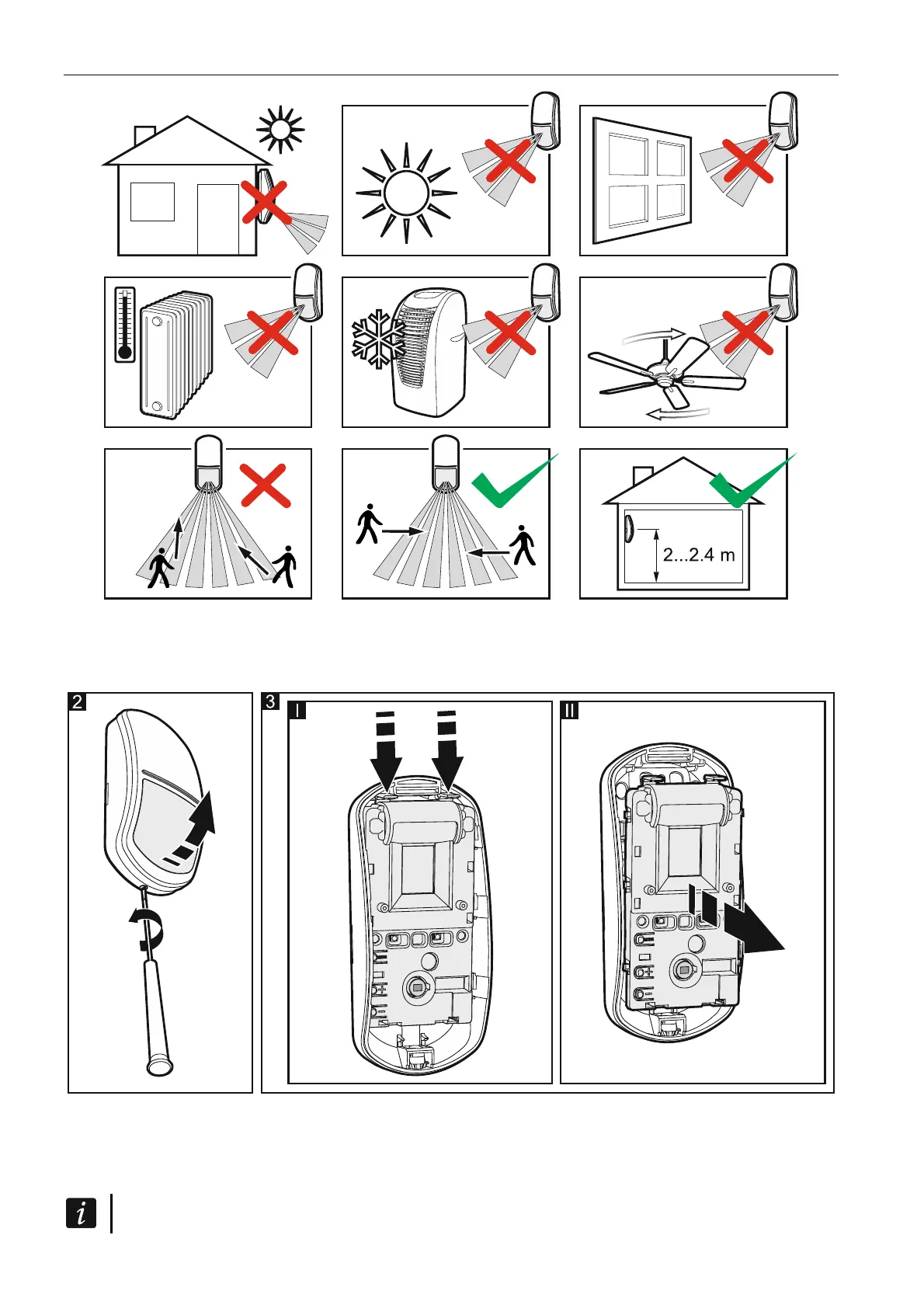
1. Remove the front cover (Fig. 2).
2. Move the electronics module down to unlock it, and then remove it from the enclosure
base (Fig. 3).
3. Install the battery and add the detector to the wireless system (see the ABAX 2 / ABAX
controller manual or the INTEGRA 128-WRL control panel installer manual). The sticker
with serial number which shall be entered when registering the detector in the system can
be found on the electronics module.
In the INTEGRA / VERSA alarm system, the detector is identified as APD-100.



 To Next Page