30
System description and installation
CA-64 SATEL
Connection of voice synthesizers
In the event the function of messaging on alarm by phone with a vocal message is
used, it is necessary to connect at least one voice synthesizer to the control panel.
Control panel CA-64 is provided with
two sockets for connecting voice
synthesizers SM-2. Both sockets are
located at the right side of printed
board, between telephone line
connector and J22 and J23 connector
sockets. The socket marked SYNT1 is
applied for connection of the
Synthesizer 1 message, and SYNT2 –
for the Synthesizer 2 message. The
messages may be listened to and
telephone line listening-in is possible at
both SM-2 synthesizers.
Fig. 22. Arrangement of signals at voice
synthesizer SM-2 connectors.
When a larger number of messages is needed, it is necessary to use the expander
module type CA-64 SM. These synthesizers are controlled via the extension bus, and
audio signals are connected to SYNT1 or SYNT2 terminals.
Connection of printer
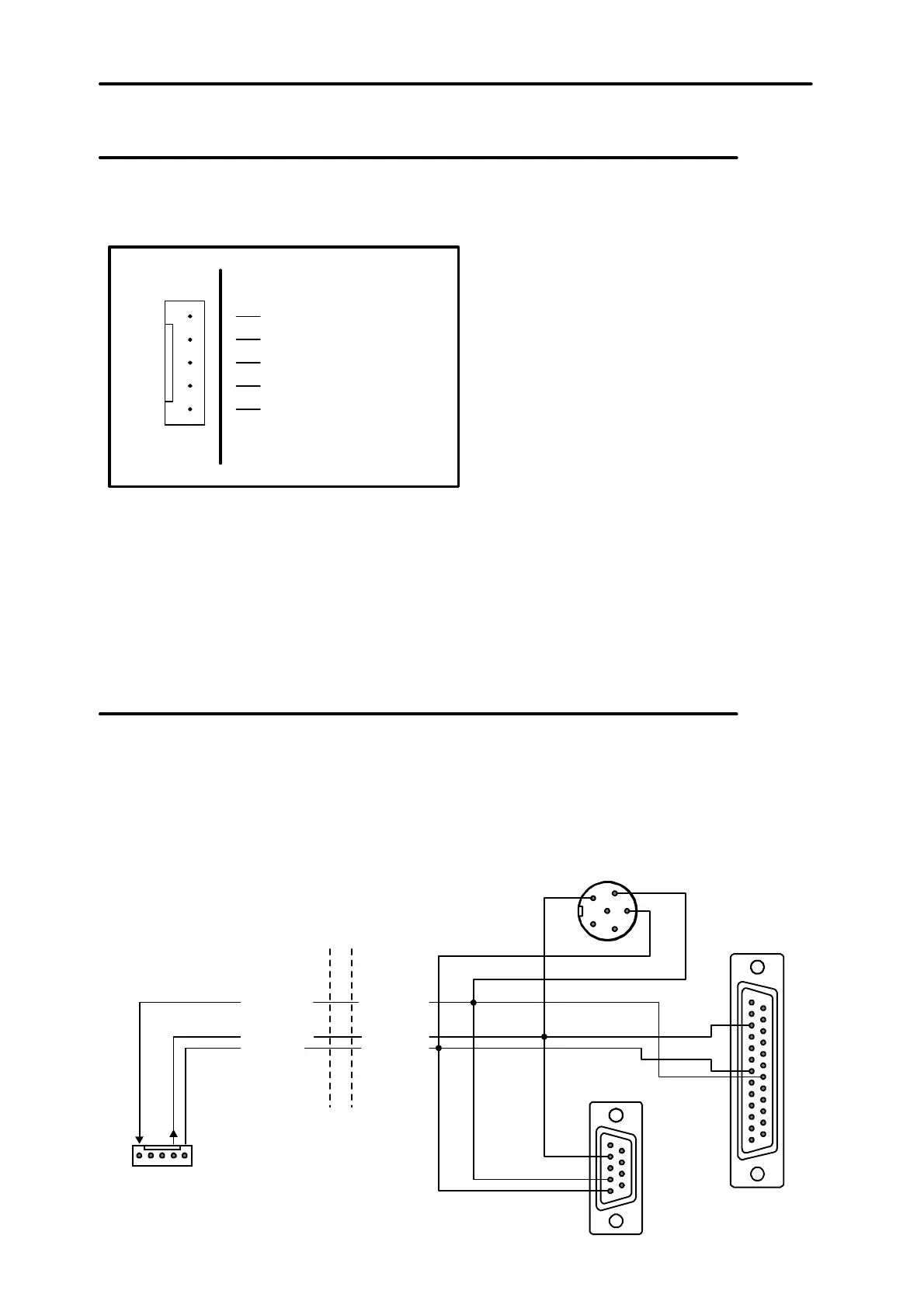
Control panel RS-232 port allows connection of a printer provided with a serial port.
The control panel may print events in a “compressed” format (single event is printed
in a single line containing up to 80 characters) or “extended” format, with names of
zones, partitions, users and modules (then, the event is printed in two lines, when the
printer with up to 80 characters per line is used; the descriptions of a single event are
printed in one line with printers printing 132 characters per line).
DSR cont. p. DTR prin.
RXD prin.TXD cont. p.
COM COM
1
2
3
4
5
6
SERIAL PORT
RS-232
3
7
20
2
4
5
(view of connector
at the control panel board)
Fig. 23. Connection of a printer to the control panel serial port.
ground
low frequency signal
triggering
power supply, +
control panel
printed board
telephone line listening in



 To Next Page