7
ST-8802 Digital TV Channel Filtering Optimizer/Encoder
Web Configuration / Remote Control
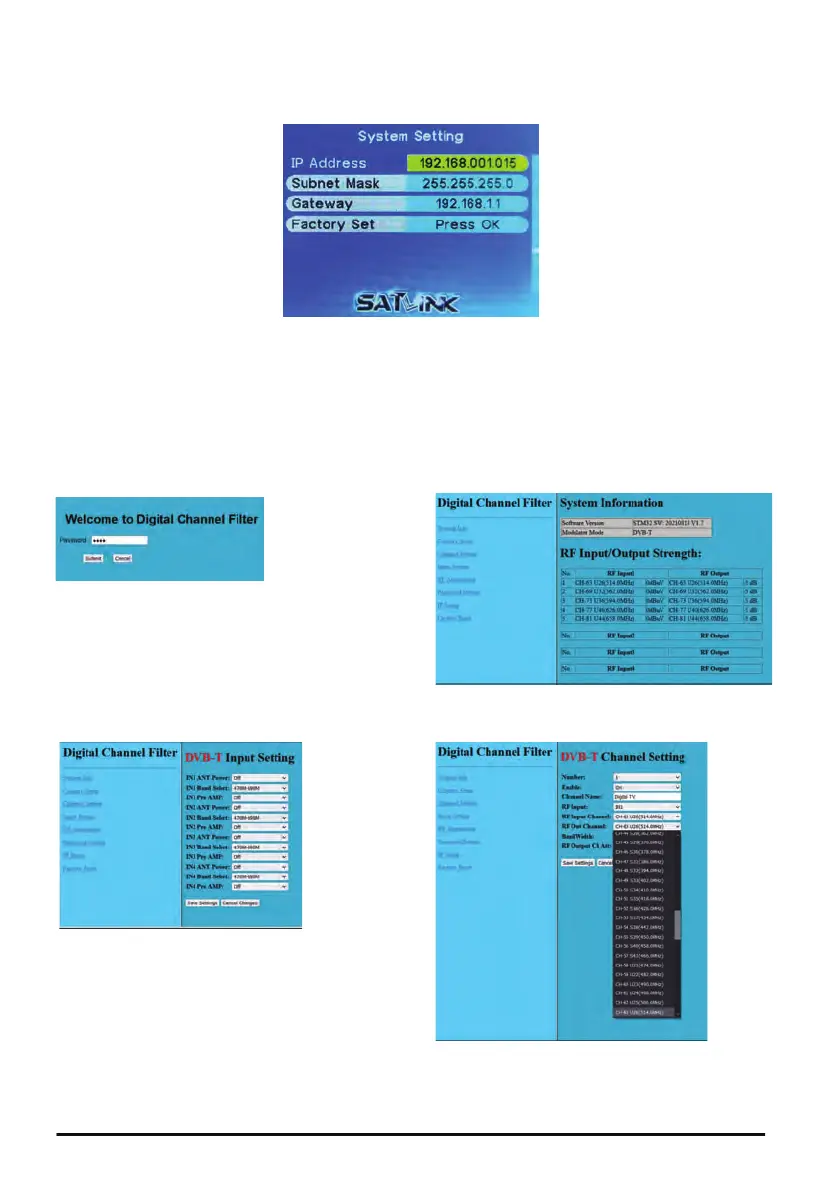
① Connect the Ethernet (RJ-45) port on the back panel of the Channel Filter and the Ethernet port
of a PC with an Ethernet cable. Power on the Channel Filter.
② Configure the IP address of the PC to be 192.168.1.100.
③ Launch a Web browser on PC and type http://192.168.1.15, Default login password is 1234.
④ On the Web management pages of the Channel Filter, all configuration settings from LCD menu
are available for remote access through Web interface.
Ethernet/IP settings of the Channel Filter can be configured from the System Settings of the main
menu.
Login
System Settings
Input Settings
Channel Settings


 To Next Page