Before Editing TV Channels
■ Choose Input Channel from Antenna or Cable Input
• Output frequency of selected input channel can be any existing channel frequency available from
your local Channel Plan.
• Depending on the modulation technique of over-the-air broadcasting TV or Cable TV used in your
area, refer to the corresponding appendix for Channel Plan information.
• For business installers, a handheld spectrum analyzer up to 1 GHz can be helpful to understand the
channel/signal quality but it’s not mandatory.
• Select an unused or an unimportant channel from the Channel Plan as output channel frequency
if optimized channels are going to be combined with other input source.
• If you are unsure about which output frequency to be used for selected input channel
◊ Pick a frequency between channel gap, make sure it’s 6 MHz or 8 MHz away from the previous
and the next channels.
◊ Use the recommended frequency indicated on the corresponding Channel Plan appendix.
◊ Use the default frequency selected by the Channel Filter.
• Output channel name, channel number and frequency of selected input channel can be configured
from the LCD menu or Web Configuration page.
• Follow the instructions of this Start Guide to extract input channels from antenna input ports to
format output channels. Maximum 32 output channels can be composed.
• Your TV needs to learn all TV channels by auto or manual channel rescan. Refer to the
user’s guide of your TV set to practice the rescan for channel detection.
• If the output power level of the Channel Filter is too high, it may oversaturate the TV signals
delivered by service providers. It’ necessary to lower the output power level or use an attenuator
to reduce oversaturation.
■ System Settings
In order to combine the existing TV broadcasting channels from antenna inputs, it’s necessary to
configure system parameters properly from the System Settings menu:
• OSD Language → press ◄► keys to select the on-screen display language. If your local language is
unavailable, select English and refer to the description of this Start Guide.
• Country → press ◄► keys to select country that reflects the channel plan/table to be loaded for
channel extraction and formation. If selection of your country is unavailable, select the country
close to yours in the area.
• TV Standard → press ◄► keys to select TV standard in your region from ATSC (6MHz), DVB-T
(6MHz, 7MHz or 8MHz), ISDB-T (6MHz) or DVB-C (J.83B 6MHz, or J.83A/C 8MHz).
• Output Attenuation (All Channels) → press ▲▼ keys to change output attenuation applies to all
channels between -31dB and 0dB relative to 113 dBuV (53 dBmV).
5
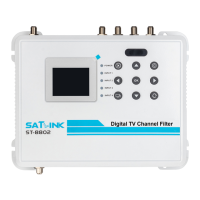
ST-8802 Digital TV Channel Filtering Optimizer/Encoder


 To Next Page
 Loading...