Digital Satellite Finder
18
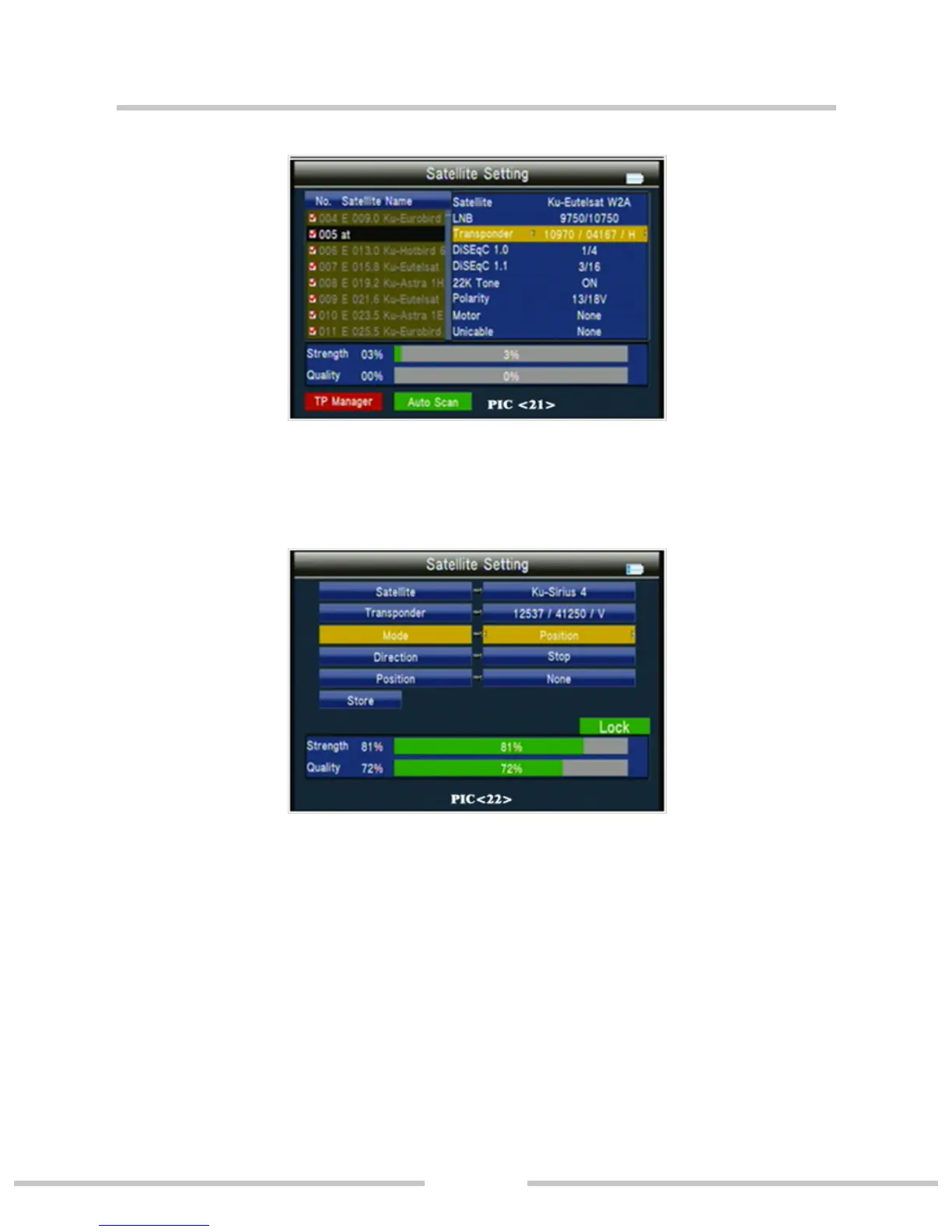
If we select DiSEqC1.2/USALS, press ok into the motor inter-
face.(PIC 22)
○ Transponder: Press ok key to change the current tp.
○ Mode: A, Position
A1 Direction:Press ◄► key to move direction to west or east.
A2 Position: set the satellite save position.
A3 Store: save the satellite position to set of A2.
○ Mode: B, Drive to Zero; move the cursor to GO, then press OK
key, the motor will go to zero.


 To Next Page