Digital Satellite Finder
20
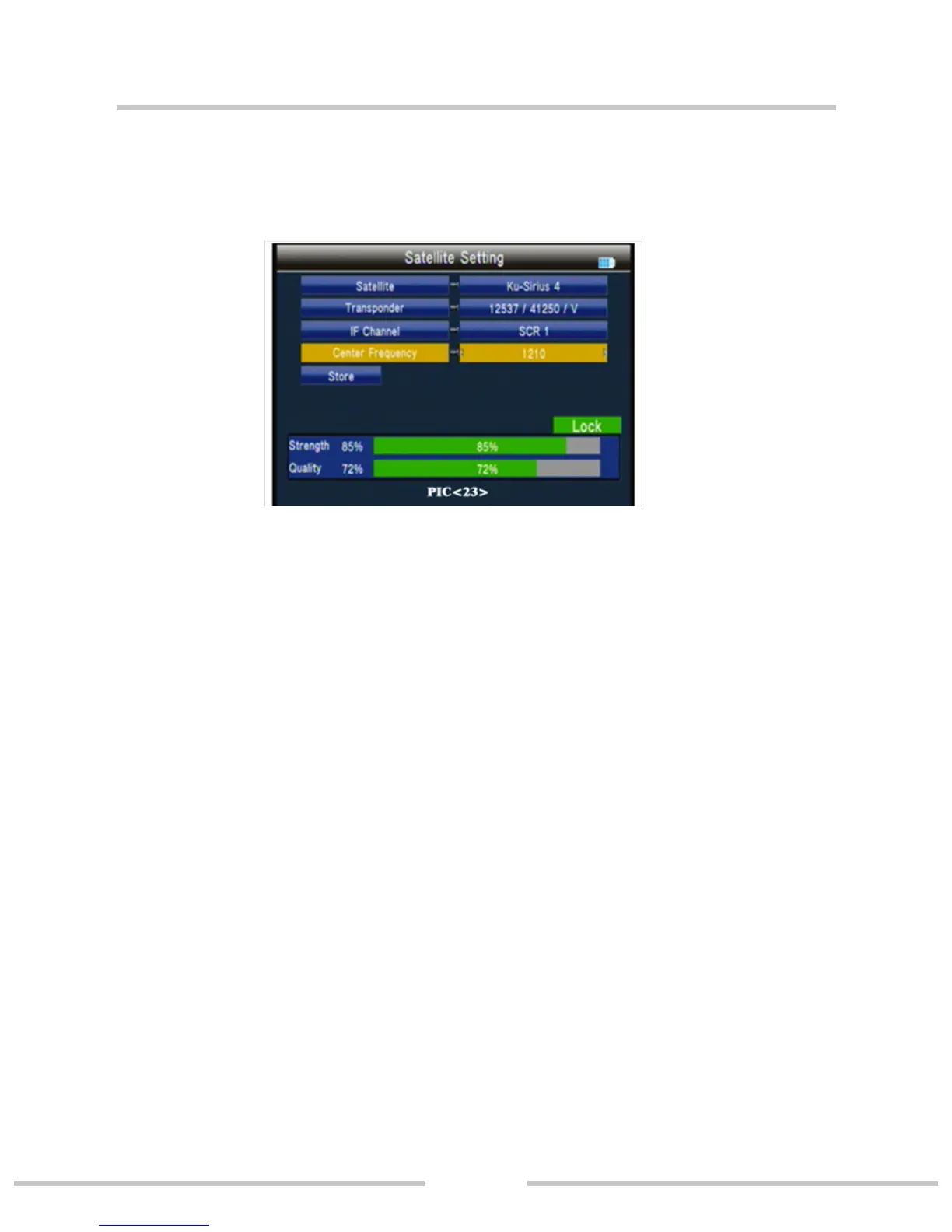
Center Frequency: use value key to input number.
Store: store the setting.
3.4.2 Auto Scan(PIC 24)
○ Satellite:Press ◄►key into the satellite list. Use ▲▼ key
to move the cursor, then press OK key to select the satellite of
you want.
○ Transponder: press ◄► key into the TP list. Use ▲▼ key
to move the cursor then pressOK key to select the satellite of
you want.
○ NIT: press ◄► key to switch network searcher on/o
○ Program: TV search type ALL/FTA
○ Scan Mode: scan mode select, we can select Default TP /
One TP/Blind.
○ Scan Select: scan all satellites of selected or the current sa-
tellite.
3.4.3 Transponder(PIC 25)
Press ▲▼ key to select the current satellite.


 To Next Page