Digital Satellite Finder
26
On the basis of the Video Output choice, we can press ◄►
key to change the TV resolution.
○ Digital Audio Output
Press ◄► key to change the LPCM or RAW format.
○ Time Zone
Press ◄► key to change the Time Zone.
○ PWR Unit
Press ◄► key to change the PWR unit.
○ Flashlight
Press ◄► key to switch Flashlight on/o.
○ KB-BackLight
Press ◄► key to switch delay time of back light.
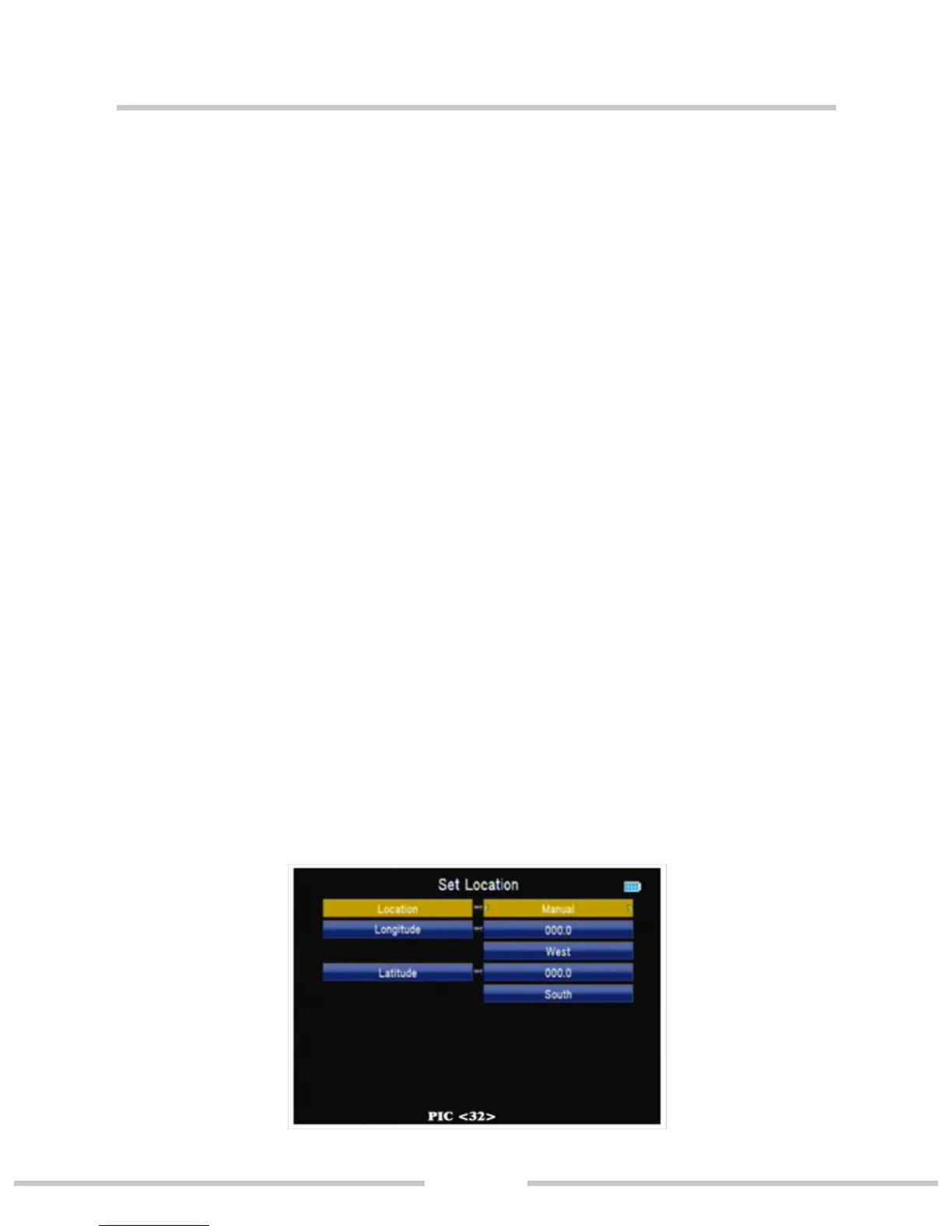
○ Set Location (PIC 32)
Press ◄► or ok key to set location longitude or latitude
Location: we can press ◄► to change the city, then auto
select longitude and latitude.
Longitude: we can use number key input value then select
west or east.
Latitude: we can use number key input value then select south
or north.


 To Next Page