å
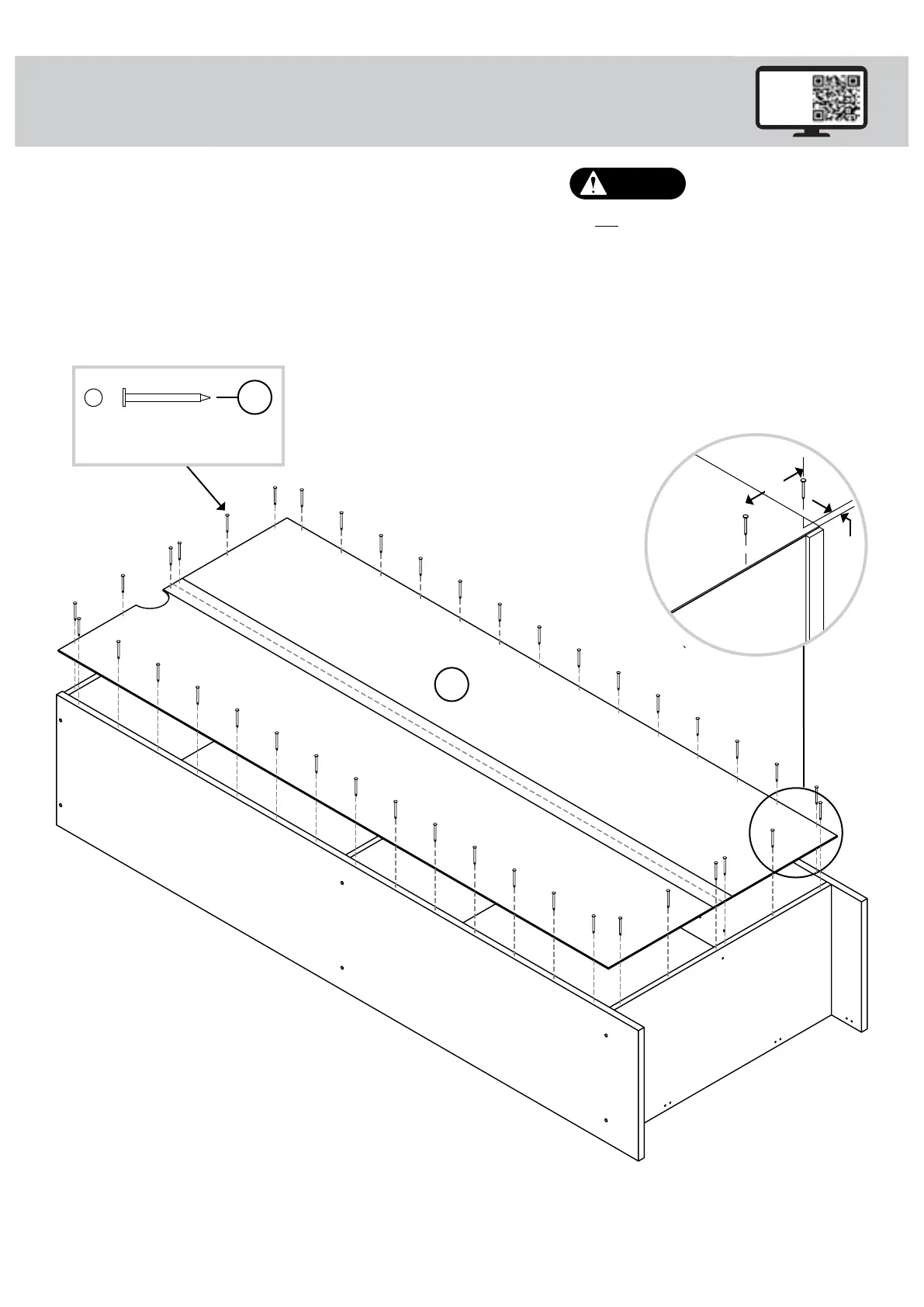
Unfold the BACK (D) and lay it over your unit.
å
Make equal margins along all four edges of the BACK (D). Push
on opposite corners of your unit if needed to make it "square".
å
Fasten the BACK (D) to your unit using the NAILS (5). The NAILS
should be 4" apart and 1/4" in from the edges.
Step 2
8
Do not stand the unit upright without the
BACK fastened. The unit may collapse.
Caution
4"
1/4"
D
NAIL
(40 used in this step)
5
Page 6 www.sauder.com/service 426932
Unfinished
surface



 To Next Page