Step
å
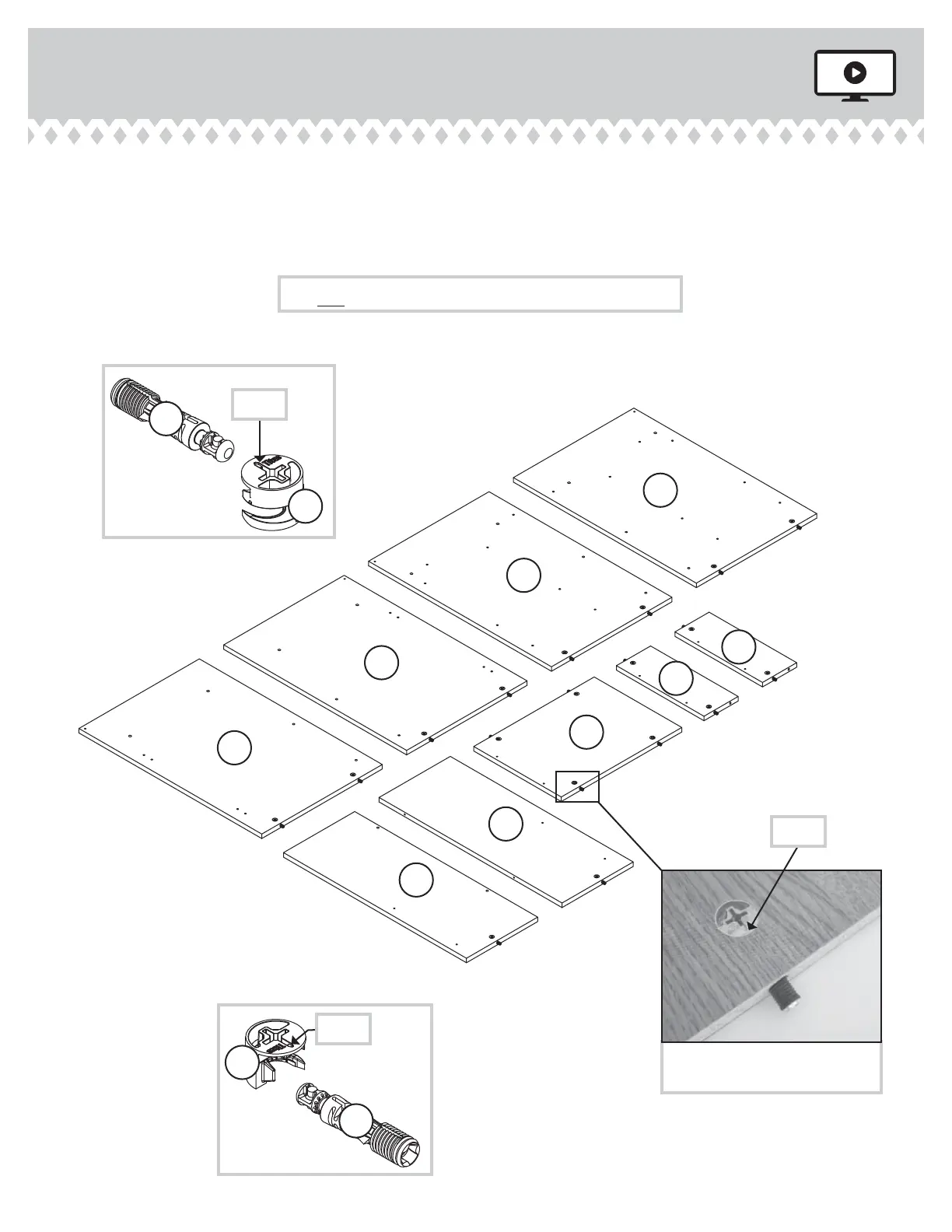
Push eihteen HIDDEN CAMS (1F) into the ENDS (A, B, C,
and D), UPRIGHTS (E and F), BOTTOM (J), and BRACES (L).
Then, insert the metal end of a CAM DOWEL (2F) into each
HIDDEN CAM.
Step 3
420474 www.sauder.com/servicesPae 8
Arrow
1F
2F
(18 used)
Arrow
1F
2F
Insert the metal end of the CAM
DOWEL into the HIDDEN CAM.
Arrow
Do not tihten the HIDDEN CAMS in this step.
C
D
E
F
J
A
B
L
L


 To Next Page
 Loading...