4.1.2 Replacing air filter inserts
Personnel:
n
Service personnel
Protective equipment:
n
Protective gloves
n
W
ork clothing
n
Safety boots
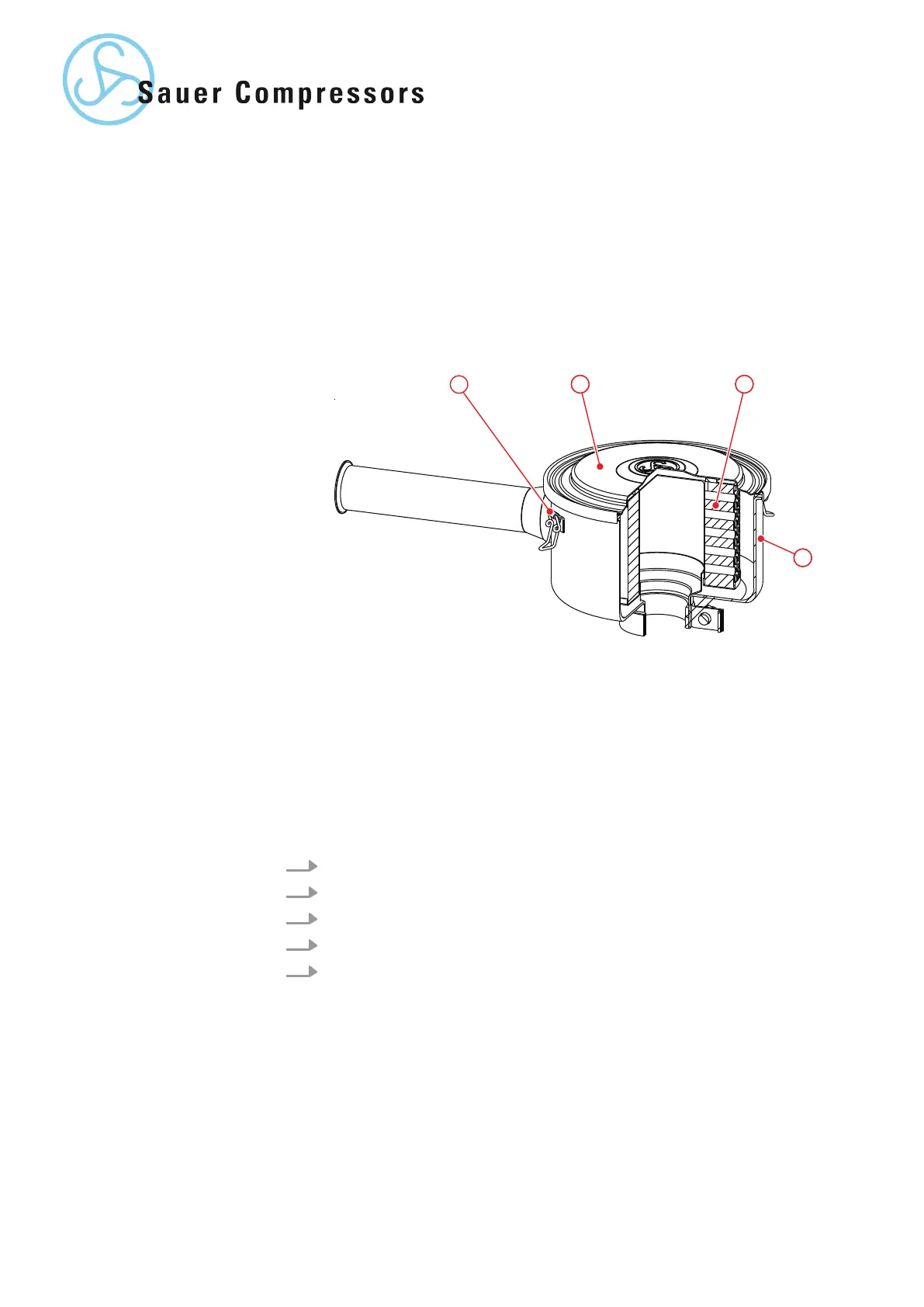
Fig. 3: Air filter
1 Clamp
2 Air filter cap
3 Air filter insert
4 Air filter housing
1. Loosen clamps and remove the air filter cover
.
2. Remove the air filter insert from the air filter housing.
3. Clean the air filter housing with a lint-free cloth.
4. Fit a new air filter insert in the air filter housing.
5. Attach the air filter cap and close the clamps.
Replacing the damper
air filter insert
22 | WP5000 Basic WA 41013675 en GB 20190916


 To Next Page