18 | en FH-BA-e-2430
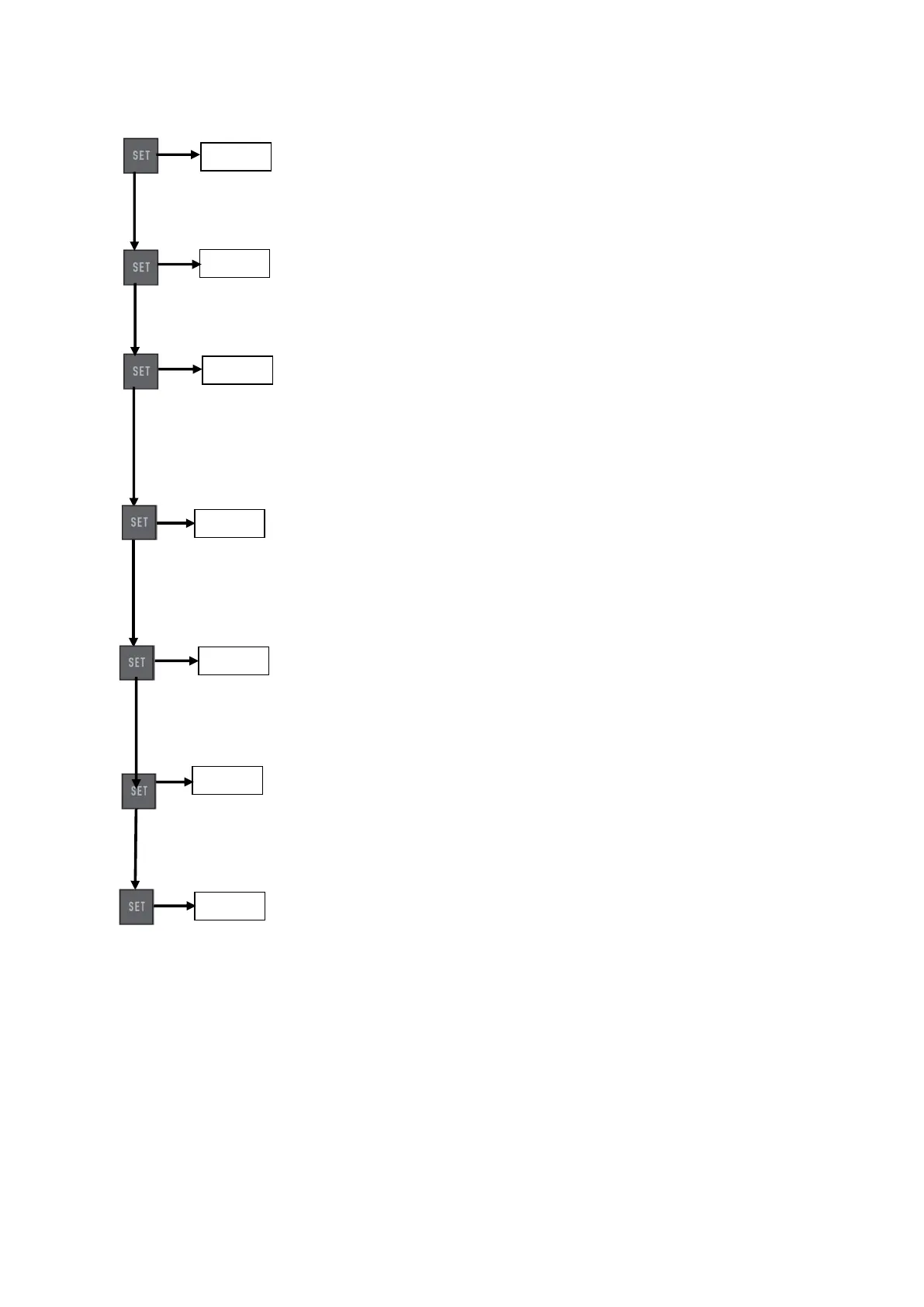
8.4 SET
Press once: Upper limit value [HidT / Hi Lt]. To change: ▲ or ▼ (see section
Limit value display)
Press once: Lower limit value [LodT].
To change: ▲ or ▼ (see section Limit value display)
Press once: Lower limit value to activate the memory function for peak value
measurements (peak). [LE.SET / Lo Pe] (see also section Minimum limit
value function) To change: ▲ or ▼ (only activated in "Peak mode", see
section Limit value display)
Press once: Auto-stop function to switch off the test stand when a limit force
is reached. Setting the limit force.
To change: Press ▲ or ▼.
Press once: Auto-Off function, switch-off when not in use after an adjustable time
interval in seconds [P.OFF]. To change: ▲ or ▼ (only activated in battery mode)
Press once: Result hold time [PE.2E / A.PE / HoldT]: Setting the display
duration (in seconds) of the peak value (Peak).
To change: ▲ or ▼
Press once: Optional transmission of the output signal [rS232] to PC (PC) or
printer (print) or (in version U 5.3) to the test stand (stand)
To change: ▲ or ▼
Note: During the settings, you can save the settings and return to the operating
status by pressing the ZERO button.



 To Next Page