EasyManua.ls Logo

sauter FH Series - User Manual

sauter FH Series
17 pages
Print Icon
To Next Page IconTo Next Page
Loading...
FH-BA-e-2020
Sauter GmbH
Ziegelei 1
D-72336 Balingen
e-mail: info@kern-sohn.com
Phone : +49-[0]7433- 9933-0
Fax: +49-[0]7433-9933-149
Internet: www.sauter.eu
Instruction manual digital force
gauge
SAUTER FH
Version 2.0
01/2020
GB
PROFESSIONAL MEASURING
Question and Answer IconNeed help?

Do you have a question about the sauter FH Series and is the answer not in the manual?

Summary

Introduction

Scope of Delivery

Technical Data and Specifications

Technical Data FH with Internal Loadcell (up to 500 N)

Specifications for SAUTER FH models with internal loadcells up to 500N capacity.

Technical Data FH with External Load Cell (up to 500 N)

Specifications for SAUTER FH models with external loadcells up to 500N capacity.

Technical Data FH with External Load Cell (from 1 kN)

Specifications for SAUTER FH models with external loadcells from 1kN capacity.

External Load Cell Specifications (from 1 kN)

Details on external load cells, including dimensions, thread type, and cable length.

Power Supply and Battery Operation

Display Indications Explained

Control Button Functions

Basic Controls (ON;OFF, UNIT, ZERO)

Controls for powering the device, selecting units, and zeroing the display.

Advanced Controls (SET, StoP, P.OFF)

Functions for settings, auto-stop, and auto-off features.

Peak and Data Functions (HoldT, RS232, Memory, Print)

Managing peak values, data transfer, memory storage, and printing.

Measurement Modes (Peak, Auto-Peak)

Modes for capturing peak force values and auto-peak functionality.

Limit Value Display and Measurement Modes

Limit Value Display (Good;Bad)

Interpreting LED indicators for test results against programmed limits.

Simple Measurement (Track Mode)

Displaying the currently acting force and its direction.

Peak Hold Function (Peak Mode)

Captures and holds the peak force value during measurement.

Auto Peak Hold Mode

Automatically captures peak values without requiring manual reset.

Minimum Limit Value Function

Prevents the storage of unwanted 'pre-peaks' below the target value.

Data Storage and RS 232 Interface

Storage of Peak and Average Values

Methods for storing and recalling peak and average measurement results.

RS 232 Data Interface Assignment

Pin assignment and signal designations for the RS 232 data interface.

Interface Protocol and Warnings

RS-232 Interface Protocol Details

Parameters and format for data communication via the RS-232 interface.

General Operation Warnings

Important safety and operational warnings for correct usage.

Usage Precautions and Warranty

Inappropriate Use and Overloads

Guidelines on prohibited uses and preventing device damage from overloads.

Safety Attention Points

Critical safety considerations during operation and handling.

Warranty Information

Conditions under which the product warranty may expire.

Test Equipment Monitoring

Adjustment and Calibration Instructions

Technical Drawings and Dimensions

Summary

Introduction

Scope of Delivery

Technical Data and Specifications

Technical Data FH with Internal Loadcell (up to 500 N)

Specifications for SAUTER FH models with internal loadcells up to 500N capacity.

Technical Data FH with External Load Cell (up to 500 N)

Specifications for SAUTER FH models with external loadcells up to 500N capacity.

Technical Data FH with External Load Cell (from 1 kN)

Specifications for SAUTER FH models with external loadcells from 1kN capacity.

External Load Cell Specifications (from 1 kN)

Details on external load cells, including dimensions, thread type, and cable length.

Power Supply and Battery Operation

Display Indications Explained

Control Button Functions

Basic Controls (ON;OFF, UNIT, ZERO)

Controls for powering the device, selecting units, and zeroing the display.

Advanced Controls (SET, StoP, P.OFF)

Functions for settings, auto-stop, and auto-off features.

Peak and Data Functions (HoldT, RS232, Memory, Print)

Managing peak values, data transfer, memory storage, and printing.

Measurement Modes (Peak, Auto-Peak)

Modes for capturing peak force values and auto-peak functionality.

Limit Value Display and Measurement Modes

Limit Value Display (Good;Bad)

Interpreting LED indicators for test results against programmed limits.

Simple Measurement (Track Mode)

Displaying the currently acting force and its direction.

Peak Hold Function (Peak Mode)

Captures and holds the peak force value during measurement.

Auto Peak Hold Mode

Automatically captures peak values without requiring manual reset.

Minimum Limit Value Function

Prevents the storage of unwanted 'pre-peaks' below the target value.

Data Storage and RS 232 Interface

Storage of Peak and Average Values

Methods for storing and recalling peak and average measurement results.

RS 232 Data Interface Assignment

Pin assignment and signal designations for the RS 232 data interface.

Interface Protocol and Warnings

RS-232 Interface Protocol Details

Parameters and format for data communication via the RS-232 interface.

General Operation Warnings

Important safety and operational warnings for correct usage.

Usage Precautions and Warranty

Inappropriate Use and Overloads

Guidelines on prohibited uses and preventing device damage from overloads.

Safety Attention Points

Critical safety considerations during operation and handling.

Warranty Information

Conditions under which the product warranty may expire.

Test Equipment Monitoring

Adjustment and Calibration Instructions

Technical Drawings and Dimensions

Overview

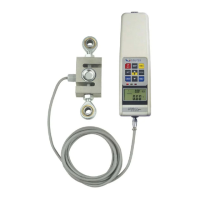
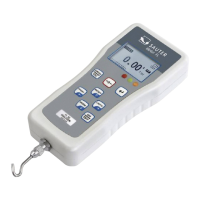
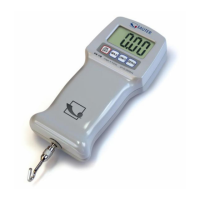
The SAUTER FH is a digital force gauge designed for professional force measurement, available with either an internal or external measuring cell. This instruction manual, version 2.0 from January 2020, provides comprehensive details for its operation and maintenance.

Function Description

The SAUTER FH is primarily used for measuring force, offering various modes to suit different applications. It can operate in a continuous measurement "Track mode," a "Peak mode" for acquiring peak force values, and an "Auto-Peak mode" which functions similarly to Peak mode but without a minimum limit function. The device also supports an "Auto-Stop function" to halt a test bench when a limit force is reached, and an "Auto-Off function" to conserve battery life by switching off after an adjustable time interval of inactivity.

For quality control, the device features a "Limit value display Good / Bad" with LED indicators (red for bad, green for good) and an acoustic signal. This allows users to program upper and lower limit values, and the instrument compares measurement results against these limits. A "Minimum limit value function" helps prevent unwanted "pre-peaks" from being stored during measurements by setting an adjustable limit (Fo) below which values are ignored.

The SAUTER FH can store up to 10 peak values, which can then be used for "average value calculation." Individual peak values can be recalled, and the average value can be displayed. The memory contents can also be deleted.

Data output is possible via an RS 232 interface, allowing for optional transmission of measurement results to a PC or printer. The interface protocol specifies a baud rate of 9600, 8 data bits, no parity, and 1 stop bit. The device responds to an ASCII character "9" request by returning a 7-character string representing the measured value, including a sign indicator (0 for minus/pressure, 1 for plus/pull).

Important Technical Specifications

The SAUTER FH series offers a wide range of capacities, depending on whether it uses an internal or external load cell.

With internal load cell (up to 500N):

  • Capacities: FH 10 (10N), FH 20 (20N), FH 50 (50N), FH 100 (100N), FH 200 (200N), FH 500 (500N).
  • Work temperature: 10°C to 30°C.
  • Relative air humidity: 15% to 80% Humidity.
  • Weight: Approx. 640g.
  • Dimensions (LxWxH): 240x65x35mm.
  • Thread: M6.

With external load cell (up to 500N):

  • Capacities: FH 10 ext. (10N), FH 20 ext. (20N), FH 50 ext. (50N), FH 100 ext. (100N), FH 200 ext. (200N), FH 500 ext. (500N).
  • Measurement uncertainty: ±0.5% of Max (measuring range).
  • Work temperature: 10°C to 30°C.
  • Relative air humidity: 15% to 80% Humidity.
  • Weight display unit: Approx. 600g.
  • Dimensions display unit (LxWxH): 240x65x35mm.
  • Thread: M6.

With external load cell (from 1kN):

  • Capacities: FH 1k (1000N), FH 2k (2000N), FH 5k (5000N), FH 10k (10000N), FH 20k (20000N), FH 50k (50000N), FH 100k (100000N).
  • Measurement uncertainty: ±0.5% of Max (measuring range).
  • Working temperature: 10°C to 30°C.
  • Relative air humidity: 15% to 80% Humidity.
  • Weight display unit: Approx. 600g.
  • Dimensions display unit (LxWxH): 230x65x35mm.
  • External load cell dimensions (LxWxH) and thread type:
    • 1 kN, 2 kN: 76x51x19mm, M12x1.75
    • 5 kN, 10 kN, 20 kN: 76x51x28mm, M12x1.75
    • 50 kN: 108x76x25.5mm, M18x1.5
    • 100 kN: 178x125x51mm, M30x2.0
  • Cable length (external load cell): Approx. 2.5m.

Battery operation / power supply:

  • Type: Ni 8.4V / 600 mAh.
  • Charging time: About 1 hour.
  • Operating time: Approx. 15 hours.
  • Simultaneous charging of the integrated battery when connected to mains via the charging cable.

Usage Features

The SAUTER FH is designed for ease of use with clearly defined control buttons and a comprehensive display.

Display Indication: The display shows the measurement result, display unit (N, lbf, kgf), print function activation, battery charge indicator, peak hold mode status (PEAK, AUTO PEAK), average or individual peak value, direction of force, memory locations, and AVERAGE or save mode.

Control Buttons:

  • ON/OFF: Powers the device on/off (press for approx. 1s).
  • UNIT: Selects units (N, kg, lb) with a brief press; reverses display with a press of at least 2s.
  • ZERO: Zeroes the display (tare function), zeroes peak value, or stores a setting in SET mode.
  • SET: Accesses various settings:
    • Hi Lt: Sets upper limit value.
    • Lo Lt: Sets lower limit value.
    • Lo Pe: Activates memory function for peak value measurements (in Peak Mode).
    • StoP: Activates Auto-Stop function for test benches.
    • P.OFF: Activates Auto-Off function (in battery mode).
    • HoldT: Sets display duration for peak value.
    • RS232: Configures output signal transmission to PC, printer, or test bench.
  • Backlight button: Toggles backlight.
  • PEAK button: Switches between Track mode, Peak mode, and Auto-Peak mode.
  • MEMORY button: Saves peak values for average calculation, recalls individual peak values, and calls up the average value.
  • Delete button: Erases memory values (in Memory mode).
  • PRINT button: Outputs memory contents to PC or printer.

Calibration: The device features an adjustment instruction for calibration. This involves switching to calibration mode, selecting the device type, entering the calibration weight in Newton, attaching the weight, and then zeroing the instrument.

RS 232 Data Interface: The SUB-D 9Pin male connector provides data output (TxD), input for control signal (RxD), ground (GND), and signals for upper limit value (> upper limit value), lower limit value (< lower limit value), and OK.

Maintenance Features

Warnings and Safety:

  • Force measurements should only be performed by trained personnel to prevent injury or damage.
  • Avoid exceeding the maximum load (Max) or applying non-axial forces to the load cell.
  • High impulse forces should also be avoided.
  • Do not twist the load cell, as this can damage it and reduce accuracy.
  • The device is not suitable for medical weighing, weighing people, or as an infant measuring instrument.
  • It does not comply with the German Medical Devices Act (MPG).
  • Do not operate in explosive environments; the standard version is not explosion-proof.
  • The design of the measuring instrument must not be changed.
  • Operation and maintenance should only be by trained personnel, and use must adhere to described specifications.
  • SAUTER's written approval is required for other areas of use.

Warranty: The warranty expires under conditions such as non-compliance with operating instructions, use outside the described field of application, modifying or opening the device, mechanical damage, damage from liquids, improper assembly or electrical installation, or overloading the measuring cell.

Test Equipment Monitoring: As part of quality assurance, the device and any test weights should be checked at regular intervals. The user is responsible for defining the interval and scope of inspection. Information on monitoring and necessary test weights is available on the SAUTER homepage, and KERN's accredited DAkkS laboratory offers checking and adjustment services.

RESET button: Located on the right side of the housing, the RESET button can be used to reset or delete individual settings and stored values, or to restart the device after an operating error.

sauter FH Series Specifications

General IconGeneral
Brandsauter
ModelFH Series
CategoryMeasuring Instruments
LanguageEnglish

Related product manuals