4 HMM-BA-e-2020
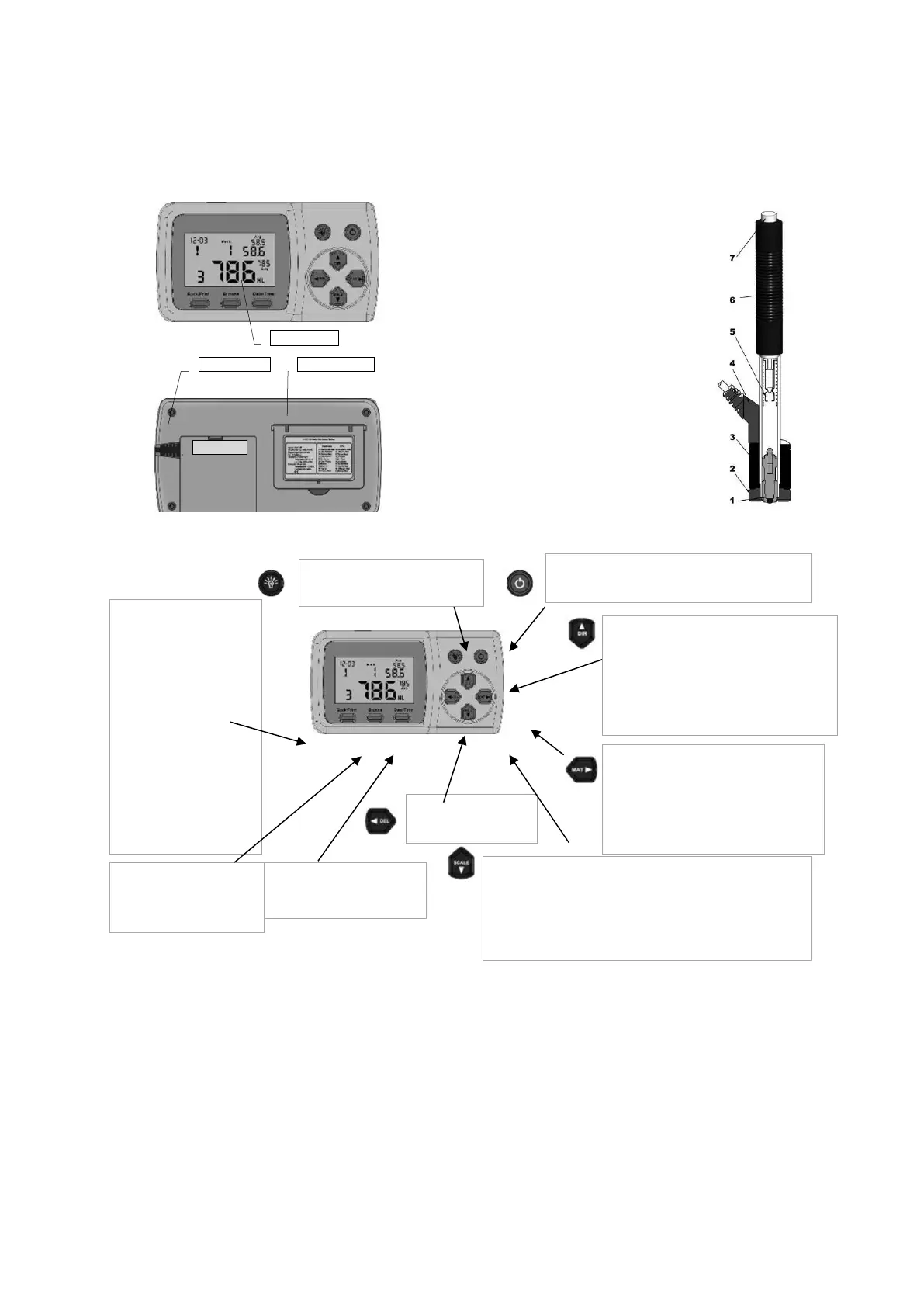
2.2 Structure
Display Rebound sensor type D
2.3 Keys
1. rebound body
2. stabilising ring
3. bobbin
4. cable
5. pawl clamping device
6. charging tube
7. release button
Key for backlit display: This key is used to
switch the backlighting of the display on
or off.
On/off button: The button is pressed and held down
for a short time to switch the unit on or off.
The "Back/Print" button:
❶ Press this key in the
measuring mode to delete the
measured data. If the mini-
printer is connected to the
instrument at the same time,
these data will be printed
before.
❷ In another mode, press
the "Back/Print" key to
complete the setup and save
the preset parameters, then
return to the measuring
mode.
The "Browse" button: Press
this button to view the stored
data.
The "Data/Time" key: This key is
used to set the time and
calendar.
The key is pressed and held to
cancel the current data in the
measuring mode or in the browse
mode.
❶ Press this button to set the orientation of
the rebound sensor.
❷ In the "Data/Time" mode, press the button
to increase the digit that is lit up by one
numerical value at a time.
❸ In Browse mode, press this button to
display the previous data.
❶ Press this button to select the material
to be examined.
❷ In "Data/ Time" mode and in calibration
mode, this key is used to select the next
binary character to be changed.
❶ This button is required to activate the scale for conversion to
other hardness values.
❷ In the "Data/Time" mode, press the button to reduce the digit
that is lit up by one numerical value at a time.
❸ In the "Browse" mode, press this button to display the next
data, measurement or browse mode.


 To Next Page