EasyManua.ls Logo

Savant PAV-SIPA50SM - User Manual

Savant PAV-SIPA50SM
3 pages
Print Icon
To Next Page IconTo Next Page
Loading...
PAV-SIPA50SM / PAV-SIPA50SMV2 Quick Reference Guide | 009-1658-03
Copyright 2021 Savant Systems Inc. | 210719
45 Perseverance Way, Hyannis, MA 02601
Savant.com | 508.683.2500
1 of 3
Box Contents
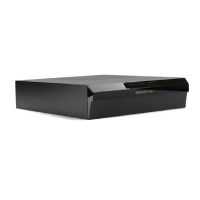
(1) Savant IP Audio 50 (PAV-SIPA50SM-xx / PAV-SIPA50SMV2-xx)
(2) Enclosure Bracket (071-1103-xx)
(1) 2U Rack Bracket (071-1102-xx)
(1) Power Cord (064-0079-xx)
(4) #10x½ Screw (039-0405-xx)
(4) Push Rivet (039-0406-xx)
(6) M4 Screw (039-0403-xx)
(4) 4-pin Speaker Connector (028-0702-xx)
(2) 4-pin IR Connector (028-0703-xx)
(4) Rubber Feet (074-0655-xx)
(4) M3 Feet Screw (039-0407-xx)
(1) Product Regulatory Statement (009-1950-xx)
Specifications
Environmental
Temperature 32° to 104° F (0° to 40° C)
Humidity
10% to 80% Relative Humidity
(non-condensing)
Maximum BTU 750 BTU/HR
Power
Input Power 100/240V AC (50/60 Hz) 3.6A
Maximum Power 225W
Operating Parameters
Rated Power
(Speaker Output)
50 WPC at 8 ohms (THD+N < 0.1%)
70 WPC at 8 ohms (THD+N < 1.0%)
Frequency
Response
20 Hz - 20 kHz +/- 0.5 dB, speaker output
Signal-to-Noise
Ratio (SNR)
>95 dB, speaker output
Supported Digital
Input Formats
44.1 kHz / 48 kHz / 96 kHz at 16-bit / 20-bit /
24-bit resolution
Networking
Supported
Standard
IEEE 802.1 AVB/TSN switches
IEEE 802.3 Ethernet
Regulatory
Safety and
Emissions
FCC Part 15B
CE Mark C-Tick UL UKCA
RoHS Compliant
Supported Releases
PAV-SIPA50SM-xx
da Vinci 8.8 and higher
PAV-SIPA50SMV2-xx
da Vinci 9.4.2 and higher
Music Streaming
The Savant IP Audio 50 has a built-in single stream of Savant Music for easy
access to popular music streaming services. (Streaming service fees may
apply.)
Savant® IP Audio 50 with Savant Music (PAV-SIPA50SM / PAV-SIPA50SMV2)
Quick Reference Guide
Dimensions
Height Width Depth Weight
Device 3.03 in
(7.69 cm)
12.00 in
(30.5 cm)
14.17 in
(36.0 cm)
10.6 lb
(4.81 kg)
Shipping 8.27 in
(21.0 cm)
15.55 in
(39.5 cm)
19.41 in
(49.3 cm)
15.1 lb
(6.83 kg)
Rack Space 2U
Front Panel
G
FED
C
BA
A
Power LED
Green: System has power and is operating
normally.
Red: System is in standby mode and most of the
controller circuitry is powered down.
O: System is not receiving power.
B
Status LED
Green Blinking: Embedded system is ready, but
no communication has been established with the
host.
Green: Host has established communications
with the embedded system.
Red Blinking: Embedded firmware is running, but
has not received a DHCP IP Address.
Red: Host has determined the firmware needs to
be updated, but a problem occurred during the
process that will initiate a reset.
Amber Blinking: Embedded system has a valid
link local IP Address and is connecting to the
host.
Amber: Host is updating the embedded
firmware.
O: Embedded processor is resetting, or is
powered up, and is booting the embedded
firmware.
Hardware Failure: If a hardware failure occurs,
the status LED indication will be interrupted
every three seconds with a solid red indication.
For example, if the LED is blinking green when a
hardware failure occurs, the LED will
alternate between blinking green and solid red at
three-second intervals.
C
RS232 LED
Green: RS-232 serial port activity.
O: No RS-232 serial port activity.
D
IR LED
Green: IR port signal activity.
O: No IR port activity.
E
On/O
Button
On: Fully enables all internal power rails and
processor.
O: Disables most internal power rails and
processor, but not internal AC/DC power supply.
Hold On/O button for about 5 seconds to place
into standby mode. The Power LED turns red.
Hold On/O button for about 1 second to take
system out of standby mode. The I/O power
switch on the back of unit must be On (I) to
enable this function. To turn the power o for the
entire system, press the I/O power switch on the
rear panel to O [O].
F
Reset Button
Resets the network.
Hold Reset Button for 5 seconds while powered
Onto clear network settings. Status LED will
rapidly blink red when reset is complete.
G
Zone
Protection
Red: Protection mode has been enabled to
protect a zone/channel; typically indicates
thermal protection, clipping or over current.
O: Zone is o and protection mode has not
been enabled.
Question and Answer IconNeed help?

Do you have a question about the Savant PAV-SIPA50SM and is the answer not in the manual?

Summary

Product Specifications

Environmental and Power Details

Details on operating temperature, humidity, maximum BTU, and power input/maximum power.

Dimensions and Rack Space

Specifies device and shipping dimensions, weight, and required rack space.

Operating Parameters and Formats

Covers rated power, frequency response, SNR, and supported digital input formats.

Networking, Regulatory, and Software

Includes network standards, safety compliance, supported software releases, and music streaming.

Front Panel Overview

LED Indicators

Description of Power LED, Status LED, RS232 LED, and IR LED statuses.

Buttons and Controls

Information on the On/Off button, Reset button, and Zone Protection status.

Rear Panel Connectivity

Speaker and Audio Connections

Details on speaker outputs, analog preamp output, analog inputs, and digital audio outputs/inputs.

Control and Communication Ports

Information on IR ports, RS-232, Ethernet, USB, and power input.

Installation and Fuse Replacement

Fuse Replacement Procedure

Step-by-step guide for safely replacing fuses, including precautions.

Mounting Options

Guidance for rack installation and enclosure installation.

Overview

The Savant IP Audio 50 with Savant Music (PAV-SIPA50SM / PAV-SIPA50SMV2) is an audio device designed for integration into a Savant smart home system, offering multi-zone audio distribution and access to streaming music services. It functions as a central hub for delivering high-quality audio throughout a home or commercial space, allowing users to control their audio experience from various locations.

Function Description

The core function of the Savant IP Audio 50 is to provide amplified audio output to multiple zones, supporting up to four distinct speaker zones. It integrates seamlessly with Savant's IP-based control system, enabling centralized management of audio sources, volume, and playback across different rooms. The device includes a built-in single stream of Savant Music, providing direct access to popular music streaming services, which may require separate subscription fees.

For audio input, the device supports both analog and digital sources. It features two analog stereo inputs (Left & Right) via RCA line-level connections, allowing for the integration of traditional audio components like CD players or turntables. Additionally, it includes two digital optical audio inputs (TOSLINK), capable of receiving PCM stereo format only, supporting up to 96kHz/24-bit digital audio. On the output side, it offers one analog stereo line output (Left & Right) and one digital optical preamp output (TOSLINK), providing flexibility for connecting to external amplifiers or other audio equipment.

Beyond audio, the Savant IP Audio 50 facilitates control of other devices through its IR (Infrared) ports and RS-232 serial port. The four IR ports allow the device to send IR signals to control external components with IR inputs, or to receive signals via an IR flasher. The RS-232 port enables serial communication with controllable devices, supporting data transmission and reception.

Networking is a critical aspect of this device, as it operates on an IP-based platform. It features an 8-pin RJ-45 Ethernet port that supports 100 Base-T auto-negotiating and Audio Video Bridging (AVB). This ensures reliable and synchronized audio distribution over the network. The device is designed to work with IEEE 802.1 AVB/TSN switches and IEEE 802.3 Ethernet standards.

Usage Features

The front panel of the Savant IP Audio 50 provides visual indicators and a control button for easy monitoring and basic operation.

  • Power LED (A): This LED indicates the system's power status. A solid green light signifies normal operation, while a red light indicates standby mode. If the LED is off, the system is not receiving power.
  • Status LED (B): This LED provides detailed feedback on the embedded system's status and communication with the host. Green blinking means the system is ready but not communicating with the host, while solid green indicates established communication. Red blinking suggests the firmware is running but lacks a DHCP IP address, or that a firmware update failed. Amber blinking indicates a valid link-local IP address and connection to the host, or that the host is updating the firmware. If a hardware failure occurs, the LED will alternate between its current state and a solid red light every three seconds.
  • RS232 LED (C): A green light on this LED indicates activity on the RS-232 serial port.
  • IR LED (D): A green light on this LED signifies signal activity on the IR port.
  • On/Off Button (E): This button controls the power state of the internal power rails and processor. Pressing it for about 5 seconds places the system into standby mode (Power LED turns red). A brief press (about 1 second) takes the system out of standby. For complete system power off, the I/O power switch on the rear panel must be set to Off [O].
  • Reset Button (F): A brief press of this button resets the network. Holding it for 5 seconds while powered on clears network settings, causing the Status LED to blink red rapidly until the reset is complete.
  • Zone Protection (G): A red light on this LED indicates that protection mode has been enabled for a zone/channel, typically due to thermal protection, clipping, or overcurrent.

The rear panel offers a comprehensive array of connections for integrating the device into an audio system:

  • Speaker Connections (A): Four 4-pin speaker output zones are provided, compatible with 8 ohm or 4 ohm speakers.
  • Analog Preamp Output (B): One stereo line output for connecting to external audio equipment.
  • Analog Input (C): Two stereo RCA line-level inputs for analog audio sources.
  • Digital Audio Out (D): One TOSLINK digital optical preamp output.
  • Digital Audio In (E): Two TOSLINK digital optical audio inputs.
  • IR (F): Four 4-pin IR ports for controlling external devices.
  • RS-232 (G): An 8-pin RJ-45 port for serial communication.
  • Ethernet (H): An 8-pin RJ-45 port for network connectivity.
  • Ethernet Activity LED (J): Green blinking indicates network activity (Rx/Tx).
  • Ethernet Link LED (K): Solid green indicates an established Ethernet link.
  • USB (L): A USB 2.0 Type A port, reserved for future use.
  • Power Input (L): The main power input with an I/O power switch for turning the chassis completely on or off.

Maintenance Features

The Savant IP Audio 50 includes a user-replaceable fuse, which is an important maintenance feature for protecting the device from electrical surges.

  • Fuse Replacement: The fuse is located within the power input section on the rear panel. To replace it, the unit must be disconnected from AC power. The fuse cover can be opened with a flat head screwdriver, and the fuse cartridges can then be gently removed. It is crucial to note the orientation of the cartridge and the fuse within the cartridge before removal, as proper reinstallation depends on matching this orientation. New fuses should be carefully placed into the cartridge and pressed firmly until seated.

For physical installation, the device can be mounted in a 2U rack style enclosure, compatible with standard 19-inch NEMA rack mounts. It also supports installation in a Structured Media Enclosure using specific brackets. For optimal ventilation in a Structured Media Enclosure, louvered doors are recommended.

The device's firmware can be updated by the host system, as indicated by the Status LED. This ensures that the device remains current with the latest features and bug fixes. Network settings can be reset by holding the front panel Reset Button for 5 seconds, which can be useful for troubleshooting connectivity issues.

The Savant IP Audio 50 is designed for expandability, allowing up to sixteen such devices to be connected in a single system. This creates a virtual audio switch that can be configured to meet diverse audio distribution needs.

Savant PAV-SIPA50SM Specifications

General IconGeneral
Frequency Response20 Hz - 20 kHz
Power Supply100-240VAC, 50/60Hz
Power Output per Channel50W
Audio InputsRCA
Audio Outputs8 Speaker
ControlIR, RS-232
MountingRack Mount
Operating Temperature32° to 104° F (0° to 40° C)
Humidity10% to 90% non-condensing

Related product manuals