Troubleshooting
90
4
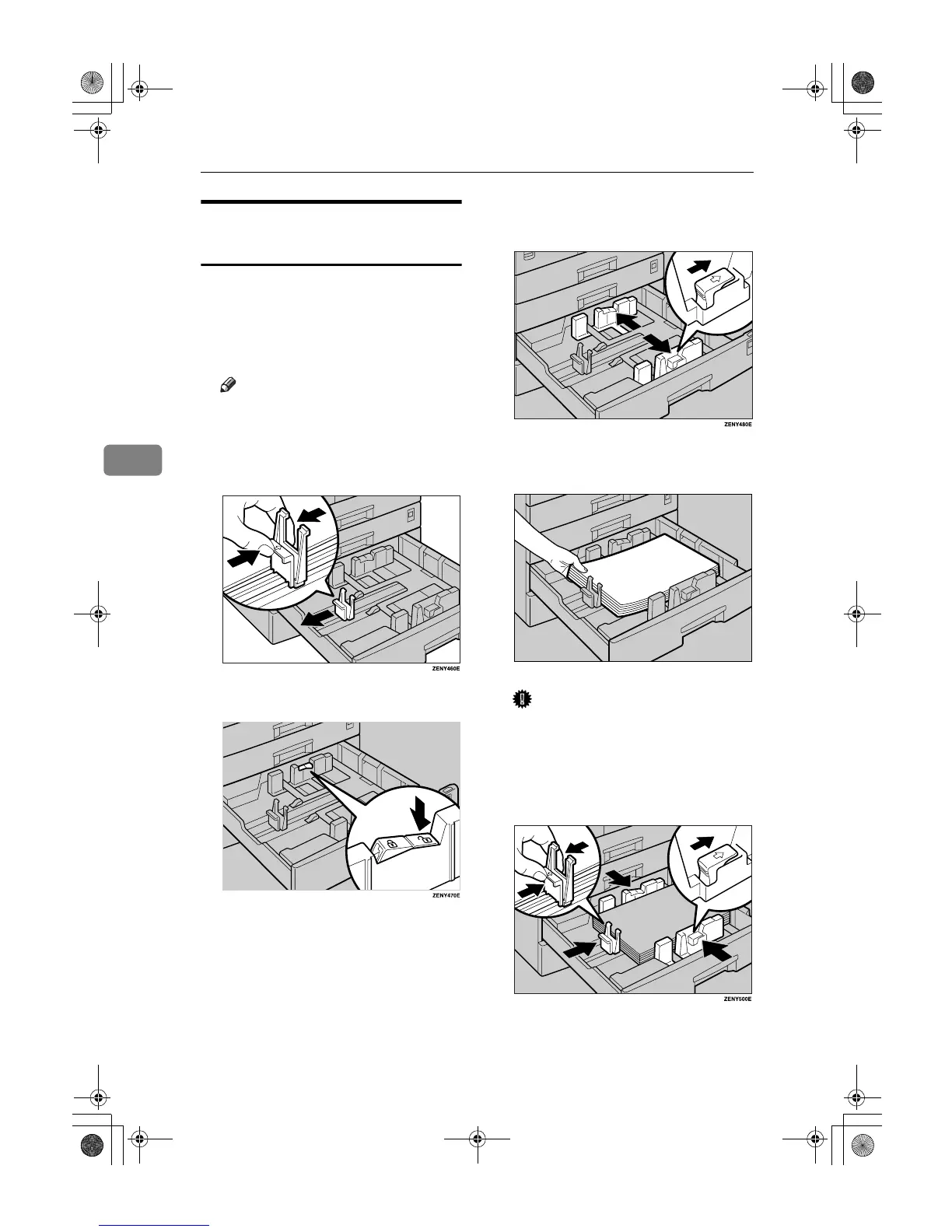
Changing the Paper Size in the
Optional Paper Tray Unit
A
AA
A
Make sure the paper tray is not in
use.
B
BB
B
Pull out the paper tray until it
stops.
Note
❒ Remove any remaining copy
paper.
C
CC
C
While pinching the release lever,
adjust the back fence.
D
DD
D
Press down the release button.
E
EE
E
While pressing the release lever,
adjust the side fences.
F
FF
F
Square the paper and set it in the
tray.
Important
❒ Do not stack paper over the lim-
it mark.
G
GG
G
While pinching the release lever,
adjust the side and back fences to
the new paper size.
AAI034S
KirC2_ENzenF_FM.book Page 90 Monday, September 22, 2003 10:47 AM



 To Next Page