Settings You Can Change with User Tools
35
3
❖
❖❖
❖ Extended Security
Specify whether or not to use the security function.
Note
❒ Default : Off
❒ You have to set a 6-digit key operator code to enable Extended Security.
See p.34 “Key Operator Code”.
Reference
For details about security, see p.97 “Security”.
❖
❖❖
❖ Display/Print Counter
Allows you to view and print the number of prints.
• Display/Print Counter
Displays the number of prints for each function (Total, Copier, Facsimile,
Printer, A3/DLT, and Duplex).
• Print Counter List
Prints out a list of the number of prints made under each function.
• To print the counter list
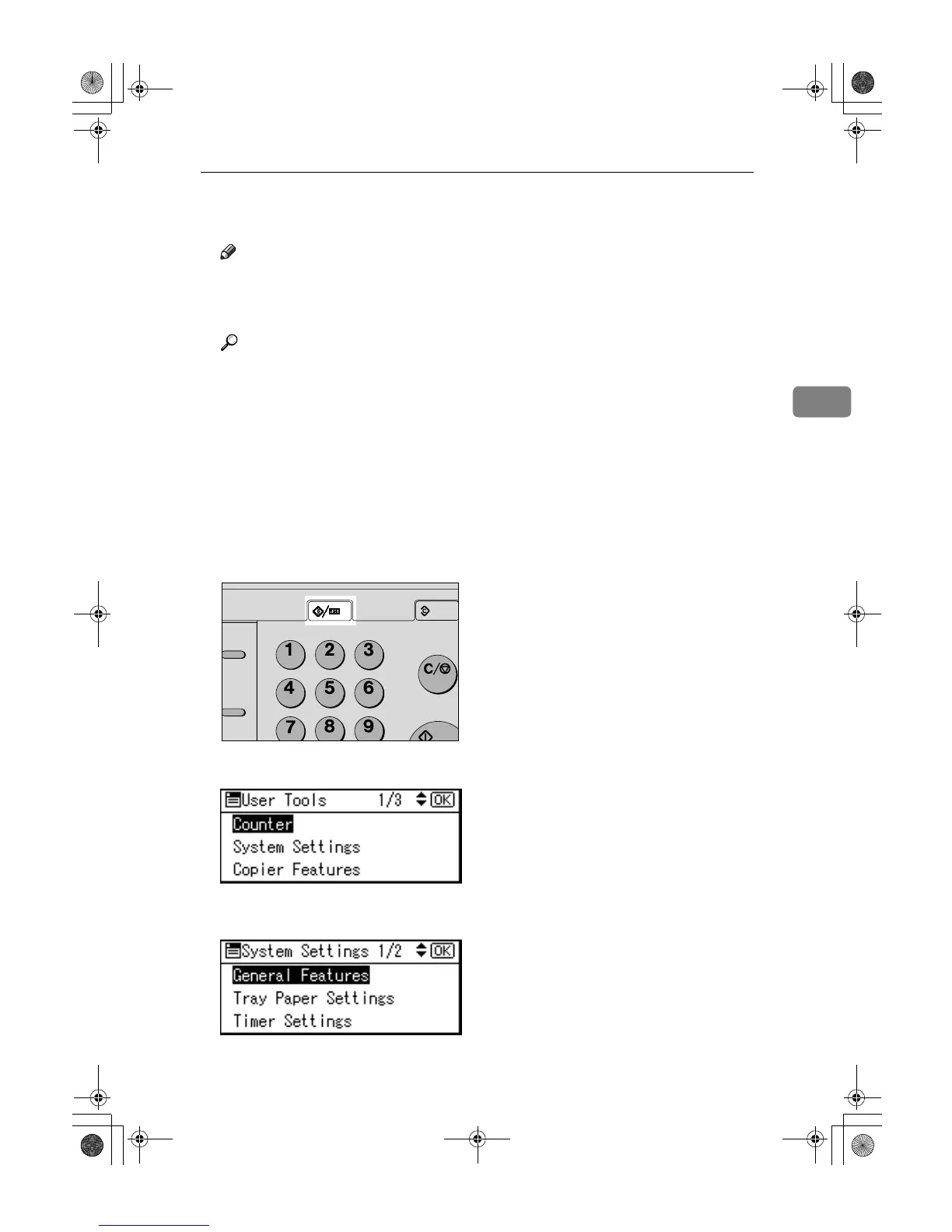
A Press the {
{{
{User Tools/Counter}
}}
} key.
B Select [System Settings] using {
{{
{U
UU
U}
}}
} or {
{{
{T
TT
T}
}}
}, and then press the {
{{
{OK}
}}
} key.
C Select [Key Operator Tools] using {
{{
{U
UU
U}
}}
} or {
{{
{T
TT
T}
}}
}, and then press the {
{{
{OK}
}}
}
key.
Hook Dial



 To Next Page