User Tools (System Settings)
52
3
E
Select the destination you want
to delete using
{
{{
{U
UU
U}
}}
}
or
{
{{
{
T
TT
T
}
}}
}
, and
then press the
{
{{
{
OK
}
}}
}
key.
G
GG
G
Press the {
{{
{OK}
}}
} key.
H
HH
H
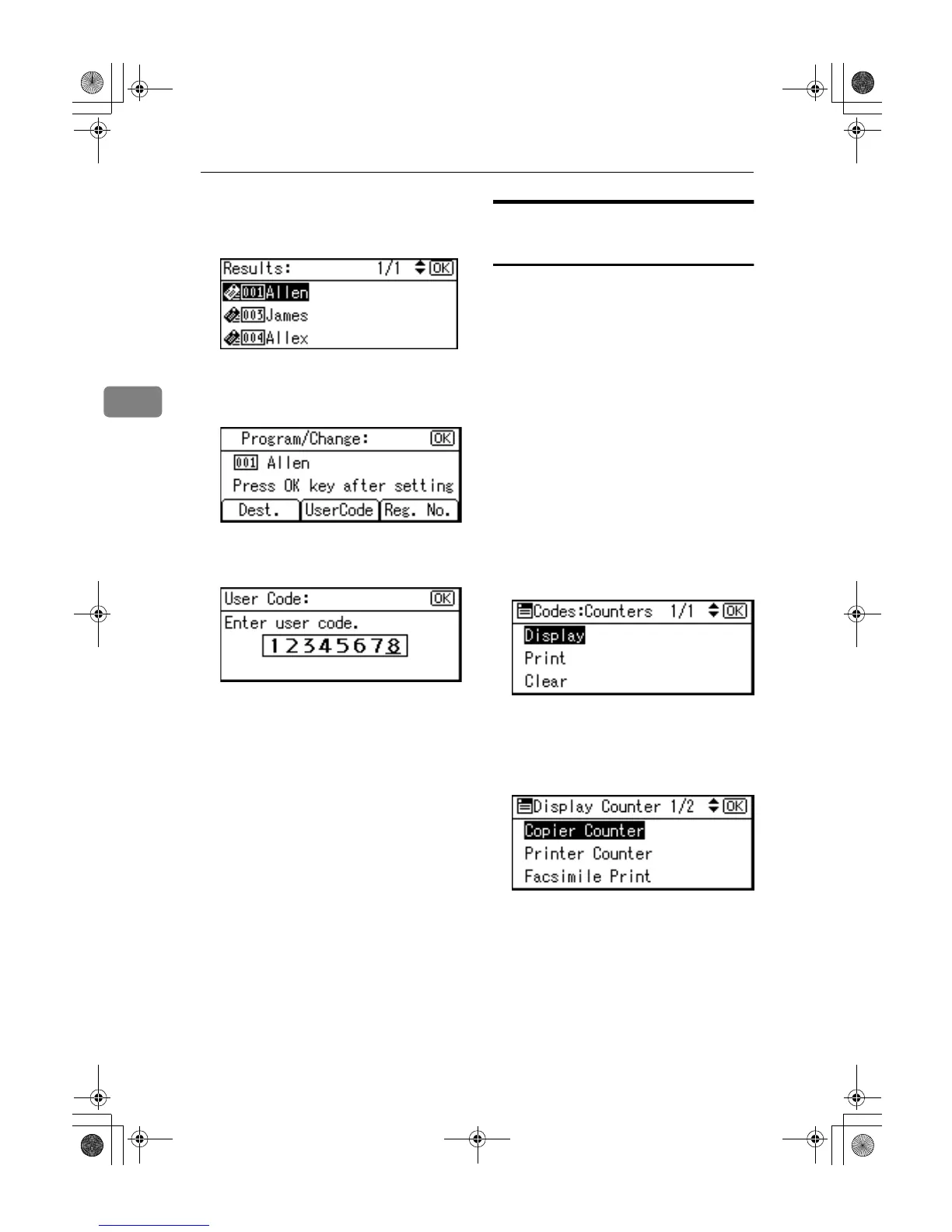
Press [UserCode].
I
II
I
Press the {
{{
{Clear/Stop}
}}
} key, and
then press the {
{{
{OK}
}}
} key.
J
JJ
J
Press the {
{{
{OK}
}}
} key.
The “
Programmed
” message ap-
pears, and then the “Address
Book” display returns.
K
KK
K
Press the {
{{
{User Tools/Counter}
}}
} key.
Displaying the Counter for
Each User Code
You can check the counter made un-
der each function's user code.
A
AA
A
Press the {
{{
{User Tools/Counter}
}}
} key.
B
BB
B
Select [System Settings] using {
{{
{U
UU
U}
}}
}
or {
{{
{T
TT
T}
}}
}, and then press the {
{{
{OK}
}}
}
key.
C
CC
C
Select [
Key Operator Tools
] using
{
{{
{U
UU
U}
}}
} or {
{{
{T
TT
T}
}}
}, and then press the
{
{{
{OK}
}}
} key.
D
DD
D
Select [Counter per User Code] using
{
{{
{U
UU
U}
}}
} or {
{{
{T
TT
T}
}}
}, and then press the
{
{{
{OK}
}}
} key.
E
EE
E
Select [Display] using {
{{
{U
UU
U}
}}
} or {
{{
{T
TT
T}
}}
},
and then press the {
{{
{OK}
}}
} key.
F
FF
F
Select the function you want to
display the counter for using {
{{
{U
UU
U}
}}
}
or {
{{
{T
TT
T}
}}
}, and then press the {
{{
{OK}
}}
}
key.
The counter for each user code will
be displayed.
G
GG
G
Press the {
{{
{User Tools/Counter}
}}
} key.
KirC2_ENzenF_FM.book Page 52 Monday, September 22, 2003 10:47 AM



 To Next Page