Registering Destinations to a Group
77
3
D Press the {
{{
{OK}
}}
} key.
E Select the destination you
want to delete using {
{{
{U
UU
U}
}}
} or
{
{{
{T
TT
T}
}}
}, and then press the {
{{
{OK}
}}
}
key.
Searching to select a
destination registered in a
group by e-mail address
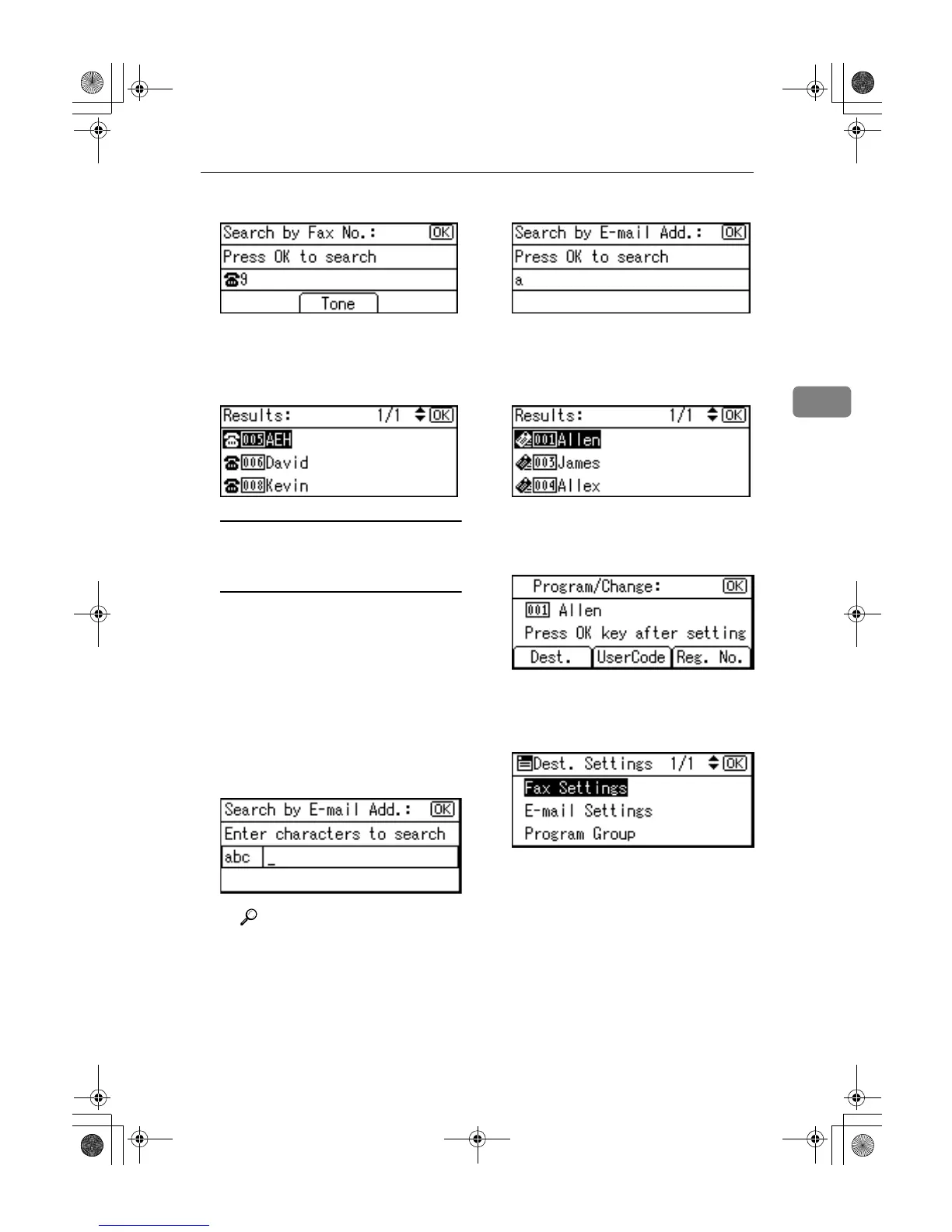
A Press [Search].
B Select [
Search by E-mail Ad-
dress
] using {
{{
{U
UU
U}
}}
} or {
{{
{T
TT
T}
}}
}, and
then press the {
{{
{OK}
}}
} key.
C Enter the e-mail address of
the destination you want to
delete using the number
keys and the Quick Dial
keys, and then press the
{
{{
{OK}
}}
} key.
Reference
For details about entering
text, see p.95 “Entering
Text”.
D Press the {
{{
{OK}
}}
} key.
E Select the destination you
want to delete using {
{{
{U
UU
U}
}}
} or
{
{{
{T
TT
T}
}}
}, and then press {
{{
{OK}
}}
}
key.
G
GG
G
Press the {
{{
{OK}
}}
} key.
H
HH
H
Press [
Dest.
].
I
II
I
Select [Program Group] using {
{{
{U
UU
U}
}}
}
or {
{{
{T
TT
T}
}}
}, and then press the {
{{
{OK}
}}
}
key.
J
JJ
J
Select the group name from
which you want to delete using
{
{{
{W
WW
W}
}}
}, and then press the {
{{
{OK}
}}
} key.
K
KK
K
Press the {
{{
{Cancel}
}}
} key.
L
LL
L
Press the {
{{
{OK}
}}
} key.
The “
Programmed
” message ap-
pears, and then the “Address
Book” display returns.
M
MM
M
Press the {
{{
{User Tools/Counter}
}}
} key.
KirC2_ENzenF_FM.book Page 77 Monday, September 22, 2003 10:47 AM



 To Next Page