EasyManua.ls Logo

SawStop ICS31240-50 - User Manual

SawStop ICS31240-50
108 pages
Print Icon
To Next Page IconTo Next Page
Loading...
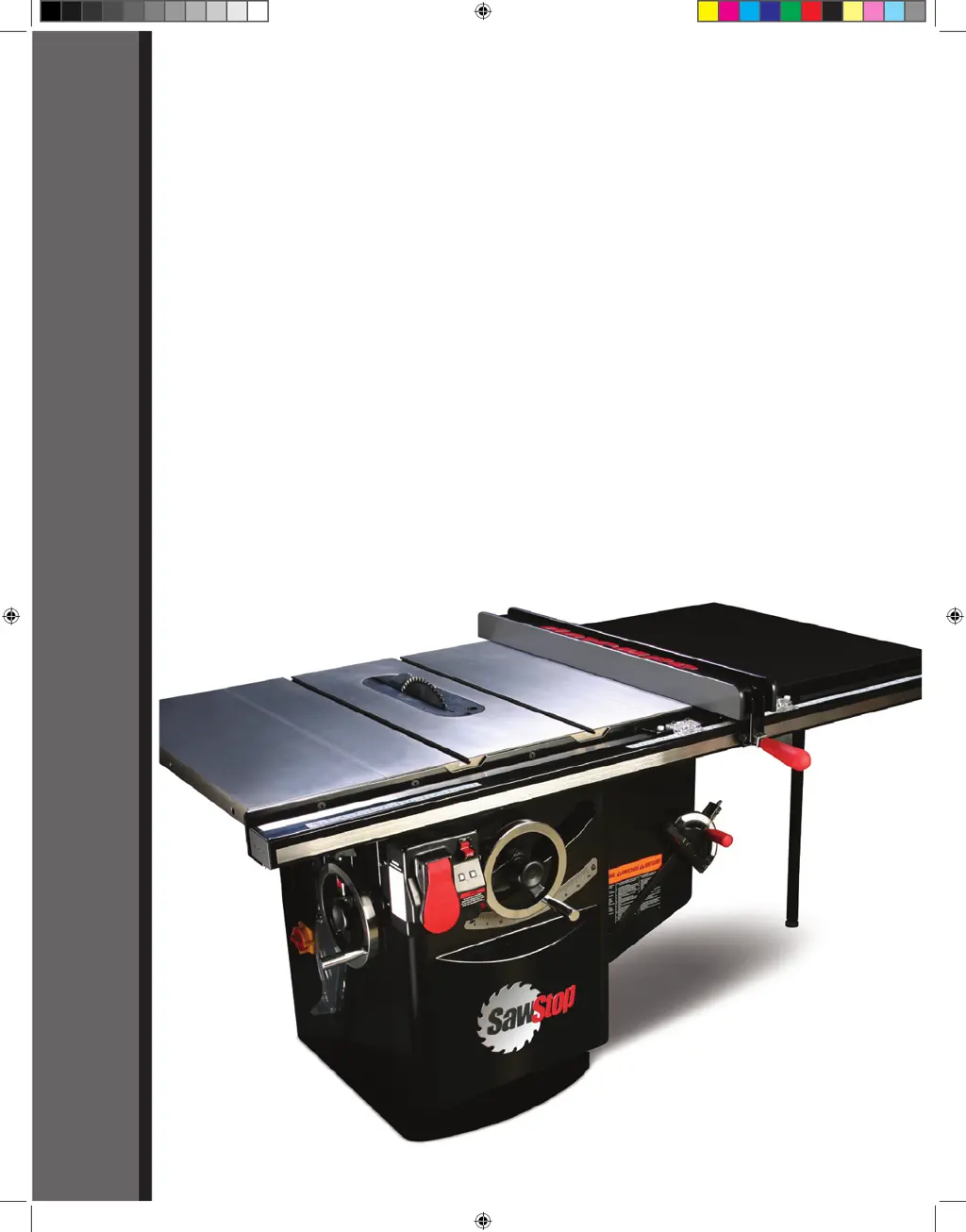
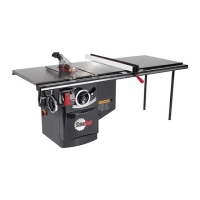
10” INDUSTRIAL CABINET SAW
Models ICS31230, ICS31240-50, ICS51230, ICS53230, ICS53415-50,
ICS53480, ICS53600, ICS73230, ICS73480, ICS73600
OWNER’S MANUAL
SawStop
®
Industrial Cabinet Saw Rev. 2 Ma1 1 3/9/2010 8:38:29 AM

Table of Contents

Questions and Answers

  • T
    tannersmithNov 26, 2025
    What to do if my SawStop ICS31240-50 motor stops unexpectedly during use?
    • S
      Scott YoungNov 26, 2025
      If your SawStop Saw's motor stops unexpectedly without brake activation, here's what might be happening: * **Start/Stop Paddle:** Check if the Start/Stop paddle was accidentally bumped. Ensure it's in the OFF position and restart the saw. * **Overloading:** The material you're cutting (like green or wet wood) might be overloading the safety system. Try using different wood or switch to Bypass mode. * **System Error:** The safety system might have detected an error. Consult the System Status Codes for troubleshooting. * **Power Loss:** There might have been a temporary loss of electrical power. Ensure the saw is properly connected and receiving the correct voltage. * **Door Interlock:** Make sure the belt access door and motor cover are closed to engage the interlock switches. * ...
  • C
    Carla JohnsonAug 25, 2025
    Why can't I lower the blade below the table on my SawStop ICS31240-50 Saw?
    • K
      Kimberly WilliamsonAug 25, 2025
      If you cannot lower the blade below the table on your SawStop Saw: * **Elevation Limit Stop:** Adjust the lower elevation limit stop. * **Sawdust Accumulation:** Check for sawdust accumulation within the trunnion assembly and underneath the lower elevation limit bolt.
  • R
    ryanevansAug 25, 2025
    What causes play in the tilt control of my SawStop ICS31240-50?
    • B
      beckymoralesAug 26, 2025
      If there's play in the tilt control of your SawStop Saw, so the tilt hand wheel can be turned without changing the blade angle, adjust the position of the tilt control shaft to ensure the worm gear fully engages with the front trunnion sector gear.
  • J
    Joshua CombsAug 27, 2025
    Why won't the motor start on my SawStop ICS31240-50 and the LEDs are off?
    • M
      Michael PooleAug 27, 2025
      If the motor of your SawStop Saw won't start and both LEDs are off, there could be several reasons: * **No Power:** Ensure the saw is properly connected to a power source with the correct voltage. * **Disconnect Switch:** Verify the disconnect switch is in the 'ON' position. * **Brake Cartridge:** Make sure a brake cartridge is installed and is not defective. If it is defective, replace it. * **Fuse (for specific models):** For 415V, 480V, and 600V saws, check the fuse in the contactor box and replace if blown.
  • C
    Craig OdomAug 28, 2025
    Why did my SawStop Saw brake activate with no contact?
    • T
      Thomas ConleyAug 29, 2025
      If the brake on your SawStop Saw activated without accidental contact, consider these possibilities: * **Conductive Material:** Ensure no metal or conductive material is touching the blade, arbor, or arbor pulley. If cutting conductive materials, use Bypass mode. * **Spreader/riving knife Alignment:** Verify the spreader or riving knife is properly aligned and secured, maintaining a 5-7mm gap between it and the blade.
  • D
    david66Sep 15, 2025
    Why is the material binding when I make a rip cut on my SawStop ICS31240-50 Saw?
    • J
      Janet PattersonSep 15, 2025
      Binding during a rip cut can occur if the rip fence is not aligned with the blade, so align the fence to the blade. Warped material can also cause binding, so select another piece of material. A feed rate that is too high can also be the problem, so try again at a lower feed rate. Misalignment of the spreader or riving knife can also cause binding, so align the spreader or riving knife.
  • M
    Margaret NguyenSep 13, 2025
    Why did the brake activate on my SawStop ICS31240-50 Saw without contact?
    • K
      Kathryn WhiteSep 13, 2025
      The brake may have activated because some electrically conductive material contacted the blade, arbor, or arbor pulley. Ensure no metal or other conductive material is touching these parts. If cutting a conductive material, use Bypass mode. Also, the spreader or riving knife may have contacted the blade. Ensure they are accurately aligned and securely clamped in place, with a gap of at least 5-7mm between the blade and the spreader or riving knife.
  • B
    Bradley BrownSep 14, 2025
    Why is my SawStop Saw blade slowing down during a cut?
    • C
      Carrie LucasSep 14, 2025
      The blade may be slowing down because one of the belts is not properly tensioned. Check the tension of the motor belt and arbor belt. If the motor belt is too loose, adjust the motor's position. If the arbor belt is too loose, replace it. The blade may also be binding on the wood. Ensure the spreader or riving knife is aligned with the blade and that the rip fence is parallel to the blade. Finally, the voltage supplied to the motor may be incorrect. Ensure the power to the terminal box is the correct voltage and phase, and that the wiring is the correct gauge for the motor's peak current draw.
  • D
    Denise RodriguezSep 6, 2025
    How to fix inaccurate cuts on my SawStop ICS31240-50?
    • E
      Elizabeth MoonSep 6, 2025
      If your SawStop Saw isn't making accurate 45° or 90° cuts: * **Tilt Limit Stops:** Adjust the tilt limit stops. * **Tilt Angle Indicator:** Adjust the tilt angle indicator. * **Miter Gauge:** Adjust the miter gauge. * **Miter Slots:** Align the miter gauge slots to the blade.
  • J
    Joanna TaylorSep 3, 2025
    Why does my SawStop ICS31240-50 Saw vibrate so much?
    • S
      Stephanie RichardsonSep 3, 2025
      If your SawStop Saw is vibrating excessively, check the following: * **Blade Condition:** The blade may be damaged or unbalanced. Replace it. * **Surface Level:** The floor may be uneven. Move the saw to a level surface. * **Bearings:** The bearings might be worn. Replace them. * **Belts:** The belts could be worn. Replace them.

SawStop ICS31240-50 Specifications

General IconGeneral
ModelICS31240-50
TypeCabinet Saw
Motor Power3 HP
Voltage240 V
Arbor Diameter5/8 inches
Maximum Depth of Cut (90 degrees)3-1/8 inches
Maximum Depth of Cut (45 degrees)2-1/4 inches
Maximum Rip Capacity (Left of Blade)12 inches
Dust Port Diameter4 inches
Table Dimensions27 inches x 40 inches
Table Size27 inches x 40 inches
No-Load Speed4000 RPM
Dust Port Size4 inches
Blade Diameter10 inches
Phase1-Phase
Motor3 HP, 230V, 1-Phase

Related product manuals