EasyManua.ls Logo

SawStop PCS175 - User Manual

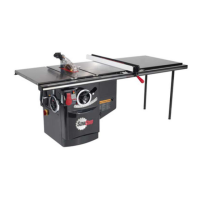
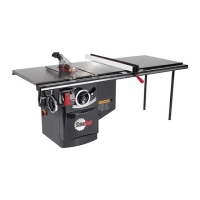
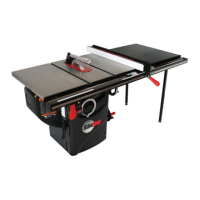
SawStop PCS175
123 pages
Print Icon
To Next Page IconTo Next Page
Loading...
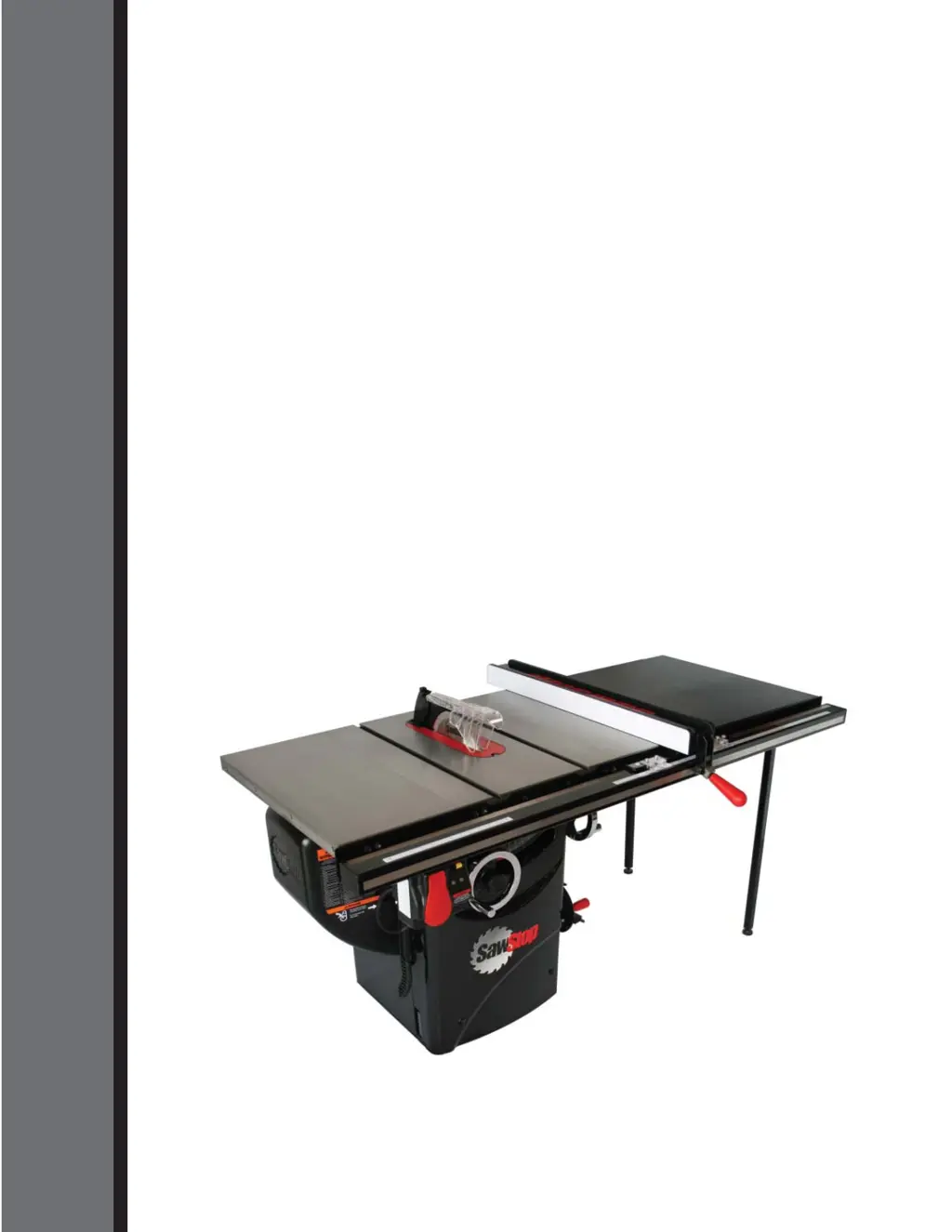
OWNER’S MANUAL
10” PROFESSIONAL
CABINET SAW
Model PCS175
SawStop
®

Table of Contents

Questions and Answers

  • J
    Jasmine MclaughlinSep 8, 2025
    Why can't I remove the cartridge key from my SawStop PCS175 Saw?
    • N
      Nancy GarciaSep 8, 2025
      If you cannot remove the cartridge key, ensure it is turned to the UNLOCKED position by turning the key clockwise until it stops. If it's still stuck, the shaft of the key might be binding; try turning and removing the key while pressing upward or downward on the key or cartridge.
  • J
    Jennifer DavisAug 23, 2025
    Why won't my SawStop PCS175 motor start and both LEDs are off?
    • B
      Bryce BellAug 23, 2025
      If the motor won't start and both LEDs are off, first, ensure the saw is getting power and the voltage is correct. Second, check if a brake cartridge is installed; if not, install one. Finally, the brake cartridge might be defective, so replace it with a new one.
  • K
    Kevin HartAug 25, 2025
    What to do if my SawStop Saw motor starts slowly?
    • A
      Anita RivasAug 25, 2025
      If the motor starts slowly, the electrical supply voltage may be too low. Ensure the correct voltage is supplied to the saw. Also, the belts may be worn or slipping, so adjust their tension or replace them if necessary.
  • L
    Logan CruzAug 27, 2025
    What to do if my SawStop Saw vibrates too much?
    • T
      Teresa SilvaAug 27, 2025
      If the saw vibrates excessively, the blade might be damaged or unbalanced, so replace it. Ensure the saw is on a level surface. Worn bearings or belts could also be the cause, so consider replacing them.
  • T
    Thomas WilsonAug 27, 2025
    Why did the brake activate on my SawStop PCS175 Saw with no contact?
    • R
      Rickey LawsonAug 27, 2025
      If the brake activated without contact, it could be due to electrically conductive material touching the blade, arbor, or arbor pulley. Ensure these parts are clear of such materials and use Bypass Mode for cutting conductive materials. Alternatively, the spreader or riving knife might be misaligned and contacting the blade, so ensure proper alignment with a 4-7 mm gap. Also, ensure the blade isn't contacting the brake pawl.
  • D
    Deanna SampsonSep 22, 2025
    How to adjust my SawStop PCS175 Saw for accurate miter cuts?
    • C
      Christopher BennettSep 22, 2025
      If the saw does not make accurate miter cuts, adjust the miter gauge.
  • L
    Lauren ThomasSep 16, 2025
    How to fix play in the elevation control of my SawStop PCS175 Saw?
    • D
      Darlene NewmanSep 16, 2025
      If there's play in the elevation control, the elevation worm might not be fully engaged on the worm gear, or the threaded rod might not be fully on the pinion gear. Adjust the positions of the worm gear and threaded rod to ensure full engagement.
  • C
    Crystal SimsSep 18, 2025
    How to adjust my SawStop PCS175 Saw for accurate bevel cuts?
    • T
      Tiffany JonesSep 18, 2025
      If the saw doesn't make accurate bevel cuts, the tilt limit stops or the tilt angle indicator may not be adjusted properly; adjust them.
  • K
    Kara FinleySep 7, 2025
    Why can't I install the brake cartridge in my SawStop PCS175?
    • L
      Lindsey LoweSep 7, 2025
      If you can't install the brake cartridge, ensure the holes in the cartridge shell align with the pivot and positioning pins. Also, check for and remove any debris on the pins or in the mounting holes. The blade might be interfering with the brake pawl, so adjust the brake positioning bolt to move the cartridge mounting bracket away from the blade.
  • M
    Martin MarshallSep 4, 2025
    How to fix my SawStop PCS175 Saw material binding when ripping?
    • L
      lisa68Sep 4, 2025
      If the material binds during a rip cut, the rip fence or the spreader/riving knife might not be aligned with the blade; align them. The material itself may be warped, so select a different piece. The feed rate could also be too high, so try a lower feed rate.

Summary

Introduction

To Our Customers

Welcome message from SawStop, highlighting key features and offering support contact information.

Warranty and Safety Information

Warranty Terms and Conditions

Details the warranty period and conditions for new and refurbished saws.

Safety System Limitations and Accident Procedures

Clarifies safety system limits and instructions following an accident, including data retrieval.

General Safety Precautions and Warnings

Comprehensive list of safety warnings and guidelines for operating the saw safely.

Electrical Safety and Extension Cord Usage

Requirements for proper electrical connection, grounding, and extension cord use.

Warning Labels

Understanding Saw Warning Labels

Identifies and reproduces the various safety labels found on the saw for user awareness.

The SawStop Safety System

System Operation and Components

Explains the technology, components, and operation of the SawStop safety system.

Safety System Usage Guidelines

Provides key points and precautions for using the saw with the safety system active.

Initial Setup Procedures

Unpacking Your Saw

Instructions for safely removing the saw and its components from the shipping pallet.

Standing Up Your Saw

Step-by-step guide for safely raising the saw from its horizontal shipping position.

Assembling Your Saw

Installing Handwheels and Dust Port

Procedures for attaching elevation/tilt handwheels and the dust port.

Mounting Motor Cover and Extension Wings

Instructions for mounting the motor cover and extension wings.

Mounting Switch Box and Accessory Holders

Securing the switch box and installing tool holders.

Identifying Saw Components

External Components Identification

Identifies and labels the major external parts of the saw for user familiarity.

Internal Components Identification

Identifies and labels the major internal parts of the saw.

Preparing Your Saw for Use

Saw Placement and Table Insert Installation

Guidelines for saw placement and table insert setup.

Blade;Dado Installation and Brake Adjustment

Instructions for installing blades/dados and adjusting brake position.

Guard, Riving Knife, and Dust Collection Setup

Installing safety guards and setting up dust collection.

Electrical Connections and Re-Wiring

Connecting to power, re-wiring for 208-240V, and power cord replacement.

Using Your Saw

Adjusting Blade Height and Tilt Angle

How to set saw blade height and tilt angle for safe and precise cuts.

Powering On, Motor Start, and System Status Codes

Procedure for powering on, starting motor, and understanding system status codes.

Using Blade Guard and Riving Knife

Importance and instructions for using blade guard and riving knife for safety.

Miter Gauge and Rip Cutting Operations

How to use miter gauge and perform rip cuts with safety.

Bypass Mode and Auxiliary Support Usage

Using bypass mode, mobile bases, and out-feed tables.

Brake Cartridge Management and System Activation Response

Steps for changing brake cartridges and responding to system activation.

Making Adjustments to Your Saw

Table and Blade Alignment Procedures

Ensuring table and blade parallelism for accurate cuts.

Adjusting Blade Elevation and Tilt Limit Stops

Aligning elevation assembly and setting tilt/elevation limit stops.

Table Insert, Riving Knife, and Clamp Adjustments

Fine-tuning table insert, aligning riving knife/spreader, and adjusting clamp pressure.

Miter Gauge, Belt, and Gear Adjustments

Adjusting miter gauge, belt tension, and gearing for smooth operation.

Maintenance Procedures

Safety System and Brake Cartridge Checks

Notes on safety system self-checks and brake cartridge inspection.

Lubrication and Cleaning of Mechanisms

Guidance on cleaning and lubricating elevation/tilt mechanisms.

Cabinet, Table, and Belt Maintenance

Cleaning the cabinet, table surfaces, and inspecting drive belts.

Troubleshooting Guide

Motor, Power, and Brake Troubleshooting

Diagnosing and resolving issues with motor, power, and brake activation.

Blade, Alignment, and Cut Quality Issues

Resolving problems with blade binding, cut quality, and alignment.

Saw Specifications

Dimensions and Capacities

Provides overall dimensions, rip capacity, and cut specifications.

Alignment Tolerances and Other Specs

Specifies alignment tolerances, blade kerf, and other technical details.

DIY Construction Guides

Push Stick Construction

Diagram and dimensions for building a safe and sturdy push stick.

Auxiliary Fence and Push Block Construction

Diagrams and instructions for building auxiliary fence and push block.

Featherboard Construction

Diagram and dimensions for building a featherboard for workpiece control.

Parts Lists

Cabinet and Table Parts List

Comprehensive list of parts for the saw's cabinet and table assembly.

Internal Assembly Parts List

Detailed list of internal components and their part numbers.

Arbor Assembly Parts List

List of parts specific to the saw's arbor and blade assembly.

Blade Guard and Miter Gauge Parts List

Parts list for the blade guard and miter gauge components.

Literature, Hardware, and Tools Parts List

List of manuals, hardware packs, and included tools.

Recommended Accessories

Accessory Product Listing

Lists recommended accessories for the SawStop Professional Cabinet Saw.

SawStop PCS175 Specifications

General IconGeneral
TypeCabinet Saw
Saw TypeTable Saw
Motor Power1.75 HP
Blade Diameter10 inches
SawStop TechnologyYes
Voltage120V
Arbor Size5/8 inch
Maximum Depth of Cut at 90 degrees3-1/8 inches
Maximum Depth of Cut at 45 degrees2-1/4 inches
Dust Collection Port Size4 inches
Table Size27 x 40 inches
Weight265 lbs
Safety SystemSawStop Safety System

Related product manuals