40 SawStop 10” Professional Cabinet Saw
Preparing Your Saw for Use
Now install the new power cord in the contactor box. Connect the ground wire (the green wire) to the ground,
the white wire to the right, top terminal connection on the contactor, and the black wire to the left, top terminal
connection on the contactor (see Fig. 54). A wiring diagram is shown in Fig. 55 on page 41.
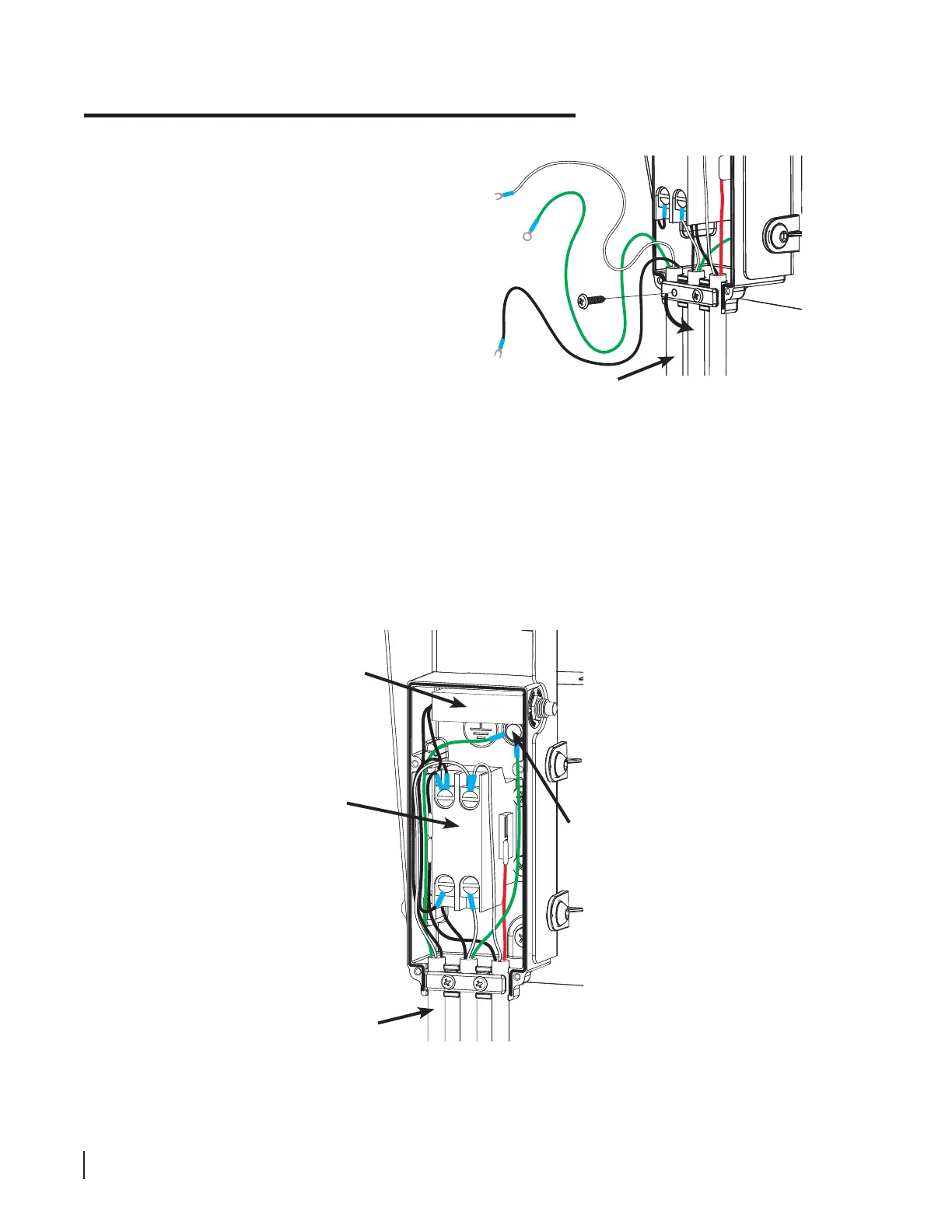
Using a Phillips screwdriver, remove the
left screw that attaches the bar across
the cords entering the contactor box and
loosen the right screw. Then rotate the
bar downwards far enough to remove
the power cord (see Fig. 53).
contactor
thermal
circuit
breaker
power
cable
ground
Fig. 54
Fig. 53
power cord





 To Next Page