SawStop 10” Professional Cabinet Saw 39
Preparing Your Saw
Preparing Your Saw for Use
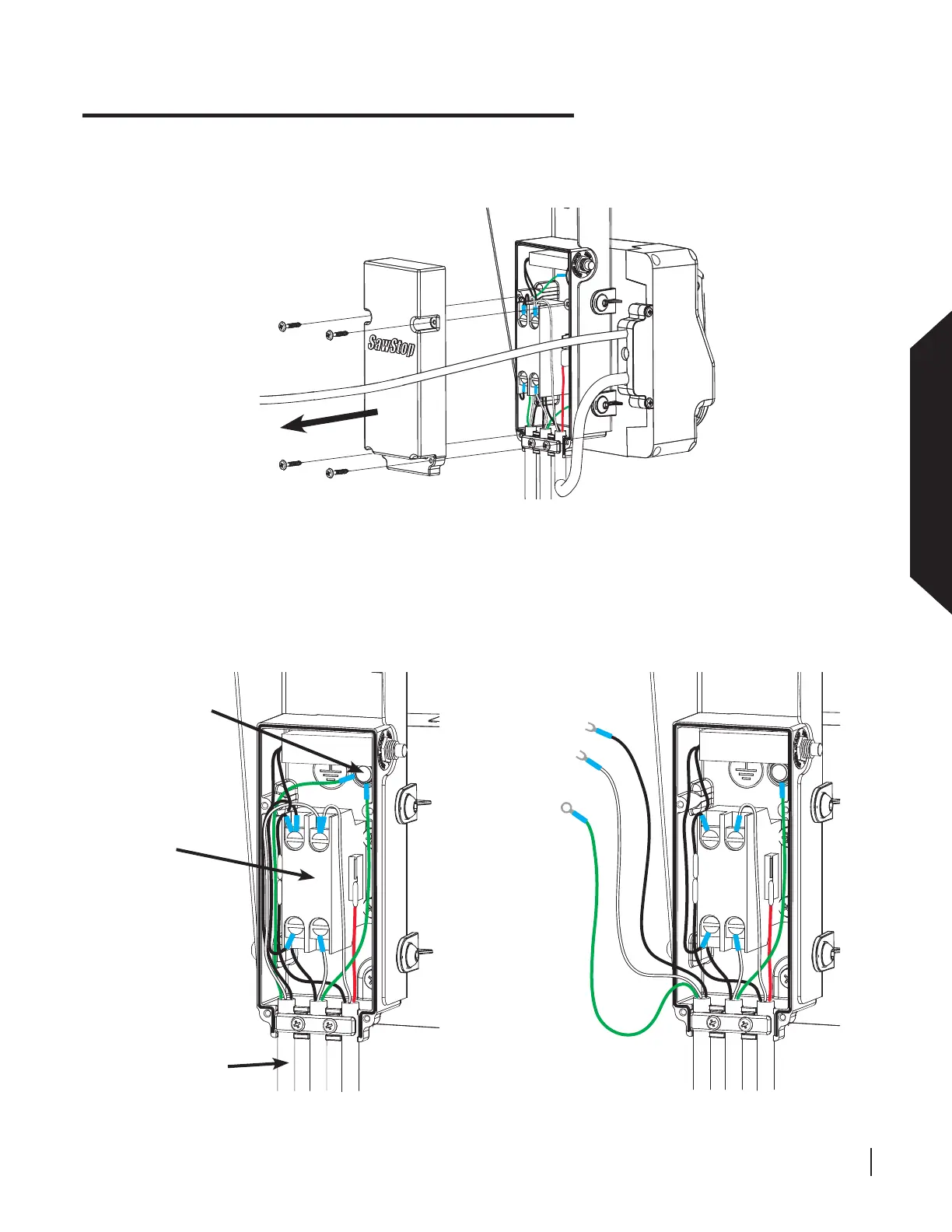
Locate the contactor to which the black and white wires from the power cord are attached and the ground
connection to which the green wire from the power cord is attached (see Fig. 51). Disconnect the power cord
from the contactor box by using a Phillips screwdriver to loosen the two screws at the top of the contactor
and removing the ends of the black and white power cord wires from the screws and then removing the end
of the green power cord wire from the ground connection (see Figs. 51 and 52).
Fig. 50
Fig. 51
With the saw unplugged, use a Phillips screwdriver to remove the four screws on the cover of the contactor box
and remove the contactor box cover (see Fig. 50).
contactor
ground
power cord
remove
contactor box
cover
Fig. 52





 To Next Page