EasyManua.ls Logo

SawStop CNS175 - User Manual

SawStop CNS175
112 pages
Print Icon
To Next Page IconTo Next Page
Loading...
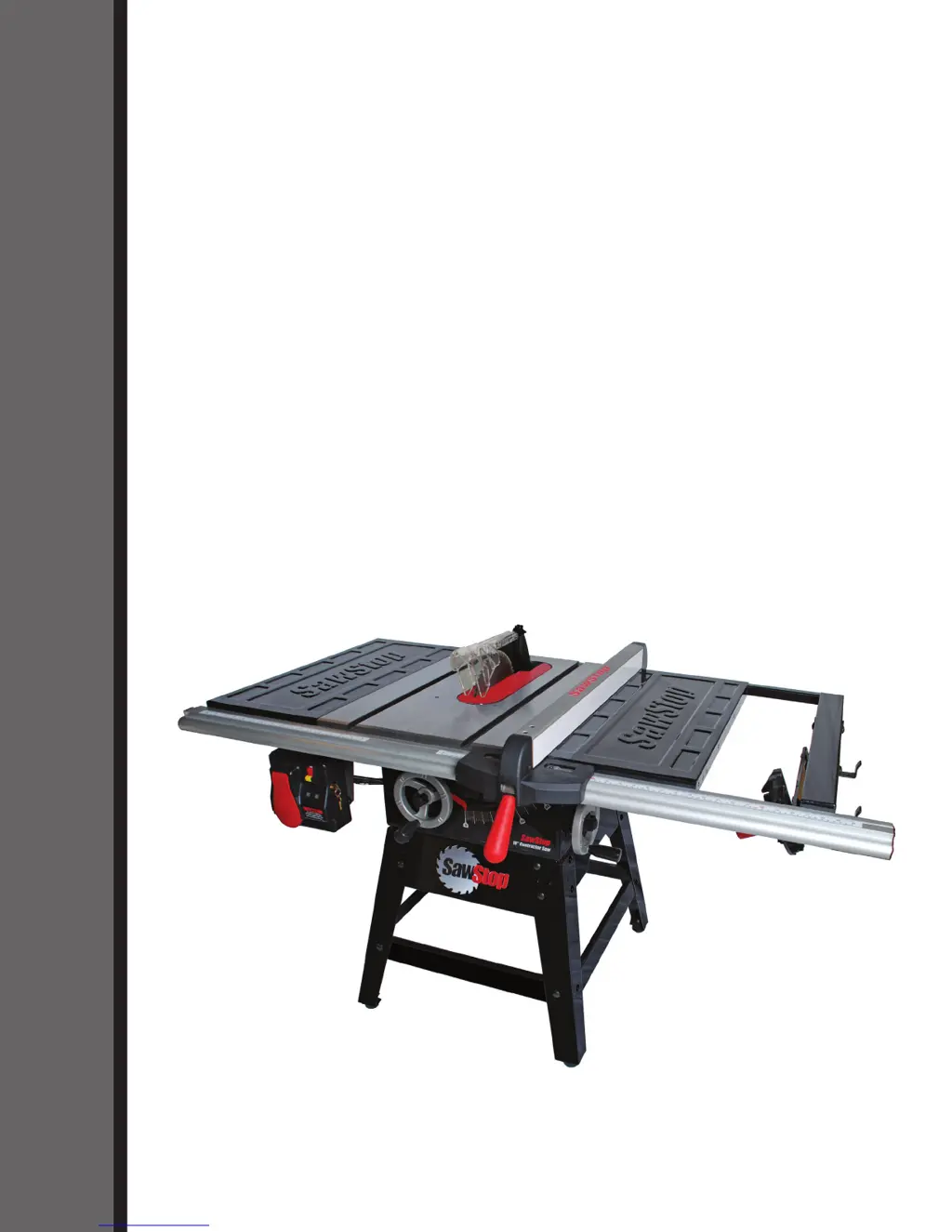
OWNER’S MANUAL
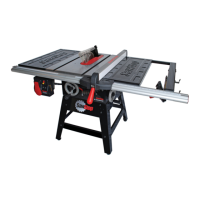
10” CONTRACTOR SAW
Models CNS175, CNS175-AU
SawStop
®

Table of Contents

Questions and Answers

  • L
    lpowellSep 4, 2025
    What to do if the material binds when making a rip cut on my SawStop Saw?
    • K
      Karen SmithSep 4, 2025
      If the material binds during a rip cut, ensure the rip fence is aligned with the blade. Also, the material might be warped, so select another piece. A feed rate that is too high could also cause binding, so try again at a lower feed rate. Finally, check that the spreader or riving knife is aligned with the blade.
  • K
    kevin01Sep 18, 2025
    Why does my SawStop CNS175 Saw motor start slowly and/or fail to reach nominal speed?
    • D
      David HaleSep 18, 2025
      If the motor starts slowly or doesn't reach full speed, the voltage supplied to the motor may be incorrect. Ensure the motor is wired to match the power being supplied. If using an extension cord, ensure it is the correct gauge.
  • E
    Edward SchultzSep 16, 2025
    Why can't I lower the blade below the table on my SawStop Saw?
    • R
      Robert HortonSep 16, 2025
      If you cannot lower the blade below the table, the lower elevation limit stop may not be adjusted properly; adjust it accordingly. Additionally, sawdust may have accumulated within the trunnion assembly and on top of the lower elevation limit bolt. Ensure that there is no sawdust on top of it or around it.
  • B
    Bruce MillerSep 14, 2025
    Why do the gears sound/feel rough when raising or lowering the blade on my SawStop CNS175?
    • U
      uunderwoodSep 14, 2025
      Rough-sounding or feeling gears when adjusting the blade height may be due to dust or debris on the miter gears or elevation shaft. Clean these components and regrease them. Alternatively, the elevation locking knob may not be released; turn it counter-clockwise to release the elevation handwheel.
  • V
    Victor HunterSep 12, 2025
    Why can't I install the cartridge key in my SawStop Saw?
    • C
      cheyenne32Sep 12, 2025
      If you're having trouble installing the cartridge key, ensure that the key is rotated properly to align with the keyhole in the cartridge, so that the handle is pointing directly toward the brake pawl. If it still won't install, the shaft of the cartridge key may be binding in the cartridge or on the cartridge bracket. Try installing the key while pressing upward or downward on the key or cartridge.
  • D
    Daryl BrewerSep 12, 2025
    Why can't I remove the cartridge key from my SawStop CNS175 Saw?
    • C
      christopher75Sep 12, 2025
      If you're unable to remove the cartridge key, make sure it's turned to the UNLOCKED position by turning it clockwise until it stops. If it's still stuck, the shaft of the key might be binding in the cartridge or on the cartridge mounting bracket. Try turning and removing the key while pressing upward or downward on the key or cartridge.
  • A
    Amanda Perez MDSep 9, 2025
    Why does my SawStop CNS175 blade hit the brake pawl during installation?
    • N
      nashchristineSep 9, 2025
      If the blade hits the brake pawl during installation, it may be because the brake position is adjusted too close to the blade. Turn the brake positioning bolt counter-clockwise until there is about 1 inch clearance between the brake pawl and the blade. Another reason could be that you are using the wrong size blade. Use only a 10 inch blade with a standard brake cartridge, or an 8 inch dado set with a dado cartridge.
  • B
    bwestSep 7, 2025
    Why can't I install the brake cartridge in my SawStop CNS175?
    • E
      Ernest JonesSep 7, 2025
      If you're having trouble installing the brake cartridge, first ensure that the mounting holes in the cartridge are aligned with the pivot and positioning pins. Also, check for any debris on the pivot or positioning pins, or in the cartridge mounting holes, and remove any obstructions. If the blade is interfering with the brake pawl, adjust the brake positioning bolt to move the cartridge mounting bracket away from the blade.
  • S
    Spencer ReevesSep 5, 2025
    Why are my SawStop CNS175 Saw cuts not clean or even?
    • B
      Brian LewisSep 6, 2025
      Uneven or unclean cuts can result from a dull blade, which should be sharpened or replaced. The blade might also be coated with pitch, gum, or other material, necessitating cleaning or replacement. Finally, ensure that you are using the correct blade for the material and type of cut.
  • J
    Joshua LaneAug 20, 2025
    What to do if SawStop CNS175 motor will not start and at least one LED on the switch box is on?
    • S
      Sheila BrownAug 21, 2025
      If the motor doesn't start but at least one LED is lit, the safety system may have detected an error, indicated by a code on the LEDs, so you should consult the list of System Status Codes to determine the cause and corrective action. Alternatively, the cartridge may be defective, so try a different brake cartridge. Another possibility is that the thermal overload switch cut power to prevent overheating; in this case, press the thermal overload reset button on the side of the contactor box. Finally, ensure the motor is plugged into the matching cord at the rear of the cabinet.

Summary

To Our Customers

Warranty

No Warranty of Safety

Clarifies that the safety system minimizes injury, not prevents contact.

If You Have an Accident

Instructions for reporting accidents and the benefits of sharing data.

Safety

WARNINGS

Lists critical safety warnings and precautions for operating the saw.

Warning Labels

The SawStop Safety System

Blades

Details compatible blade types, sizes, and precautions for use with the system.

Unpacking Your Saw

Assembling Your Saw

Assembling the Stand

Step-by-step guide to assemble the saw's support structure.

Get to Know Your Saw

Preparing Your Saw for Use

Saw Placement

Guidance on selecting an appropriate and safe location for the saw.

Table Insert Removal and Installation

Steps for correctly removing and installing the table insert.

Blade or Dado Installation

Details on installing saw blades or dado sets, including compatibility.

Brake Position Adjustment

How to adjust the spacing between the brake cartridge and blade for optimal safety.

Blade Guard and Riving Knife Installation

Instructions for installing the blade guard and riving knife for safety.

Dust Collection

Guidance on connecting and using a dust collection system with the saw.

Electrical Power Connection

Information on connecting the saw to a power source and extension cord requirements.

Re-Wiring the Saw for 208-240 V Power

Step-by-step instructions for converting the saw to 208-240V power.

Electrical Schematic

Diagrams illustrating the saw's electrical wiring for different voltage configurations.

Changing the Plug or Power Cord on a 208-240 V Saw

Procedures for replacing the power plug or cord for 208-240V operation.

Using Your Saw

Adjusting the Blade Height

How to set the saw blade height for optimal cutting and safety.

Adjusting the Blade Tilt Angle

Procedures for setting the blade's bevel angle from 0° to 45°.

Turning on Main Power and Starting the Motor

How to safely power on the saw and start its motor using the switch box.

Main Power Switch Lockout Key

Explains the function and use of the lockout key for the main power switch.

System Status Codes

Interprets LED status codes on the switch box for system diagnostics.

Using the Blade Guard

Importance and procedure for installing and using the blade guard for safety.

Using the Riving Knife

Instructions on how to use the riving knife for kickback prevention.

Using the Miter Gauge

How to use the miter gauge for cross-cuts and miter cuts.

Cross-Cutting

Steps for performing cross-cuts using the miter gauge.

Using a Fence

Information on installing and using the rip fence for various cuts.

Rip Cutting

Step-by-step guide for safely performing rip cuts with the saw.

Using the Saw in Bypass Mode

Procedure for operating the saw in bypass mode for specific material types.

Using a Mobile Base or a Job Site Cart

Information on optional accessories for moving the saw.

Using an Out-Feed Table

Guidance on using an out-feed table for supporting longer workpieces.

The SawStop Brake Cartridge

Changing the Brake Cartridge

Detailed instructions for replacing the brake cartridge.

What to do if the SawStop Safety System Activates

Making Adjustments to Your Saw

Adjusting the Elevation Limit Stops

How to set the upper and lower limits for blade elevation.

Adjusting the Tilt Limit Stops and Tilt Angle Indicator

Setting blade tilt limits and calibrating the angle indicator.

Adjusting the Table Insert

Procedures for fitting and adjusting the zero-clearance table insert.

Aligning the Riving Knife and Spreader to the Blade

Ensuring proper alignment of the riving knife and spreader with the blade.

Adjusting the Height of the Riving Knife

Setting the correct height for the riving knife relative to the blade.

Adjusting the Quick-Release Clamp

Adjusting the clamping pressure for the spreader or riving knife.

Adjusting the Miter Gauge

Adjusting the indexing stops for precise miter cuts.

Maintenance

SawStop Safety System

Overview of the safety system's self-checks and error detection.

Brake Cartridge

Guidelines for checking and maintaining the brake cartridge.

Elevation and Tilt Mechanisms

Instructions for cleaning and lubricating saw mechanisms.

Table and Extension Wings

How to clean and protect the table and extension wings.

Motor Belt

Advice on checking and replacing the motor belt.

Troubleshooting

Contractor Saw Specifications

Contractor Saw Dimensions

Push Stick Construction

Auxiliary Fence Construction

Push Block Construction

Featherboard Construction

Stand Assembly Exploded View

Stand Assembly Parts List

Housing and Table Exploded View

Housing and Table Parts List

Internal Assembly Exploded View

Internal Assembly Parts List

Arbor and Quick-Release Clamp Exploded View

Arbor and Quick-Release Clamp Parts List

Blade Guard and Miter Gauge Exploded View

Blade Guard and Miter Gauge Parts List

Literature, Hardware and Tools Parts List

Accessories

Index

SawStop CNS175 Specifications

General IconGeneral
TypeCabinet Saw
Blade Diameter10 inches
Motor Power1.75 HP
Arbor Diameter5/8 inches
Max Depth of Cut at 90 degrees3-1/8 inches
Max Depth of Cut at 45 degrees2-1/4 inches
No-Load Speed4000 RPM
Dust Collection Port Size4 inches
Voltage120V
Safety SystemSawStop Safety System
Amps13 A
Table Size27 inches x 40 inches

Related product manuals