EasyManua.ls Logo

SawStop CB31230 - User Manual

SawStop CB31230
104 pages
Print Icon
To Next Page IconTo Next Page
Loading...
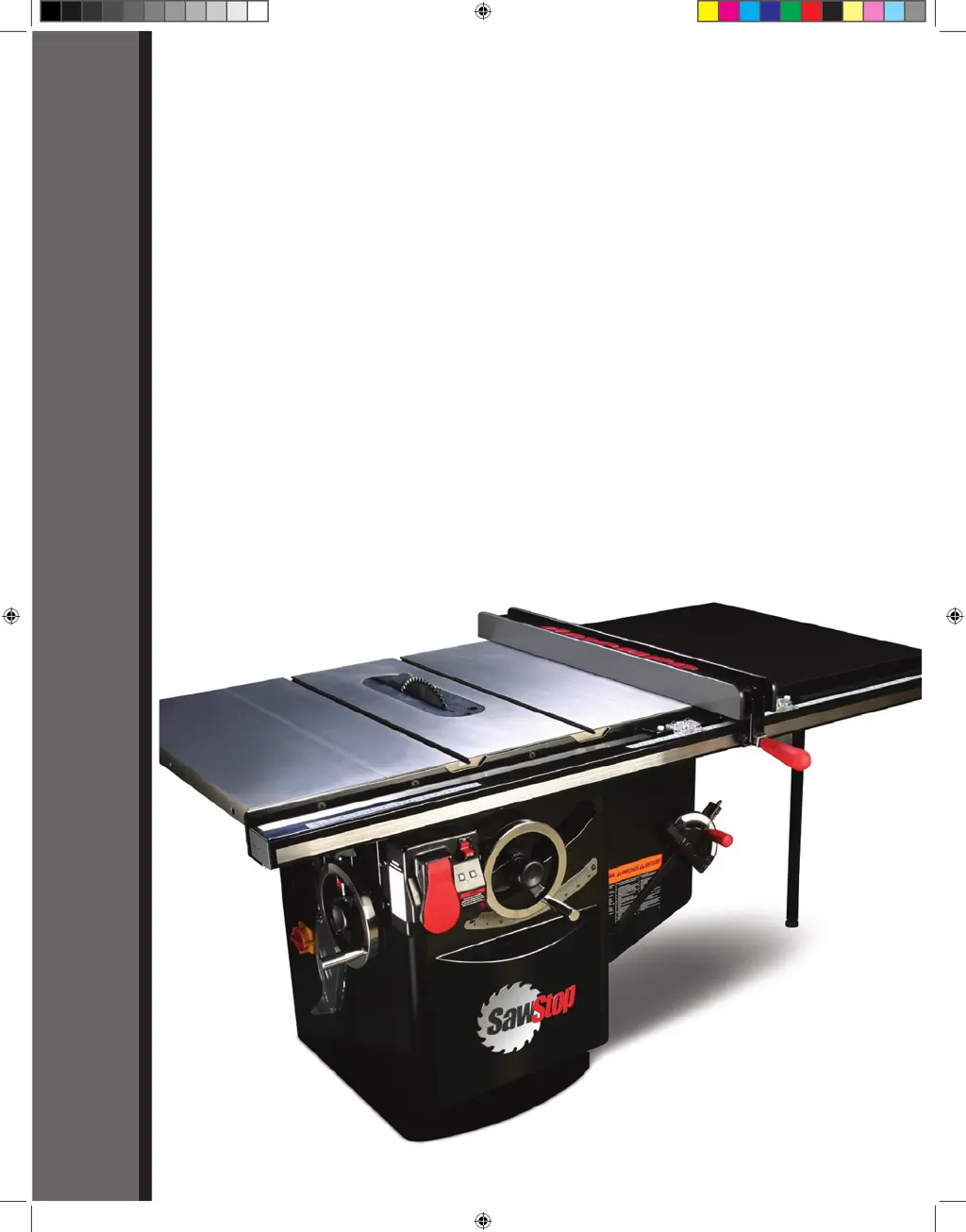
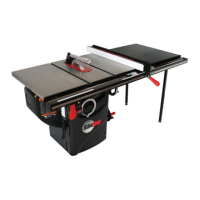
10” INDUSTRIAL CABINET SAW
Models CB31230, CB33230, CB51230,
CB53230, CB53480, CB73230, CB73480
OWNER’S MANUAL
SawStop
®
Cabinet Saw Manual 1st Reprint.i1 1 3/9/2010 8:32:39 AM

Table of Contents

Questions and Answers

  • G
    gonzalezrobertSep 23, 2025
    Why can't I lower the blade below the table on my SawStop CB31230?
    • R
      Richard ReeseSep 23, 2025
      If you cannot lower the blade below the table on your SawStop Saw: * Adjust the lower elevation limit stop. * Check for sawdust accumulation within the trunnion assembly and underneath the lower elevation limit bolt. Remove any sawdust.
  • L
    Lisa OchoaAug 25, 2025
    What to do if my SawStop CB31230 motor won't start but the LED is on?
    • L
      Lisa ForbesAug 25, 2025
      If the motor won't start but at least one LED on the switch box is on, it could indicate: * The safety system has detected an error, indicated by an error code on the LEDs. Consult the list of System Status Codes to determine the cause and corrective action. * The motor has overheated and tripped the thermal overload switch. Wait 30 minutes for the motor to cool down, then try again.
  • J
    julie85Aug 25, 2025
    Why can't I turn on my SawStop CB31230 in Bypass mode?
    • D
      Diane SanchezAug 26, 2025
      If you cannot turn the saw on in Bypass mode: * Ensure you are precisely following the correct steps for starting the saw in Bypass mode. * The safety system may have detected a system error. Consult the list of System Status Codes to determine the cause and corrective action.
  • E
    Erin BarnesAug 27, 2025
    How to fix a SawStop Saw that won't turn on in Bypass mode?
    • L
      Laura StantonAug 27, 2025
      If you cannot turn on your SawStop Saw in Bypass mode: * Ensure you are precisely following the correct steps for starting in Bypass mode. * The safety system might be detecting an error, indicated by the LEDs. * Confirm the Bypass key is fully inserted and turned a full 90 degrees.
  • M
    Matthew RobinsonAug 27, 2025
    Why does the motor on my SawStop CB31230 start slowly or fail to reach full speed?
    • C
      Caitlin WilliamsAug 27, 2025
      If the motor starts slowly or doesn't reach nominal speed: * Ensure that the correct voltage is being supplied to the saw, as the electrical supply voltage may be too low. * Verify that the line supplying power to the saw is sufficient for the required voltage and current, as the electrical supply line may be under-rated.
  • J
    Jimmy MoyerSep 13, 2025
    Why does my SawStop Saw vibrate so much?
    • J
      Jennifer JacksonSep 13, 2025
      Excessive vibration in your SawStop Saw can stem from several factors: * A damaged or unbalanced blade. Try replacing the blade. * An uneven floor. Move the saw to a level surface. * Worn bearings. You may need to replace the bearings. * Worn belts. Consider replacing the belts.
  • M
    Michael EdwardsSep 12, 2025
    Why won't my SawStop Saw motor start, even though one or more LEDs are on?
    • M
      Michael CooleySep 12, 2025
      If your SawStop Saw motor won't start but at least one LED is on, it could be due to: * The safety system detecting an error, displaying a code on the LEDs. * A defective cartridge. Try using a different brake cartridge. * The motor overheating and tripping the thermal overload switch. Wait 10 minutes and try again.
  • A
    Amy WebbSep 12, 2025
    What causes the blade of my SawStop CB31230 to slow down during a cut without stopping?
    • L
      lorilewisSep 12, 2025
      If the blade on your SawStop Saw slows down during a cut but doesn't stop, check the following: 1. The motor belt and arbor belt tension. Adjust the motor position if the motor belt is too loose, or replace the arbor belt if it's too loose. 2. Ensure the spreader or riving knife is aligned with the blade. Also, if using the rip fence, make sure it's parallel to the blade to prevent binding. 3. Confirm that the voltage supplied to the motor is correct and that the wiring is the correct gauge for the motor's peak current draw.
  • A
    Adrian ContrerasSep 4, 2025
    What to do if I can't install the cartridge key in my SawStop CB31230?
    • L
      lauren39Sep 4, 2025
      If you're unable to install the cartridge key: * Adjust the brake position bolt clockwise until the closest point between the brake pawl and the blade is about 1/16” to 1/8”, as the brake position may be too far from the blade. * Rotate the key so that the handle is pointing directly toward the brake pawl, ensuring proper alignment with the keyhole. * Try installing the key while pressing upward or downward on the key or cartridge, as the shaft may be binding.
  • A
    Angela HoganSep 2, 2025
    Why can't I install the brake cartridge in my SawStop CB31230?
    • C
      Carrie GraySep 2, 2025
      If you cannot install the brake cartridge: * Ensure the mounting holes in the cartridge align with the pivot and positioning pins. * Check for debris on the pins or in the mounting holes and clean if necessary. * Adjust the brake positioning bolt to move the brake pawl away from the blade if the blade is interfering with it.

Summary

Owners Manual

Warranty and Safety Information

Warranty Terms and Coverage

Details the manufacturer's warranty for materials and workmanship.

Safety Precautions and Accident Procedures

Crucial safety advice, accident response, and injury minimization.

Warning Labels Overview

Text of warning labels on the saw for user reference.

The SawStop Safety System

System Overview and Operation

Explains the safety system's technology, components, and basic function.

Safe Usage and Material Compatibility

Guidelines for safe operation, bypass mode, and material considerations.

System Limitations and Status Codes

Critical system limitations, warnings, and status code interpretation.

Setting Up Your Saw

Unpacking and Component Identification

Lists package contents and identifies external saw components.

Initial Setup Procedures

Covers saw placement, wing assembly, fence installation, and table cleaning.

Blade, Guard, and Insert Installation

Steps for installing blades, guards, riving knives, and table inserts.

Electrical and Safety System Setup

Instructions for power connection, disconnect switch, and interlock switches.

Operating Your Saw

Blade Adjustments and Controls

How to adjust blade height, tilt angle, and use controls.

Powering On and System Status

Steps to start the motor, check system status, and use bypass mode.

Cutting Techniques and Safety Devices

Guidance on using blade guards, riving knives, miter gauges, and rip fences.

Brake Cartridge Management

Procedures for changing the brake cartridge.

Safety System Activation Response

Resetting Arbor Block and Components

Steps to reset the arbor block, replace the brake cartridge, and the blade.

Precision Adjustments and Alignment

Table Alignment Procedures

Detailed procedures for aligning the saw table precisely.

Blade Elevation and Tilt Alignment

Steps for aligning blade elevation assembly and blade to tilt axis.

Limit Stops and Indicator Adjustments

Adjusting elevation limit stops, tilt limits, and tilt angle indicator.

Component Adjustments (Insert, Knife, Clamp, Gearing)

Adjusting table insert, riving knife, clamp, and tilt gearing.

Cabinet Saw Specifications

Maintenance and Care

Safety System and Brake Cartridge Care

Maintenance for the safety system, brake cartridge, and cabinet.

Mechanical Component Maintenance

Guidelines for cleaning and lubricating elevation/tilt mechanisms, table, and belts.

Troubleshooting Common Issues

Motor and Power Problems

Diagnosing and solving issues with motor start and power.

Brake, Cutting, and Vibration Issues

Troubleshooting brake activation, material binding, and vibration.

Accuracy and Speed Problems

Addressing inaccurate cuts, slow motor start, and speed issues.

Cabinet Saw Dimensions

Accessory Construction Guides

Push Stick Construction

Diagram and instructions for constructing a push stick.

Featherboard Construction

Diagram and instructions for constructing a featherboard.

Electrical Schematics

230 V Single-Phase Schematic

Wiring diagram for 230V single-phase power connections.

230 V Three-Phase Schematic

Wiring diagram for 230V three-phase power connections.

480 V Three-Phase Schematic

Wiring diagram for 480V three-phase power connections.

Assembly Diagrams and Parts Lists

Cabinet and Table Exploded View

Exploded diagram showing cabinet and table assembly components.

Cabinet and Table Parts List

List of parts for the cabinet and table assembly.

Internal Assembly Exploded View

Exploded diagram showing internal assembly components.

Arbor Assembly Exploded View

Exploded diagram showing arbor assembly components.

Guard and Gauge Assembly Details

Miter Gauge and Blade Guard Exploded View

Exploded diagrams of miter gauge and blade guard assemblies.

Miter Gauge and Blade Guard Parts List

Parts list for miter gauge and blade guard assemblies.

Accessories and Tools

SawStop Brake Cartridges

Lists available brake cartridges for the saw.

Miscellaneous Accessories

Lists other available accessories like table inserts and guards.

Rip Fences and Extension Tables

Lists available rip fences and extension tables.

SawStop CB31230 Specifications

General IconGeneral
TypeCabinet Saw
Arbor Size5/8 inch
Maximum Depth of Cut at 90 Degrees4 inches
Maximum Depth of Cut at 45 Degrees2-3/4 inches
Rip Capacity (Right of Blade)30 inches
Dust Collection Port4 inch
Safety SystemSawStop Safety System
Blade Diameter12 inches

Related product manuals