EasyManua.ls Logo

SawStop CB31230 - User Manual

SawStop CB31230
104 pages
Print Icon
To Next Page IconTo Next Page
Loading...
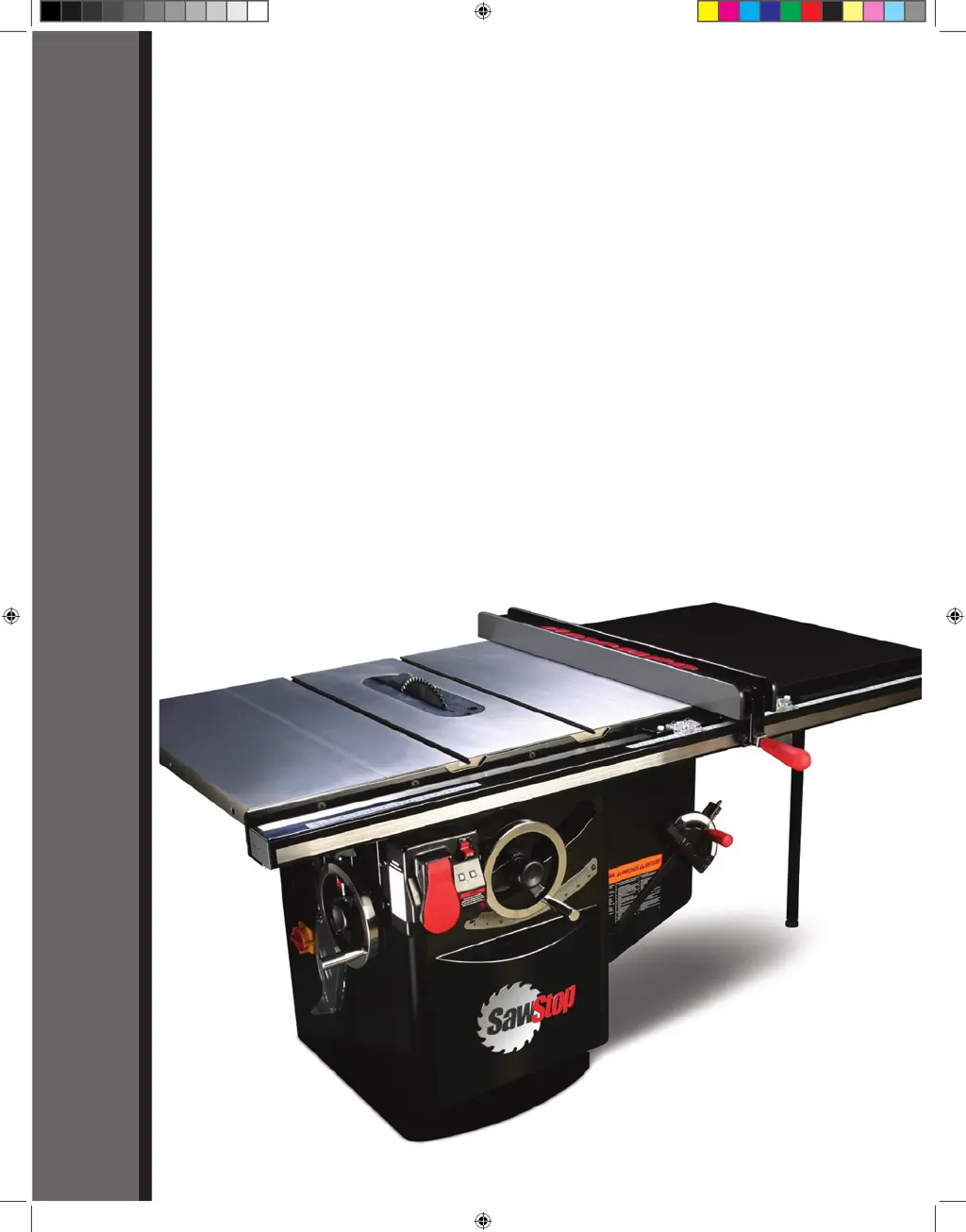
10” INDUSTRIAL CABINET SAW
Models CB31230, CB33230, CB51230,
CB53230, CB53480, CB73230, CB73480
OWNER’S MANUAL
SawStop
®
Cabinet Saw Manual 1st Reprint.i1 1 3/9/2010 8:32:39 AM

Table of Contents

Questions and Answers

  • N
    Natalie FloydAug 29, 2025
    Why are the cuts from my SawStop Saw not even or clean?
    • C
      Caleb WashingtonAug 29, 2025
      Uneven or unclean cuts may be due to: * A dull blade. Replace or sharpen it. * A blade coated with pitch, gum, or other material. Clean or replace the blade. * Using the wrong blade for the material or cut. Replace the blade with the appropriate one.
  • K
    Kirk GoodwinAug 28, 2025
    Why did the brake activate on my SawStop CB31230 Saw when there was no contact?
    • A
      Anthony PhillipsAug 28, 2025
      If the brake activated without accidental contact, check the following: * Ensure no metal or conductive material is touching the blade, arbor, or pulley. If cutting conductive material, use Bypass mode. * Verify the spreader or riving knife is correctly aligned and securely clamped. * Ensure a steady, noise-free electrical supply. If necessary, install line conditioners. * Make sure the saw isn't near sources of electrical noise. * Check that the screws attaching the three sensor wires to the bottom of the arbor block are tight.
  • M
    Matthew RobinsonAug 27, 2025
    Why does the motor on my SawStop CB31230 start slowly or fail to reach full speed?
    • C
      Caitlin WilliamsAug 27, 2025
      If the motor starts slowly or doesn't reach nominal speed: * Ensure that the correct voltage is being supplied to the saw, as the electrical supply voltage may be too low. * Verify that the line supplying power to the saw is sufficient for the required voltage and current, as the electrical supply line may be under-rated.
  • E
    Erin BarnesAug 27, 2025
    How to fix a SawStop Saw that won't turn on in Bypass mode?
    • L
      Laura StantonAug 27, 2025
      If you cannot turn on your SawStop Saw in Bypass mode: * Ensure you are precisely following the correct steps for starting in Bypass mode. * The safety system might be detecting an error, indicated by the LEDs. * Confirm the Bypass key is fully inserted and turned a full 90 degrees.
  • J
    julie85Aug 25, 2025
    Why can't I turn on my SawStop CB31230 in Bypass mode?
    • D
      Diane SanchezAug 26, 2025
      If you cannot turn the saw on in Bypass mode: * Ensure you are precisely following the correct steps for starting the saw in Bypass mode. * The safety system may have detected a system error. Consult the list of System Status Codes to determine the cause and corrective action.
  • L
    Lisa OchoaAug 25, 2025
    What to do if my SawStop CB31230 motor won't start but the LED is on?
    • L
      Lisa ForbesAug 25, 2025
      If the motor won't start but at least one LED on the switch box is on, it could indicate: * The safety system has detected an error, indicated by an error code on the LEDs. Consult the list of System Status Codes to determine the cause and corrective action. * The motor has overheated and tripped the thermal overload switch. Wait 30 minutes for the motor to cool down, then try again.

Summary

Owners Manual

Warranty and Safety Information

Warranty Terms and Coverage

Details the manufacturer's warranty for materials and workmanship.

Safety Precautions and Accident Procedures

Crucial safety advice, accident response, and injury minimization.

Warning Labels Overview

Text of warning labels on the saw for user reference.

The SawStop Safety System

System Overview and Operation

Explains the safety system's technology, components, and basic function.

Safe Usage and Material Compatibility

Guidelines for safe operation, bypass mode, and material considerations.

System Limitations and Status Codes

Critical system limitations, warnings, and status code interpretation.

Setting Up Your Saw

Unpacking and Component Identification

Lists package contents and identifies external saw components.

Initial Setup Procedures

Covers saw placement, wing assembly, fence installation, and table cleaning.

Blade, Guard, and Insert Installation

Steps for installing blades, guards, riving knives, and table inserts.

Electrical and Safety System Setup

Instructions for power connection, disconnect switch, and interlock switches.

Operating Your Saw

Blade Adjustments and Controls

How to adjust blade height, tilt angle, and use controls.

Powering On and System Status

Steps to start the motor, check system status, and use bypass mode.

Cutting Techniques and Safety Devices

Guidance on using blade guards, riving knives, miter gauges, and rip fences.

Brake Cartridge Management

Procedures for changing the brake cartridge.

Safety System Activation Response

Resetting Arbor Block and Components

Steps to reset the arbor block, replace the brake cartridge, and the blade.

Precision Adjustments and Alignment

Table Alignment Procedures

Detailed procedures for aligning the saw table precisely.

Blade Elevation and Tilt Alignment

Steps for aligning blade elevation assembly and blade to tilt axis.

Limit Stops and Indicator Adjustments

Adjusting elevation limit stops, tilt limits, and tilt angle indicator.

Component Adjustments (Insert, Knife, Clamp, Gearing)

Adjusting table insert, riving knife, clamp, and tilt gearing.

Cabinet Saw Specifications

Maintenance and Care

Safety System and Brake Cartridge Care

Maintenance for the safety system, brake cartridge, and cabinet.

Mechanical Component Maintenance

Guidelines for cleaning and lubricating elevation/tilt mechanisms, table, and belts.

Troubleshooting Common Issues

Motor and Power Problems

Diagnosing and solving issues with motor start and power.

Brake, Cutting, and Vibration Issues

Troubleshooting brake activation, material binding, and vibration.

Accuracy and Speed Problems

Addressing inaccurate cuts, slow motor start, and speed issues.

Cabinet Saw Dimensions

Accessory Construction Guides

Push Stick Construction

Diagram and instructions for constructing a push stick.

Featherboard Construction

Diagram and instructions for constructing a featherboard.

Electrical Schematics

230 V Single-Phase Schematic

Wiring diagram for 230V single-phase power connections.

230 V Three-Phase Schematic

Wiring diagram for 230V three-phase power connections.

480 V Three-Phase Schematic

Wiring diagram for 480V three-phase power connections.

Assembly Diagrams and Parts Lists

Cabinet and Table Exploded View

Exploded diagram showing cabinet and table assembly components.

Cabinet and Table Parts List

List of parts for the cabinet and table assembly.

Internal Assembly Exploded View

Exploded diagram showing internal assembly components.

Arbor Assembly Exploded View

Exploded diagram showing arbor assembly components.

Guard and Gauge Assembly Details

Miter Gauge and Blade Guard Exploded View

Exploded diagrams of miter gauge and blade guard assemblies.

Miter Gauge and Blade Guard Parts List

Parts list for miter gauge and blade guard assemblies.

Accessories and Tools

SawStop Brake Cartridges

Lists available brake cartridges for the saw.

Miscellaneous Accessories

Lists other available accessories like table inserts and guards.

Rip Fences and Extension Tables

Lists available rip fences and extension tables.

SawStop CB31230 Specifications

General IconGeneral
TypeCabinet Saw
Arbor Size5/8 inch
Maximum Depth of Cut at 90 Degrees4 inches
Maximum Depth of Cut at 45 Degrees2-3/4 inches
Rip Capacity (Right of Blade)30 inches
Dust Collection Port4 inch
Safety SystemSawStop Safety System
Blade Diameter12 inches

Related product manuals