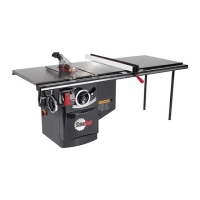
SawStop 10” Professional Cabinet Saw 75
Adjusting Your Saw
Adjusting the Tilt Limit Stops and Tilt Angle Indicator
The tilt limit stops allow you to easily and quickly set the bevel angle to 0° and 45°. However, when making
The tilt limit stops allow you to easily and quickly set the bevel angle to 0° and 45°. However, when making
precision cuts, it is always best to check the angle of the blade with a combination square or similar tool.
precision cuts, it is always best to check the angle of the blade with a combination square or similar tool.
Making Adjustments to Your Saw
0° Tilt Limit Stop
To check the position of the 0° limit stop, install
a 10 inch saw blade on the arbor (see page 29).
Raise the blade to its full elevation, and turn
the tilt handwheel clockwise until the limit stop
is reached. Using a square, check to see that
the blade is at a 90° angle to the table (see
Fig. 108). If you need to adjust the position of the
0° limit stop follow the instructions below.
The 0° tilt limit stop is set by the yellow painted
bolt located on the front trunnion (see Fig. 109)
and can be accessed through the side panel.
You will need a 17 mm wrench to turn the bolt
and a 14 mm wrench to turn the locking nut.
If the blade cannot reach a 90° angle with the
table at a minimum tilt angle, adjust the position
of the 0° tilt limit bolt by fi rst loosening the locking
nut and backing it off several turns. Then turn the
0° tilt limit bolt counter-clockwise several turns.
Next, adjust the tilt angle until the blade is at
90° to the table. If the blade still cannot reach
a 90° angle with the table, keep turning the nut
and bolt counter-clockwise until it can. Once the
blade is in the correct position, turn the 0° limit
bolt clockwise until it is tight. Finally, turn the
locking nut clockwise until it is tight. The 0° tilt
limit stop has now been set.
If the blade moves past a 90° angle with the table
at a minimum tilt angle, fi rst position the blade
so that it forms a 90° angle with the table. Then
loosen the locking nut and back it off several
turns. Next, turn the 0° limit bolt clockwise until
it is tight. Finally, turn the locking nut clockwise
until it is tight. The 0° tilt limit stop has now been
set.
Fig. 108
Fig. 109
0° tilt
limit stop
45° tilt
limit stop
locking
nut
locking
nut
WARNING! Always turn off the main power switch and unplug
the power cord before making any adjustments to your saw.





 To Next Page