10
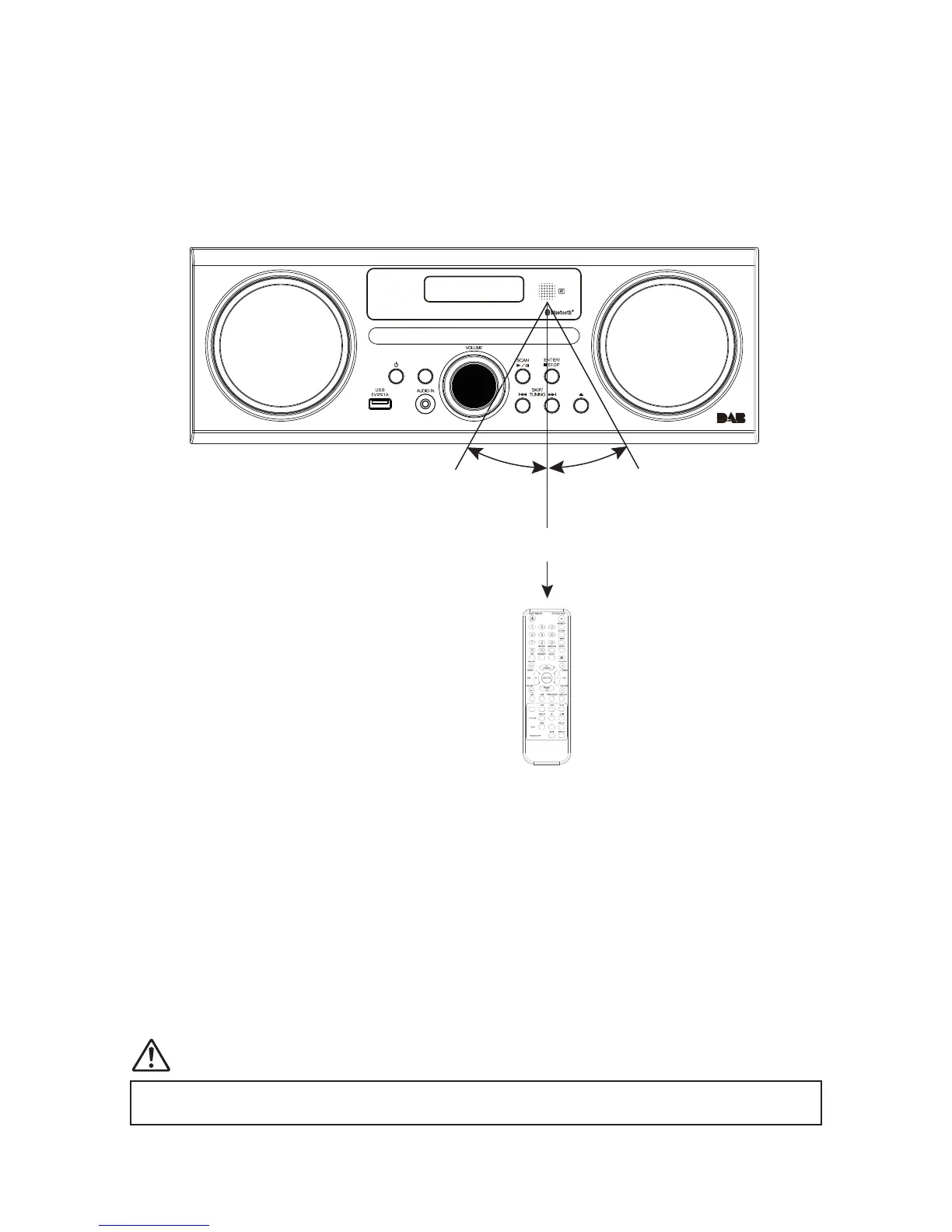
Remote control operation range
• The remote control sensor on the front unit is sensitive to the remote
control’s commands up to a maximum of 4 metres away and within a
maximum of 60° arc.
• Please note that the operating distance may vary depending on the
brightness of the room.
Connecting to the mains supply
• This unit is designed to operate with an AC power supply.
• Connecting the unit to any other power source may cause damage to
the unit. Unwind the mains cable to its full length. Connect the mains
plug to a mains socket. Make sure the mains plug is fully inserted into
the mains socket. The unit is now connected and ready to use.
• To switch the unit off completely, unplug the mains plug from the mains
socket.
Ensure all connections are connected to the mains power socket.
remote control operation range
t The remote control sensor on the front unit is sensitive to the remote control’s commands up
to a maximum of 4 metres away and within a maximum of 60° arc.
t Please note that the operating distance may vary depending on the brightness of the room.
Handling the Remote Control
t
t Do not drop the remote control.
t Do not allow anything to impact the remote control.
t Do not spill water or liquid on the remote control.
t Do not place the remote control on a wet object.
t Do not place the remote control under direct sunlight or near sources of excessive heat.
t Remove the battery from the remote control when not in use for a long period of time,
as corrosion or battery leakage may occur and result in physical injury, and/or property
t When the battery is exhausted, the remote control will not function.
12
battery replacement for the remote control
The remote control requires a LR6 1.5V AA/AM3 battery.
1. Open the battery cover.
2. Insert the supplied battery according to the direction indicated in the battery compartment.
When inserting or removing the battery, push it towards the (–) battery terminals.
3. Close the cover.
Handling the Battery
t Improper or incorrect use of batteries may cause corrosion or battery leakage, which could
t Install the battery correctly in the battery compartment. Normally the battery’s positive
polarity (+) will face up.
t Use only the battery type indicated in this manual.
t Do not dispose of the used battery as domestic waste. Dispose of it in accordance with
local regulations.
t Small button cell batteries such as the one used in the remote control are easily swallowed
by young children and this is dangerous. Keep loose button cells away from young children
and make sure that the battery is secure in the remote control. Seek medical advice if you
believe a battery cell has been swallowed.
11


 To Next Page