EasyManua.ls Logo

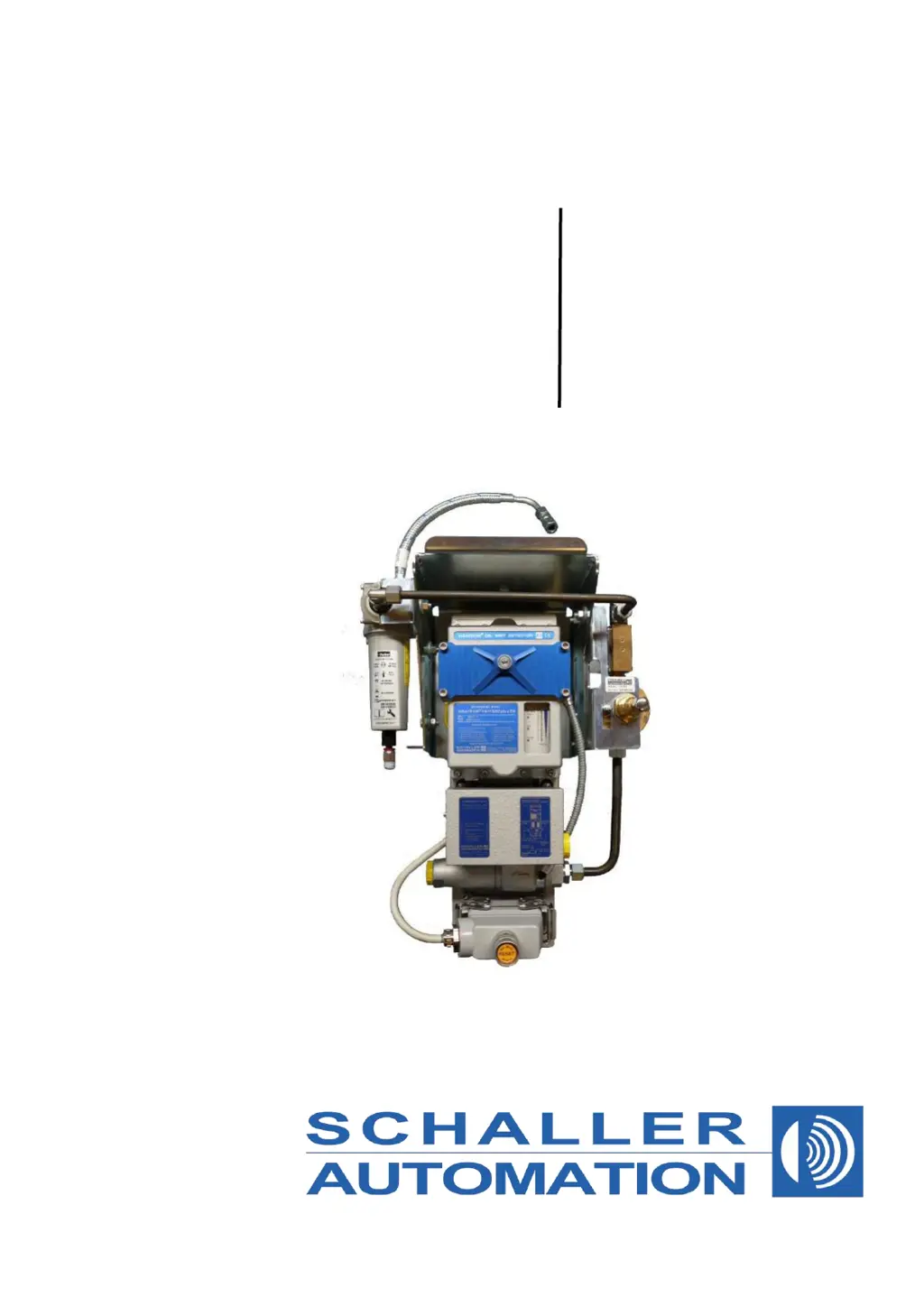
Schaller Automation VN115/87plus EX - User Manual

Schaller Automation VN115/87plus EX
62 pages
Print Icon
To Next Page IconTo Next Page
Loading...
Operation Manual
Part-No. 180081
Version 1.3, 06/2016
VISATRON®
Oil Mist Detectors
VN115/87plus EX
IACS UR M67 type approved

Questions and Answers

  • D
    Denise HumphreyAug 19, 2025
    What to do if all LED off on Schaller Automation VN115/87plus EX Security Sensors?
    • R
      Ryan ColemanAug 20, 2025
      If all LEDs are off on your Schaller Automation Security Sensors, begin by measuring the supply voltage. If that's not the issue, try activating the self-repair of the Polyfuse. If problems persist, replace the measuring head fuse. Also, check for any earth fault problems and as a last resort, exchange the measuring head.
  • E
    Elijah McgeeAug 22, 2025
    What to do if supply voltage too high in Schaller Automation VN115/87plus EX?
    • P
      Phillip LongAug 22, 2025
      If the supply voltage is too high on your Schaller Automation Security Sensors, first measure the supply voltage. If the issue persists, consider exchanging the measuring head.
  • S
    Sheila CarlsonAug 25, 2025
    How to fix defective reset button on Schaller Automation VN115/87plus EX Security Sensors?
    • E
      Edward CowanAug 25, 2025
      If the reset button on your Schaller Automation Security Sensors is defective, first try to eliminate any blocking that might be preventing it from working. If that doesn't solve the problem, you may need to exchange the measuring head.
  • K
    Kevin Martinez Jr.Aug 26, 2025
    How to fix negative pressure out of range on Schaller Automation Security Sensors?
    • M
      Mark ChavezAug 26, 2025
      If your Schaller Automation Security Sensors are showing a 'Negative pressure out of range' error, you can try the following: 1. Adjust suction pressure. 2. Exchange the air filters. 3. Clean the fresh air bores. 4. Check the suction system. 5. Exchange the bellows. 6. Exchange the filter cartridge. 7. Exchange the measuring head.
  • S
    Shelly LongAug 27, 2025
    What to do if electronics temperature too high on Schaller Automation Security Sensors?
    • K
      Kenneth SmithAug 27, 2025
      If the electronics temperature is too high (over 75°C) in your Schaller Automation Security Sensors, remove or turn away any ambient heating components. You can also install metal heat shields to protect against radiation.
  • D
    Danielle BennettAug 29, 2025
    What to do if ambient temperature too high on Schaller Automation VN115/87plus EX?
    • A
      Alan MillerAug 29, 2025
      If the ambient temperature is too high (over 70°C) for your Schaller Automation Security Sensors, you should remove or turn away any ambient heating components. Additionally, consider installing metal heat shields to protect against radiation.
  • B
    Barbara JamesAug 31, 2025
    How to clean dirty optical sensor on Schaller Automation VN115/87plus EX Security Sensors?
    • K
      Kimberly HernandezAug 31, 2025
      If the optical sensor on your Schaller Automation Security Sensors is dirty, you should clean the infrared filter.
  • J
    Jessica McclainSep 2, 2025
    What to do if electronics temperature too low on Schaller Automation Security Sensors?
    • D
      David CummingsSep 2, 2025
      If the electronics temperature is too low (below 0°C) in your Schaller Automation Security Sensors, remove any ambient cooling components that may be causing the issue.
  • S
    Sheila SmithSep 4, 2025
    What to do if ambient temperature too low on Schaller Automation VN115/87plus EX?
    • S
      Scott MillerSep 5, 2025
      If the ambient temperature is too low (below 0°C) for your Schaller Automation Security Sensors, remove any ambient cooling components that might be causing the problem.
  • A
    Alexandra BartlettSep 6, 2025
    How to check for earth fault problem on Schaller Automation VN115/87plus EX?
    • R
      Russell ScottSep 6, 2025
      If you suspect an earth fault problem with your Schaller Automation Security Sensors, measure the contact of Pin Measure contact No. 8 against of Pin No. 7 ground.

Summary

About this Manual

Terms and Conditions of Sale

Standard terms and conditions for sale of products.

Safety Instructions and Warnings

Safety Symbols and General Precautions

Explanation of safety symbols and general warnings for device operation.

Oil Mist Alarm Reset Procedure

Specific instructions for resetting oil mist alarms.

Explosive Atmosphere Operation Guidelines

Intended Purpose and EX Classification

Defines the specific application and conditions for EX-rated device usage.

Device Labeling and EX Classification Explanation

EC Declaration of Conformity

Introduction and Functional Overview

VN115;87 plus EX Device Description

Remote Monitoring Connectivity

Installation Instructions

Mechanical Installation Basics and Rules

Fundamental principles for selecting suction points and general setup rules.

Pipe Dimensions and Requirements

Specifies the required dimensions and types of pipes for installation.

Pipe Siphon Installation Steps

Step-by-step guide for installing pipe siphons.

Siphon Block Connection Unit Installation

Instructions for installing connection units for siphon blocks.

Suction Funnel Fitting Guidelines

Guidance on fitting suction funnels to prevent flooding and interference.

Compressed Air and Air Cleaner Module Setup

Connecting compressed air and setting up the air cleaner module.

Electrical Installation

Device Electrical Connections

Details on terminal, pin assignment, and wiring for the VN115/87plus EX.

Monitoring Device Connection (RS485)

How to connect the OMD to remote monitoring devices using RS485 bus.

Schematic Electrical Wiring Diagram

Visual representation of the system's electrical connections.

Commissioning Procedures

Suction Pressure Adjustment

How to set the correct negative pressure for the suction system.

Filling Siphon Blocks VN180 with Oil

Procedure for filling siphon blocks with oil.

Filling Pipe Siphons with Oil

Procedure for filling pipe siphons with oil.

Adjusting OMD Sensitivity via Switch

How to adjust the sensitivity of the oil mist detector using a switch.

Commissioning Checklist

A checklist to ensure all commissioning steps are completed correctly.

Operating Instructions

Display and Normal Operation Indicators

Explanation of the device's display and LED indicators during normal operation.

Error Code Interpretation

Lists and explains various error codes indicated by the device's LEDs.

Oil Mist Alarm Reset Procedure

Procedure for resetting oil mist alarms after an event.

Troubleshooting Common Issues

Cleaning Fresh Air Bores

Instructions for cleaning the fresh air bores of the device.

Cleaning Infrared (IR) Filter Glass

Steps for cleaning the IR filter glass to maintain sensitivity.

Replacing Measuring Head Air Filters

Procedure for replacing the air filters within the measuring head.

Replacing Air Cleaner Module Filter Cartridge

Instructions for replacing the filter cartridge in the air cleaner module.

Measuring Head Replacement Procedure

Step-by-step guide to replace the measuring head of the device.

Bellows and Suspension System Exchange

Procedure for replacing the bellows and suspension system.

Measuring Head Fuse Information

Information on locating and resetting/replacing fuses in the measuring head.

Earth Fault Troubleshooting Steps

Diagnostic steps to identify and resolve earth fault issues.

Scheduled Maintenance Procedures

Quarterly Maintenance Tasks

Maintenance tasks for quarterly intervals.

Half-Yearly Maintenance Tasks

Maintenance tasks for half-yearly intervals.

Yearly Maintenance Tasks

Maintenance tasks for yearly intervals.

Bi-Yearly Maintenance Tasks

Maintenance tasks for bi-yearly intervals.

5-Year Maintenance Tasks

Additional maintenance tasks for long-term intervals.

Functional Testing Procedures

On-Board Test Procedure

How to perform a functional test directly on the installed device.

Factory Test with Smoke Generator

Procedure for factory testing using a smoke generator.

Additional Pressure Measurement

Performing pressure measurements to check system tightness.

Factory Test with Fog Machine

Testing using a fog machine to simulate oil mist conditions.

Optional Spare Parts List

Optional Service Box Contents

VN-Smoke Test Box Contents

Technical Specifications - Mechanical and Electrical

Technical Specifications - Environmental and Approval

Worldwide Service Partner Network

Schaller Automation VN115/87plus EX Specifications

General IconGeneral
CategorySecurity Sensors
Operating Voltage10-30 V DC
Housing MaterialStainless Steel
Connection TypeCable
Ambient Temperature Range-25°C to +70°C
Degree of ProtectionIP67
TypeInductive Sensor
Output TypePNP

Related product manuals