012345678
115VAC 30W
ASSY IN USA
VOLUME
INPUT PREOUT
MUTE
GAIN
MODE
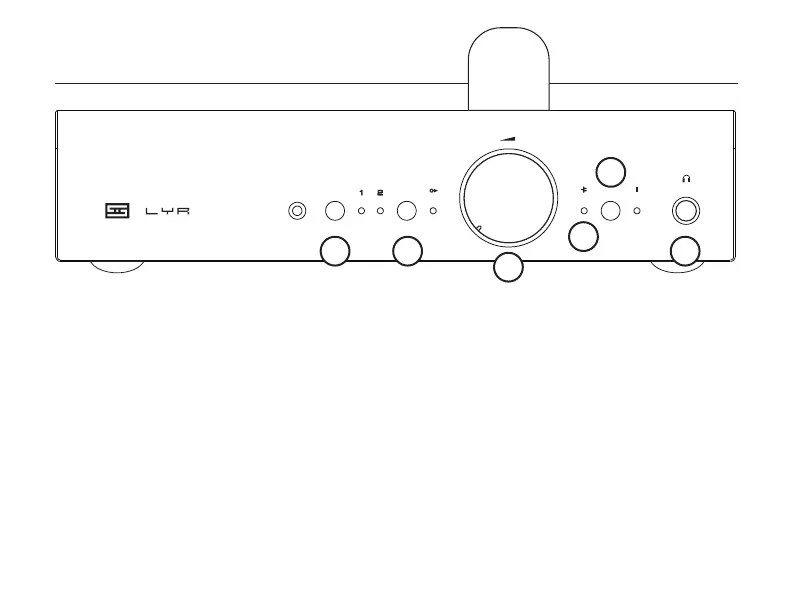
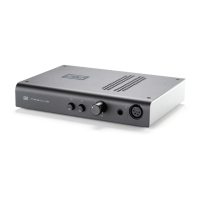
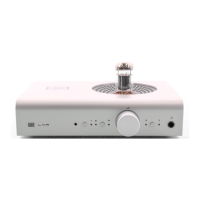
4 MOSFET Indicator. When this light is on, Lyr+
is using its internal solid-state gain stage. When
it’s off, then it’s running tube gain. Remember, you
can’t run tube gain without a tube!
5 Gain Select. Push this button to toggle between
low and high gain modes. The light to the right
of this button will glow when Lyr+ is in high gain
mode. Be careful of selecting high gain without
turning down the volume rst—high gain is high!
6 Headphone Jack. Plug your headphones in
here, using a standard 1/4” TRS plug.
1 Input Select. Press this button to toggle be-
tween the two inputs. To the right of the button,
the selected input lights up to indicate, well, the
selected input.
2 Preamp Output Enable. Push the button to
enable and disable the preamp output. The light
to the right of the button is on when the preamp
outputs are enabled.
3 Volume Control. Turn up till the music sounds
good, but before your ears turn to taffy.
CONTROLS
1 2
3
4
5
6


 To Next Page