EasyManua.ls Logo

Schumacher Electric XC103-CA - User Manual

Schumacher Electric XC103-CA
19 pages
Print Icon
To Next Page IconTo Next Page
Loading...
0099001360-02
Models / Modelos:
XC75-CA, XC75W-CA, XC103-CA, XC103W-CA
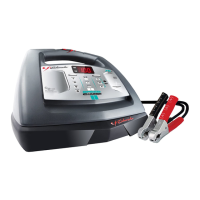
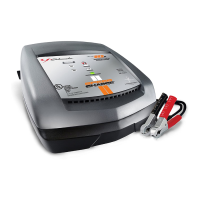
Automatic Battery Charger
Cargador de baterías automático
OWNERS MANUAL
MANUAL DEL USUARIO
PLEASE SAVE THIS OWNERS MANUAL AND READ BEFORE EACH USE. This manual
will explain how to use the battery charger safely and effectively. Please read and follow these
instructions and precautions carefully.
POR FAVOR CONSERVE ESTE MANUAL DEL USUARIO Y LEALO ANTES DE CADA
USO. En este manual le explica cómo utilizar el cargador de batería de manera segura y
conable. Por favor, lea y siga las siguientes instrucciones y precauciones.

Questions and Answers

  • D
    Dennis MitchellAug 3, 2025
    What to do if my Schumacher Electric Battery Charger has a short start cycle?
    • M
      Michael VaughanAug 4, 2025
      If you experience a short or no start cycle when cranking the engine with your Schumacher Electric Battery Charger, several factors could be at play. It could be that the cranking draws more current than the Engine Start Rate, resulting in a crank time of less than 3 seconds. Ensure you wait 3 minutes between cranks to allow both the battery and charger to cool down. Also, check for poor connections at the battery and frame, as well as loose connections in the power cord or extension cord. Verify that the AC outlet has power and is not tripped by a fuse or circuit breaker. If the charger overheats, ensure its vents are unblocked, give it some time to cool, and try again. For a severely discharged battery, consider using the 20A or 30A Booster setting for a few minutes to aid in cranking.
  • Z
    Zachary PetersonAug 8, 2025
    Why is my Schumacher Electric XC103-CA Battery Charger not turning on?
    • M
      Mrs. Alexa TuckerAug 8, 2025
      If your Schumacher Electric Battery Charger won't turn on even when properly connected, the issue might stem from a dead AC outlet. Check the fuse or circuit breaker supplying the outlet. Another potential cause is a poor electrical connection, so inspect the power and extension cords for any loose plugs. Lastly, a defective battery can also prevent the charger from turning on; in this case, have the battery checked.
  • M
    mkelleyAug 12, 2025
    What to do if my Schumacher Electric Battery Charger shows error F05?
    • S
      Stephanie SmithAug 12, 2025
      F05 error on your Schumacher Electric Battery Charger may appear if there's a drain on the battery or if the battery is bad. To address this, first, ensure there are no loads on the battery. If any exist, remove them. If there are no loads present, it's advisable to have the battery checked or replaced.
  • T
    Tammy PowellAug 17, 2025
    What does error F03 mean on a Schumacher Electric XC103-CA?
    • E
      Erik ProctorAug 17, 2025
      The F03 error on your Schumacher Electric Battery Charger may occur when attempting to charge a large battery or a bank of batteries on too low of a current setting. Try charging again using a higher current setting. If the issue persists, have the battery checked or replaced.
  • L
    Laurie BradfordAug 21, 2025
    What to do if my Schumacher Electric Battery Charger displays error F04?
    • M
      Mrs. Angela HendersonAug 21, 2025
      If your Schumacher Electric Battery Charger displays error code F04, it means the battery is connected backwards. Unplug the charger and reverse the connections to the battery.
  • W
    walter60Aug 26, 2025
    What does error code F01 mean on my Schumacher Electric XC103-CA Battery Charger?
    • C
      Corey GrantAug 26, 2025
      The F01 error on your Schumacher Electric Battery Charger indicates a potentially bad battery. It is recommended to have the battery checked or replaced.
  • W
    william22Aug 29, 2025
    What does error F02 mean on my Schumacher Electric XC103-CA Battery Charger?
    • A
      andrew40Aug 29, 2025
      The F02 error on your Schumacher Electric Battery Charger suggests that the battery could not be desulfated. It is recommended to have the battery checked or replaced.

Summary

Important Safety Instructions

Risk of Explosive Gases

General warnings and precautions for working near lead-acid batteries and potential explosive gases.

Personal Safety Precautions

Guidance on protective gear, handling acid spills, and removing metal items.

Assembly and Setup

Assembly Instructions

Instructions for uncoiling cables and attaching cord wrap cleats.

Grounding and Power Connections

Guidance on proper grounding and AC power cord usage, including extension cords.

Features and Controls

Digital Display Functions

Explanation of the digital display's readings for voltage, charge, and time.

Control Buttons

Details on the Display and Rate Selection buttons and their functions.

LED Status Indicators

Meaning of the different LED lights indicating charger status.

Battery Type Selection

Battery Type Button

Guide to selecting battery types (STD, AGM, GEL) for optimal charging.

Operating Instructions

Operational Safety Warnings

Crucial warnings about sparks, explosions, and vehicle operation during charging.

Charging In-Vehicle

Step-by-step instructions for charging a battery while it is connected to the vehicle.

Charging Out-of-Vehicle

Step-by-step instructions for charging a battery that has been removed from the vehicle.

Charge Rate and Auto Mode

Explanation of automatic charge rate adjustment and maintain mode operation.

Charging Modes and Status

Aborted and Desulfation Modes

Explanation of aborted charging and the desulfation mode process.

Charge Completion and Maintain Mode

How to identify a completed charge and the function of maintain mode.

Maintaining Batteries

Guidance on using the charger to maintain 6V and 12V batteries over time.

Engine Start Feature

Engine Start Safety Warning

Critical warning about potential vehicle damage if using engine start without a battery.

Engine Start Operation

Details on the engine start sequence, states, and timing.

Battery Testing Functions

Using the Battery Voltage Tester

Step-by-step guide to testing battery voltage and interpreting results.

Alternator Performance Testing

Instructions for using the charger to test the vehicle's alternator output.

Maintenance and Storage

Care and Cleaning

Tips for cleaning clamps and the charger case to prevent corrosion.

Proper Storage

Guidelines for coiling cords and storing the charger in a dry, cool place.

Troubleshooting and Error Codes

Error Code Reference

List of error codes (F01-F06) with descriptions and recommended solutions.

Common Problem Solutions

Guidance for addressing common issues like no spark, LED behavior, or no power.

Advanced Troubleshooting

Engine Start Issues

Troubleshooting common problems related to engine starting and cranking.

Setting and Display Issues

Resolving issues with selecting voltage settings or viewing charge percentage.

Product Specifications

Technical Specifications

Detailed electrical specifications for XC75-CA/XC75W-CA and XC103-CA/XC103W-CA models.

Support and Repairs

Before Returning for Repairs

Contact information and steps for seeking customer service or initiating repairs.

Limited Warranty Information

Warranty Terms

Details of the two-year limited warranty, exclusions, and limitations.

Schumacher Electric XC103-CA Specifications

General IconGeneral
Input Voltage120V AC
Output Voltage6V/12V
Output Current10A
Weight3.5 lbs
TypeBattery Charger
Battery Types SupportedAGM, Gel
Safety FeaturesOvercharge Protection
Cable Length6 ft.

Related product manuals