EasyManua.ls Logo

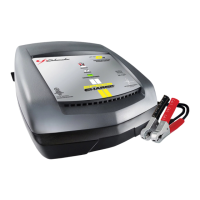
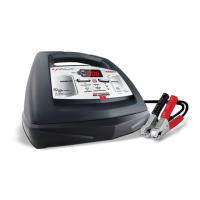
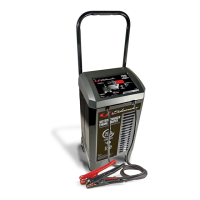
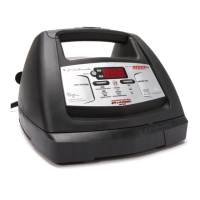
Schumacher Electric XC75-CA - User Manual

Schumacher Electric XC75-CA
19 pages
Print Icon
To Next Page IconTo Next Page
Loading...
0099001360-02
Models / Modelos:
XC75-CA, XC75W-CA, XC103-CA, XC103W-CA
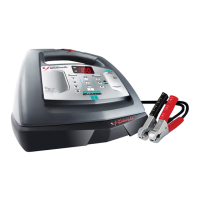
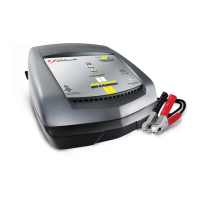
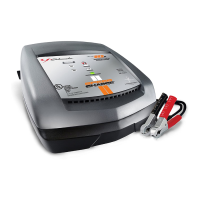
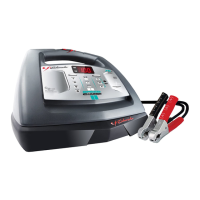
Automatic Battery Charger
Cargador de baterías automático
OWNERS MANUAL
MANUAL DEL USUARIO
PLEASE SAVE THIS OWNERS MANUAL AND READ BEFORE EACH USE. This manual
will explain how to use the battery charger safely and effectively. Please read and follow these
instructions and precautions carefully.
POR FAVOR CONSERVE ESTE MANUAL DEL USUARIO Y LEALO ANTES DE CADA
USO. En este manual le explica cómo utilizar el cargador de batería de manera segura y
conable. Por favor, lea y siga las siguientes instrucciones y precauciones.

Questions and Answers

  • E
    Edward CruzJul 29, 2025
    What to do if my Schumacher Electric XC75-CA has a short start cycle?
    • K
      kimberlylloydJul 30, 2025
      If you experience a short or no start cycle when cranking the engine with your Schumacher Electric Battery Charger, several factors could be at play. It could be that the cranking draws more current than the Engine Start Rate, resulting in a crank time of less than 3 seconds. Ensure you wait 3 minutes between cranks to allow both the battery and charger to cool down. Also, check for poor connections at the battery and frame, as well as loose connections in the power cord or extension cord. Verify that the AC outlet has power and is not tripped by a fuse or circuit breaker. If the charger overheats, ensure its vents are unblocked, give it some time to cool, and try again. For a severely discharged battery, consider using the 20A or 30A Booster setting for a few minutes to aid in cranking.
  • K
    Kelsey HowellAug 2, 2025
    Why is my Schumacher Electric XC75-CA Battery Charger not turning on?
    • C
      Connor CampbellAug 2, 2025
      If your Schumacher Electric Battery Charger won't turn on even when properly connected, the issue might stem from a dead AC outlet. Check the fuse or circuit breaker supplying the outlet. Another potential cause is a poor electrical connection, so inspect the power and extension cords for any loose plugs. Lastly, a defective battery can also prevent the charger from turning on; in this case, have the battery checked.
  • J
    Jessica CallahanAug 7, 2025
    What to do if my Schumacher Electric XC75-CA shows error F05?
    • M
      matthew35Aug 7, 2025
      F05 error on your Schumacher Electric Battery Charger may appear if there's a drain on the battery or if the battery is bad. To address this, first, ensure there are no loads on the battery. If any exist, remove them. If there are no loads present, it's advisable to have the battery checked or replaced.
  • B
    Brooke WrightAug 11, 2025
    What does error F03 mean on a Schumacher Electric XC75-CA Battery Charger?
    • A
      Angelica ReedAug 11, 2025
      The F03 error on your Schumacher Electric Battery Charger may occur when attempting to charge a large battery or a bank of batteries on too low of a current setting. Try charging again using a higher current setting. If the issue persists, have the battery checked or replaced.
  • D
    Dr. Shelby ShortAug 16, 2025
    What to do if my Schumacher Electric Battery Charger displays error F04?
    • W
      Wendy MyersAug 16, 2025
      If your Schumacher Electric Battery Charger displays error code F04, it means the battery is connected backwards. Unplug the charger and reverse the connections to the battery.
  • J
    Jonathan YoungAug 20, 2025
    What does error code F01 mean on my Schumacher Electric XC75-CA Battery Charger?
    • W
      William SmithAug 20, 2025
      The F01 error on your Schumacher Electric Battery Charger indicates a potentially bad battery. It is recommended to have the battery checked or replaced.
  • M
    Mrs. Ann OrtizAug 25, 2025
    What does error F02 mean on my Schumacher Electric Battery Charger?
    • A
      alexandra32Aug 25, 2025
      The F02 error on your Schumacher Electric Battery Charger suggests that the battery could not be desulfated. It is recommended to have the battery checked or replaced.

Summary

Important Safety Instructions

Explosive Gas Safety Warning

Crucial warnings about handling batteries and chargers near explosive gases to prevent explosions.

Personal Safety Precautions

Guidelines for personal protection, including eye protection, clothing, and handling battery acid.

Assembly and Connections

Battery Charger Assembly

Instructions for unpacking and preparing the battery charger, including cord management.

Grounding and AC Power Connections

Essential guidance on properly grounding the charger and connecting the AC power cord for safe operation.

Extension Cord Usage Guidelines

Recommendations and criteria for using extension cords with the battery charger to ensure safety and performance.

Control Panel Features

Digital Display and Control Buttons

Explanation of the digital display functions and the purpose of the Display and Rate Selection buttons.

LED Indicator Lights

Description of the meaning of each LED indicator light on the charger, indicating charging status or errors.

Operating Instructions

Battery Type Selection

Guidance on using the Battery Type button to select STD, AGM, or GEL battery types for optimal charging.

Battery Charging Procedures

Step-by-step instructions for safely charging batteries, both inside and outside the vehicle.

Charge Rate and Automatic Mode

Information on selecting charge rates and understanding the automatic charging and maintain modes.

Advanced Operating Modes

Aborted Charge and Desulfation

Understanding aborted charge conditions, desulfation mode, and error code resets.

Charge Completion and Maintain Mode

How to recognize charge completion, the function of maintain mode, and battery health monitoring.

Engine Start Feature Operation

Instructions and precautions for using the charger's engine start (jump start) capability.

Testing Functions

Battery Voltage Testing

How to use the charger as a battery tester to check voltage and battery condition.

Alternator Performance Testing

Procedure for testing the vehicle's alternator to ensure it is functioning correctly.

Maintenance and Care

Charger Maintenance and Storage

Tips for cleaning, maintaining, and properly storing the battery charger for longevity.

Troubleshooting and Error Codes

Error Code Reference

A list of error codes, their descriptions, and potential reasons or solutions.

Common Troubleshooting Issues

Solutions for common problems like no spark, LEDs not activating, or charger not turning on.

Advanced Troubleshooting

Engine Start Cycle Troubleshooting

Diagnosing and resolving issues related to short or no start cycles during engine cranking.

Setting and Display Troubleshooting

Addressing problems with selecting voltage settings or viewing the display information.

Product Specifications

XC75-CA;XC75 W-CA Specifications

Technical specifications for the XC75-CA and XC75W-CA models, including input and output ratings.

XC103-CA;XC103 W-CA Specifications

Technical specifications for the XC103-CA and XC103W-CA models, including input and output ratings.

Limited Warranty Information

Warranty Coverage Details

Explains the two-year limited warranty against defects in material or workmanship.

Warranty Disclaimers and Limitations

Details on warranty exclusions, limitations on damages, and legal rights.

Schumacher Electric XC75-CA Specifications

General IconGeneral
Input Voltage120V AC
Cable Length6 feet
Output Amperage75 Amps
Output Voltage6V / 12V
Battery Type CompatibilityAGM, Gel
Output Current75A
TypeAutomatic Battery Charger

Related product manuals