EasyManua.ls Logo

Schumacher Pro Series - User Manual

Schumacher Pro Series
13 pages
Print Icon
To Next Page IconTo Next Page
Loading...
PLEASE SAVE THIS OWNERS MANUAL AND READ BEFORE EACH USE.
This manual will explain how to use the battery charger safely and effectively.
Please read and follow these instructions and precautions carefully.
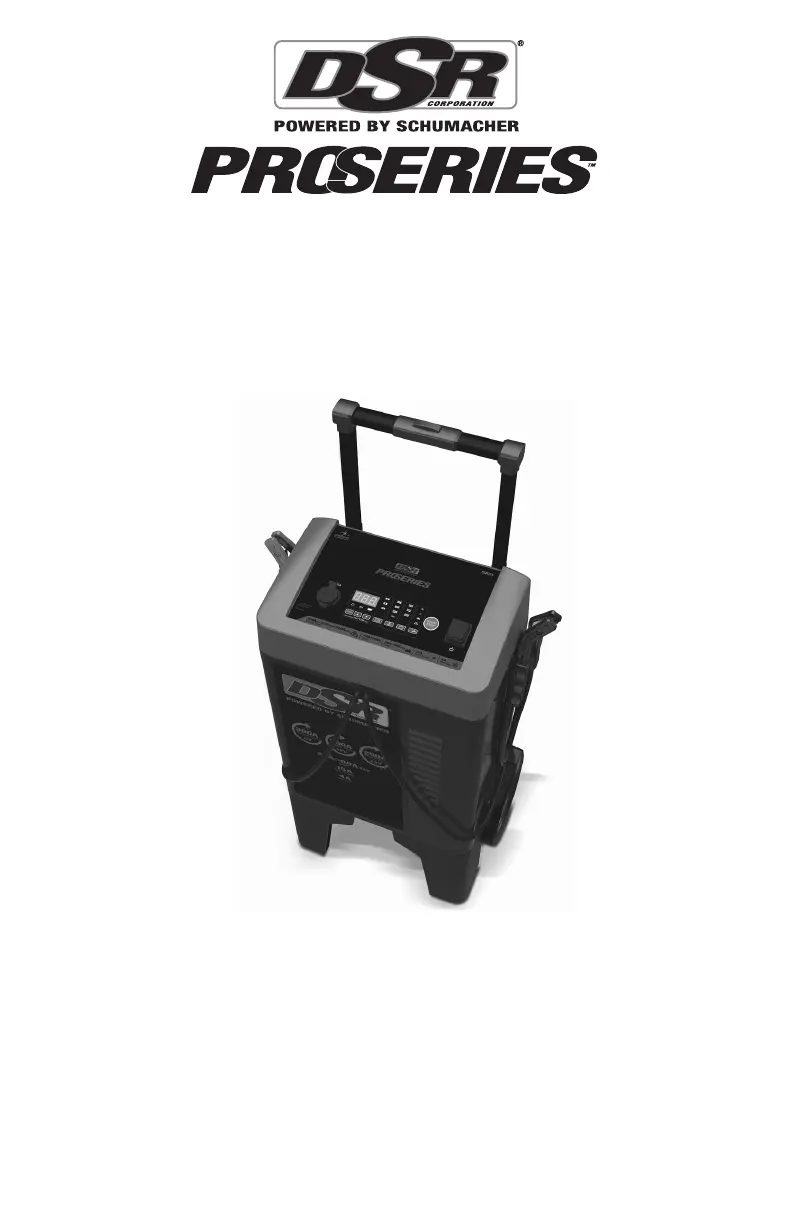
MODELS
DSR121, DSR122, DSR123, DSR124
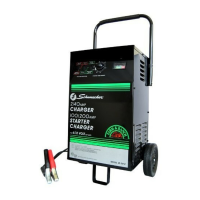
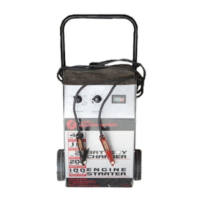
Professional Wheel Charger
OWNERS MANUAL
DSR124

Questions and Answers

  • P
    parkerterranceAug 15, 2025
    What to do if Schumacher Remote Starter display shows 'BAD BATTERY'?
    • T
      thernandezAug 15, 2025
      If the display on your Schumacher Remote Starter shows 'BAD BATTERY', it indicates that the battery is sulfated. In this case, have the battery checked and replace it if necessary.
  • B
    Benjamin MillerAug 18, 2025
    What to do if Schumacher Remote Starter is not charging?
    • D
      Dennis WilliamsAug 18, 2025
      If the Schumacher Remote Starter is on but not charging the battery, it might be in tester mode. Press the MODE SELECTION button to activate a charging mode.
  • A
    Amy CastanedaAug 21, 2025
    Why does my Schumacher Remote Starter display 'CHARGE ABORTED - BAD BATTERY'?
    • A
      Anthony MoralesAug 21, 2025
      If your Schumacher Remote Starter displays 'CHARGE ABORTED - BAD BATTERY', it means the battery is sulfated, and desulfation has failed, or the battery is too large for the charger. Have the battery checked and replaced if necessary. You may also need a charger with a higher amp rate.
  • H
    hdavidsonAug 28, 2025
    Why won't my Schumacher Remote Starter charger turn on?
    • D
      dvalentineAug 28, 2025
      If your Schumacher Remote Starter charger doesn't turn on when properly connected, the issue might stem from a dead AC outlet, a poor electrical connection, or a defective battery. To troubleshoot, check for an open fuse or circuit breaker supplying the AC outlet. Also, inspect the power cord and any extension cords for loose-fitting plugs. Finally, have the battery checked to ensure it is in good condition.
  • S
    Steven PrestonAug 31, 2025
    How to fix a Schumacher Remote Starter with no digital display?
    • R
      Raven McdonaldAug 31, 2025
      If there's no reading on the digital display of your Schumacher Remote Starter, it could be due to several reasons. First, ensure the charger is plugged into a working AC outlet and check for any blown fuses or tripped circuit breakers. If the display is in sleep mode during charging, press the Display button to turn it back on.
  • C
    Claudia ReeseSep 4, 2025
    What does 'CONNECT CLAMPS' mean on my Schumacher Remote Starter?
    • B
      brandonzunigaSep 4, 2025
      If the display shows 'CONNECT CLAMPS' on your Schumacher Remote Starter, it indicates that the clamps are not making a good connection. Check for a poor connection at the battery and frame.
  • P
    Patricia HenrySep 7, 2025
    Why is my Schumacher Remote Starter showing 'ANALYZING BATTERY'?
    • T
      Traci OliverSep 7, 2025
      When the yellow/orange CHARGING LED is solid, and the display shows 'ANALYZING BATTERY' on your Schumacher Remote Starter, it means the charger is assessing the battery's condition. This process can take up to 5 minutes, especially if the starting voltage is below 8.0V. The charger has not completed the checking process.
  • F
    Felicia ChambersSep 12, 2025
    Why don't the Schumacher Remote Starter battery clamps spark?
    • N
      Nicholas CarrilloSep 12, 2025
      The Schumacher Remote Starter is equipped with an auto-start feature. It will not supply current to the battery clamps until a battery is properly connected. The clamps will not spark if touched together; this is normal.
  • T
    Tricia HinesNov 24, 2025
    What to do if Schumacher Remote Starter has short start cycle?
    • N
      nkingNov 24, 2025
      If you experience a short or no start cycle when cranking the engine with the Schumacher Remote Starter, consider these potential causes and solutions: * Check for power at the receptacle, ensuring no open fuse or circuit breaker is supplying the AC outlet. * Verify that the AC cord and/or extension cord are securely plugged in. * Ensure the clamps have a good connection at the battery and frame. * Wait 3 minutes between cranks. * For a severely discharged battery, use the 15–40A Boost mode for a few minutes to assist in cranking. * Be aware that crank time varies with the current drawn; if it exceeds the engine start rate, crank time may be less than 5 seconds. * If the charger overheats, ensure the vents are not blocked, wait for the thermal protector to reset, and try aga...

Summary

IMPORTANT SAFETY INSTRUCTIONS

SAVE THESE INSTRUCTIONS

Manual contains essential safety and operating instructions for user reference.

RISK OF EXPLOSIVE GASES WARNING

Highlights dangers of explosive gases from lead-acid batteries and emphasizes following instructions.

PERSONAL SAFETY PRECAUTIONS

General Personal Safety Precautions

Provides essential safety measures for working with batteries and chargers, including protection and first aid.

PREPARING TO CHARGE

BATTERY CHARGING STEPS (IN VEHICLE)

BATTERY CHARGING STEPS (OUTSIDE VEHICLE)

CONTROL PANEL OVERVIEW

OPERATING INSTRUCTIONS

Charging Battery While Installed in Vehicle

Step-by-step guide for charging a battery while it is connected to the vehicle, including safety precautions.

Charging Battery Outside of Vehicle

Step-by-step guide for charging a battery that has been removed from the vehicle, including safety precautions.

OPERATING INSTRUCTIONS (CONTINUED)

OPERATING INSTRUCTIONS (CONTINUED 2)

ERROR CODES AND TROUBLESHOOTING

Error Code Reference

List of error codes (F01-F06, SUL) and their potential causes and solutions.

Troubleshooting Common Problems

Guidance on resolving common issues like no display, reversed clamps, or LEDs not turning off.

TROUBLESHOOTING (CONTINUED)

Troubleshooting Common Problems (Cont.)

Further troubleshooting for issues like no start cycle, loud buzz, or low battery percentage.

TROUBLESHOOTING (CONTINUED 2)

Troubleshooting Specific Issues (Cont.)

Addresses issues like sulfated batteries, engine start failures, and overheated chargers.

Schumacher Pro Series Specifications

General IconGeneral
CategoryBattery Charger
Voltage12V
Microprocessor ControlledYes
Reverse Polarity ProtectionYes
Battery TypeAGM, Gel
Charging ModesMaintain

Related product manuals