EasyManua.ls Logo

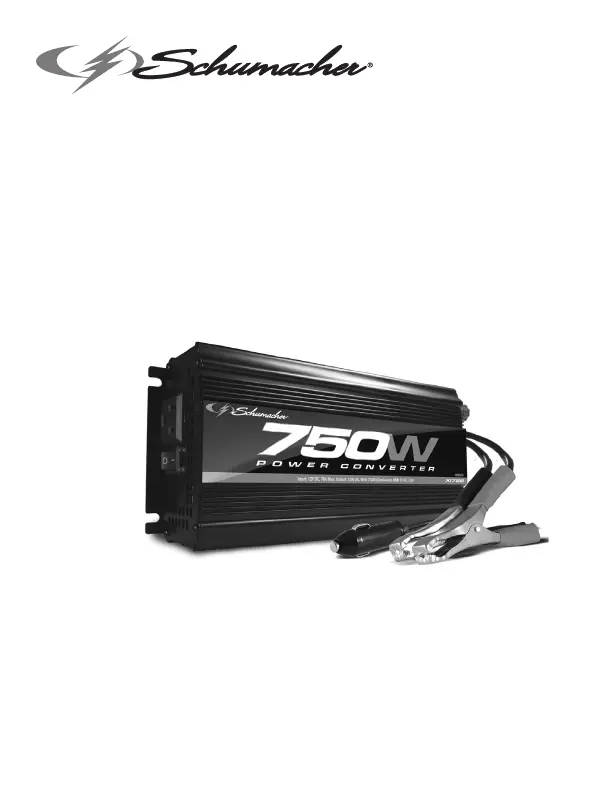
Schumacher XI75B - User Manual

Schumacher XI75B
35 pages
Print Icon
To Next Page IconTo Next Page
Loading...
0099001586-05
PLEASE SAVE THIS OWNERS MANUAL AND READ BEFORE EACH USE.
This manual will explain how to use the converter safely and effectively. Please
read and follow these instructions and precautions carefully.
POR FAVOR CONSERVE ESTE MANUAL DEL USUARIO Y LEALO ANTES
DE CADA USO. En este manual le explica cómo utilizar el conversor de manera
segura y conable. Por favor, lea y siga las siguientes instrucciones y precauciones.
ESSAYER DE GARDER LE MANUEL D’INSTRUCTIONS ET LE LIRE AVANT
CHAQUE UTILISATION. Ce manuel explique comment utiliser l’unité d’une façon
sûre et efcace. S’il vous plaît lisez et suivez ces instructions et précautions.
MODEL / MODELO / MODÈLE :
XI75B
Power Converter
Converts 12V DC battery power to 120V AC household power
Convertidor de energía
Convierte la energía de baterías de 12V de CD a 120V de CA
de energía doméstica
Convertisseur de puissance
Convertit la tension d’une batterie 12V CC en 120V CA domestique
OWNERS MANUAL / MANUAL DEL USUARIO
GUIDE D’UTILISATION

Questions and Answers

  • K
    Kimberly WilliamsJul 28, 2025
    What to do if the Schumacher XI75B red LED is on and the alarm sounds?
    • V
      vmooreJul 28, 2025
      If the red LED is illuminated, an alarm sounds, and the Schumacher Media Converter isn't working, it could be due to several reasons. First, there might be poor contact at the terminals; ensure connection points are clean and rock the clamps for a better connection. Second, the connections might be reversed, so unplug the converter and reverse the clamps. Third, the fuse might be blown. Finally, the converter may have shut down. Check these potential issues to restore functionality.
  • J
    Justin HarrisonAug 13, 2025
    Why is my device not working when connected to the Schumacher XI75B Media Converter?
    • C
      Connor KellyAug 13, 2025
      If your device isn't working correctly when you first connect it to the Schumacher Media Converter, it might be because the converter doesn't have enough capacity. Try turning the converter switch off and then on again to reset it. If the device still doesn't operate, it's not recommended to use it with this converter. Consider using a converter with a higher capacity.

Summary

Important Safety Instructions

Personal Safety Precautions

Before Using Your Converter

Fastening the Converter to a Flat Surface

Connecting Converter Cables

Converter Connection

Connects the positive (red) and negative (black) cable lugs to the converter's terminals.

Connecting Converter Cable to a Vehicle

Connects the converter to a vehicle's 12V accessory outlet (100 watts maximum).

Connecting Converter Cables to 12 V Battery or Power Source

Connects the converter's cables to a 12V battery or power source terminals.

Operating Instructions

Using the USB Port

Details on how to use the converter's USB port for charging devices.

Using the Converter to Operate a TV or Audio Device

Suggestions for minimizing signal interference when powering AV equipment.

Power Source

LED Indicator and Shutdown Protection

Resetting After Shutdown

Procedure to reset the converter after it has shut down due to overload or low battery.

If the Converter Fuse Blows

Troubleshooting

Specifications

Replacement Parts

Before Returning for Repairs

Limited Warranty

Schumacher XI75B Specifications

General IconGeneral
BrandSchumacher
ModelXI75B
CategoryMedia Converter
LanguageEnglish

Related product manuals