SEL-487V Data Sheet Schweitzer Engineering Laboratories, Inc.
8
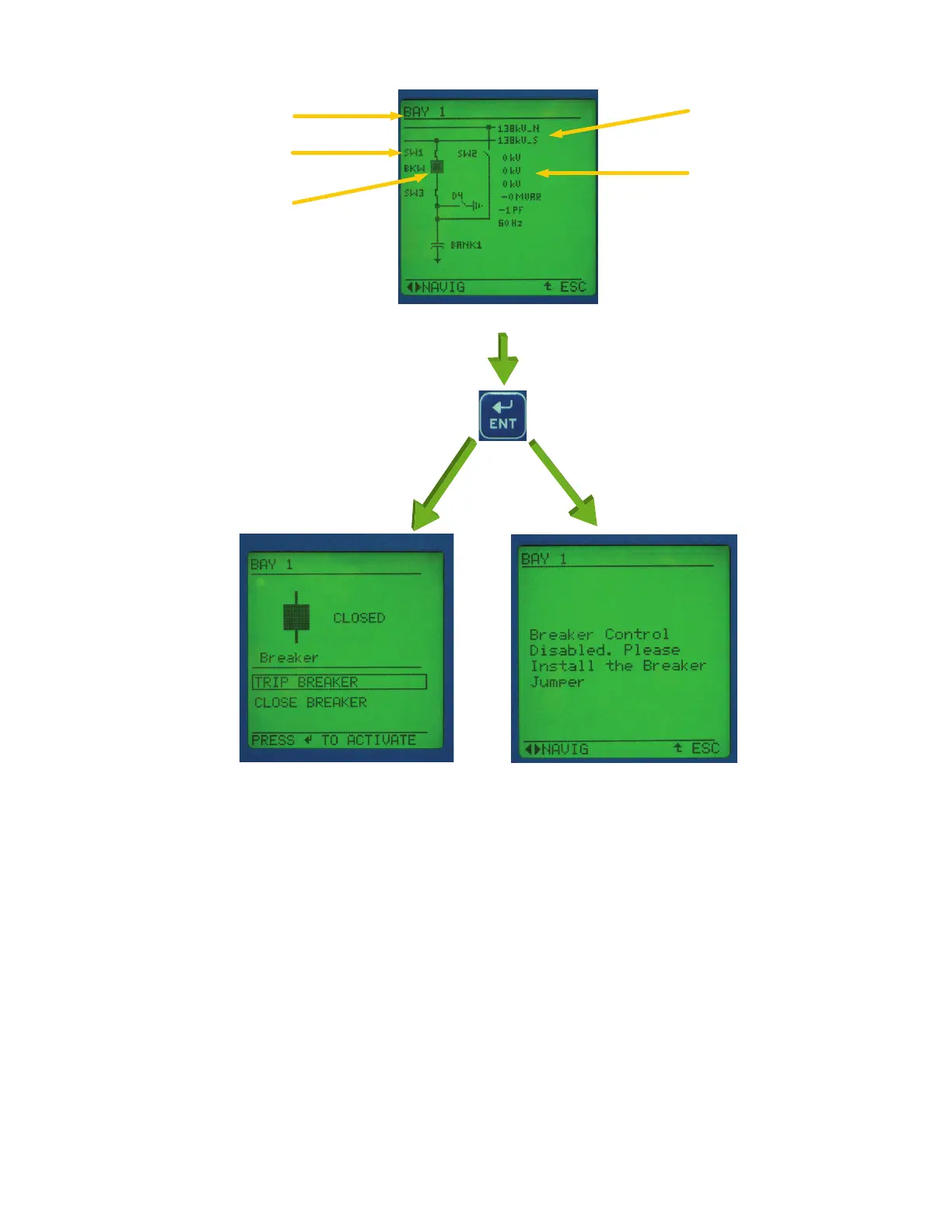
Figure 6 Screens for Circuit Breaker Selection
Rules-Based Settings Editor
ACSELERATOR QuickSet helps develop settings off-line.
The system automatically checks interrelated settings
and highlights out-of-range settings. Settings created off-
line can be transferred by using a PC communications
link with the SEL-487V. The
ACSELERATOR QuickSet
interface supports Server 2008, Windows
®
7, and
Windows 8 operating systems and can be used to open
COMTRADE files from SEL and other products.
Convert binary COMTRADE files to ASCII format for
portability and ease of use. View real-time phasors and
harmonic values.
ACSELERATOR QuickSet Relay Settings Interface
There are two ways to enter relay settings with the
ACSELERATOR QuickSet settings interface. The standard
style settings are displayed in traditional form under the
relay form.
ACSELERATOR QuickSet also provides an
interactive relay setting entry method. The interactive
method works by clicking on the one-line diagram
labels. This action automatically displays all the settings
for the device selected. This method provides an easy
way of organizing and verifying all settings associated
with the device.
Figure 7 illustrates the interactive relay settings form in
ACSELERATOR QuickSet. Click on an apparatus in the
one-line diagram, and a form with apparatus-specific
settings is displayed.
Busbar Names
Analog Values
Breaker and Disconnect
Status and Control
Bay Name
Disconnect and
Breaker Names
Press Enter When Breaker Is Highlighted on Display (Figure 6a)
Breaker Control Screen (Figure 6b)
Breaker Control Disabled Message (Figure 6c)
Breaker Control Jumper Installed Breaker Control Jumper Removed



 To Next Page