Schweitzer Engineering Laboratories, Inc. SEL-487V Data Sheet
9
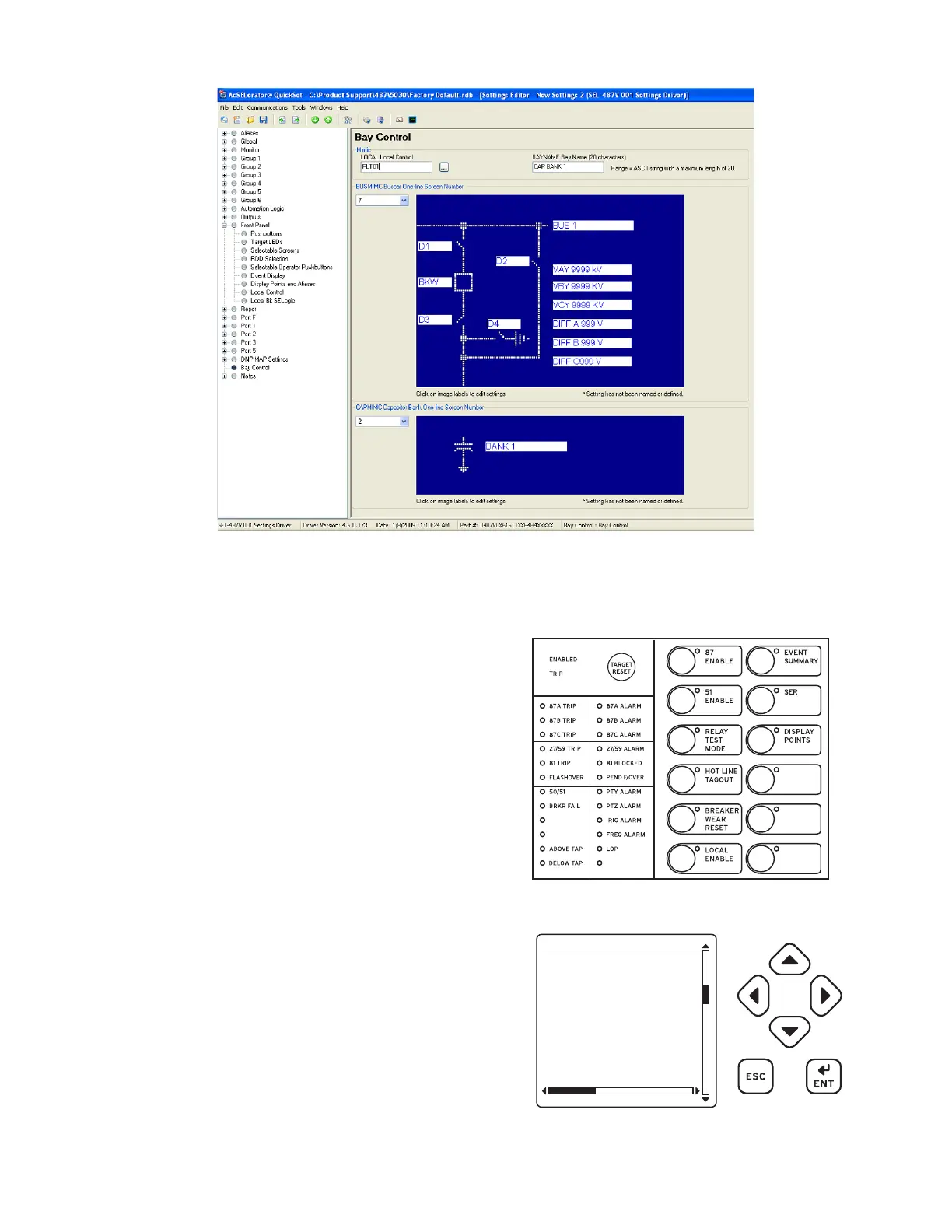
Figure 7 Interactive Relay Settings Form
ACSELERATOR QuickSet Templates
Use the fully licensed version of ACSELERATOR Quick-
Set to create custom views of settings, called Application
Designs, to reduce complexity, decrease the chance of
errors, and increase productivity.
➤ Lock and hide unused settings
➤ Lock settings to match your standard for
protection, I/O assignment, communication, and
SEL
OGIC control equations
➤ Enforce settings limits narrower than the device
settings
➤ Define input variables based on the equipment
nameplate or manufacturer’s terminology or
scaling and calculate settings from these
“friendlier” inputs
➤ Use settings comments to guide users and explain
design reasoning
Front-Panel Display
The liquid crystal display (LCD) shows event, metering,
settings, and relay self-test status information. The target
LEDs display relay target information as described in
Figure 8 and explained in Table 4 .
The LCD is controlled by the navigation pushbuttons
(Figure 9), automatic messages the relay generates, and
user-programmed analog and digital display points. The
rotating display scrolls through the bay screen, alarm
points, display points, and metering screens. Each
display remains for a user-programmed time (1–15
seconds) before the display continues scrolling. Any
message generated by the relay because of an alarm
condition takes precedence over the rotating display.
Figure 8 Factory-Default Status and Trip Target LEDs
(12 Pushbutton, 24 Target Option)
Figure 9 Factory-Default Front-Panel Display and
Pushbuttons
03/15/01 GROUP 1
00:00:05.387
EVENT: BCG T
LOCATION: 48.47
FREQ: 60.00
SHOT: 3P=1
BK1 OPEN
BK2 CLOSED
EVENT SUMMARY 10002



 To Next Page