48
Overview
SP 500 / 750-15 / 750-18 / 1000 / 1250 Operation Manual
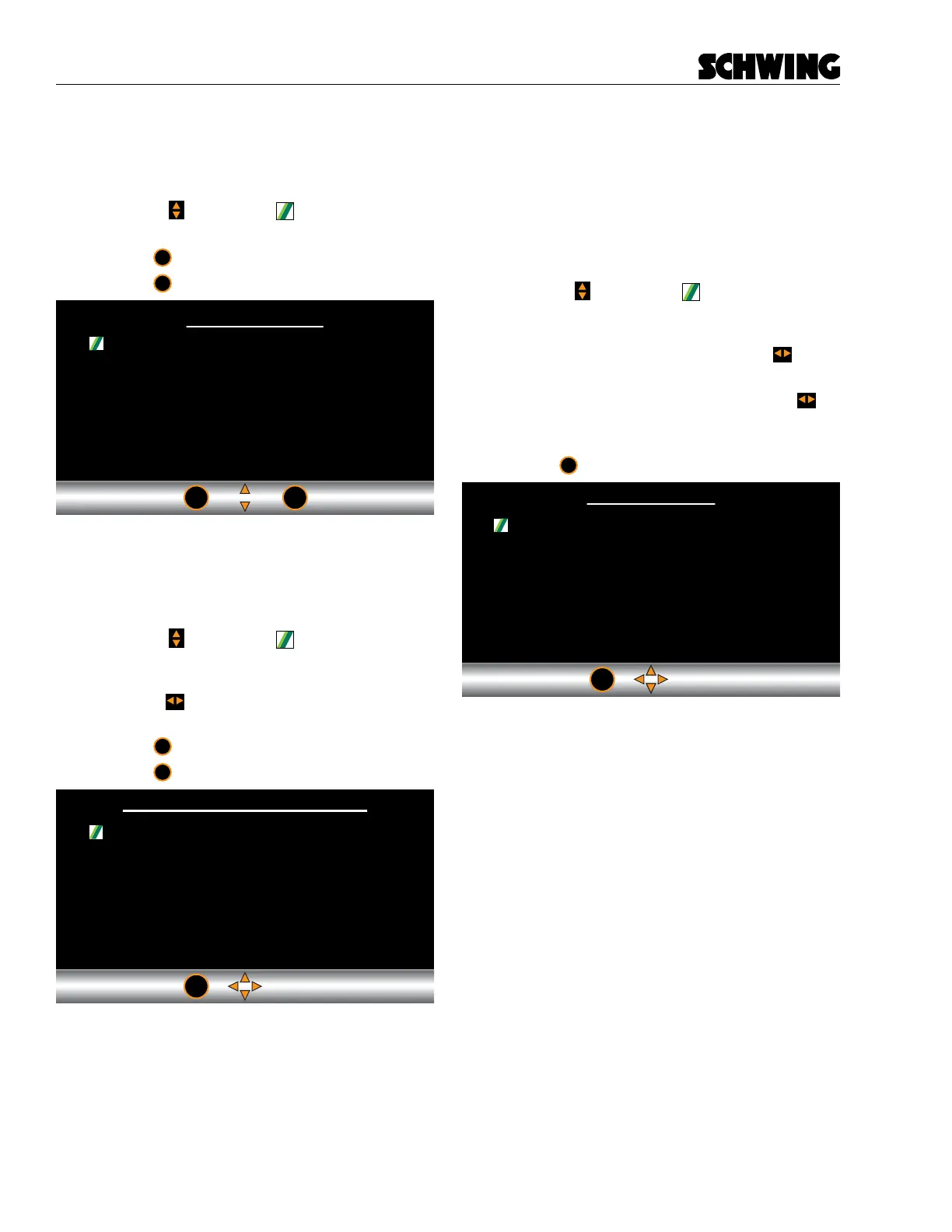
Options Screen
Provides additional information and allows you to set
parameters on any installed options.
- Use the to move the icon through the list
of screens.
- Press
ok
to go to the selected screen.
- Press
esc
to return to the Menu screen.
ok
esc
Setting / Options
Oil Temp Sensor Settings
Auto Greaser Settings
Stroke Limiter Settings
Language
Machine Options
Oil temperature Sensor Settings Screen
Used to change the parameters of the concrete pump
hydraulic oil sensors.
- Use the to move the icon through the list
of sensors. When the icon appears next to the
sensor parameter you would like to change,
use the to increase or decrease the param-
eter setting.
- Press
ok
to store the parameter setting
- Press
esc
to return to the Menu Screen
esc
Hydraulic Oil Temp
Cooler On Temp
Cooler Off Temp
High Oil Temp Alarm
Oil Temp Offset
-30 C
55 C
50 C
85 C
0 C
Greaser Settings Screen
Used to change the parameters of the Auto Greaser
System. From this screen you can change the greas-
er On Time and O Time. These parameters are set in
minutes. You can also set if you want the Auto greaser
to always remain on (ALWAYS ON) or only if the pump
is in Forward (PUMP FWD).
- Use the to move the through the list of
greaser parameters. When the icon appears
next to the ON TIME or OFF TIME parame-
ter you would like to change, use the to
increase or decrease the parameter setting.
- For GREASER ENABLE menu item, the
will change between ALWAYS ON and PUMP
FWD.
- Press
esc
to return to the Menu Screen
esc
On Time
Off Time
Greaser Enable
1 M
5 M
ALWAYS ON



 To Next Page