52
Overview
SP 500 / 750-15 / 750-18 / 1000 / 1250 Operation Manual
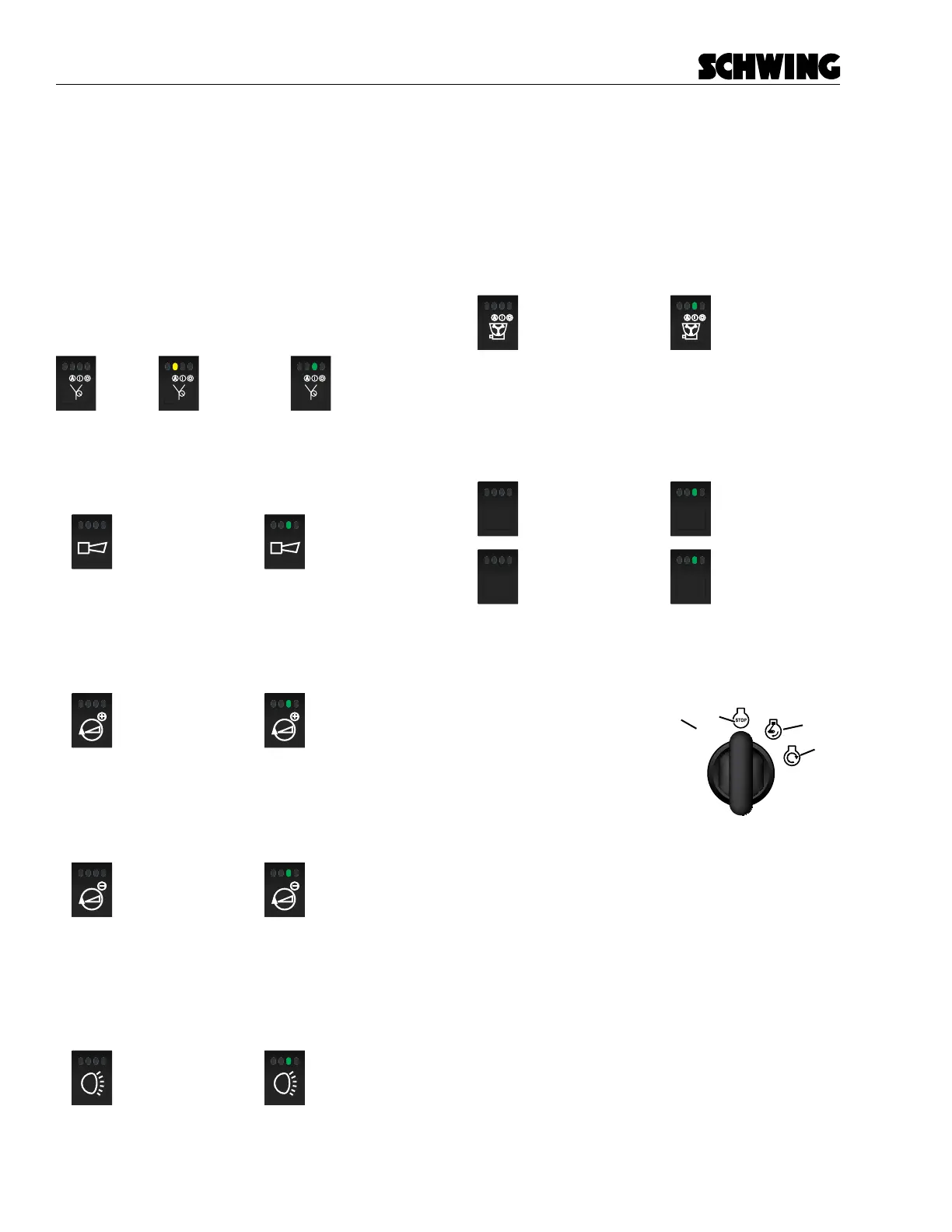
Vibrator Auto/Manual/O
This button works in conjunction with the Concrete
Pump-Forward button. When the Vibrator Auto button
is pressed once, the Vibrator will turn on when the con-
crete pump is in the forward position. When the con-
crete Pump-O or Reverse button is selected, the vi-
brator will shut o. If you press the button again, the
vibrator will be in manual mode and will run until the
vibrator is shut o. Pressing the button a third time will
turn the vibrator o.
= Vibrator
OFF
= Vibrator Auto
ON
= Vibrator Manual
ON
Horn
Press once or press and hold to sound the horn.
= Horn / Off
= Horn / On
(Push/Hold)
Throttle (+)
Press once to increase engine throttle. Press and hold
or press multiple times to ramp up engine throttle.
= Inactive
= Throttle (+)
(Push/Hold)
Throttle (-)
Press once to decrease engine throttle. Press and hold
or press multiple times to ramp down engine throttle.
= Inactive
= Throttle (-)
(Push/Hold)
Lights
Press to turn on the lights. Press again to shut the lights
o.
= Lights / Off
= Lights / On
Agitator On/O
Works in conjunction with the agitator valve manual
forward/reverse handle to control the agitator located
inside the hopper. Pressing the button and moving the
agitator handvalve to either the forward or reverse posi-
tion, will activate the agitator. Pressing th button again
or moving the handle to the neutral position will stop the
agitator.
= Agitator/OFF
= Agitator/ON
Optional Accessories Button 1 and 2
This button can be used with optional accessories in-
stalled on the concrete pump. Press once to activate
the installed function.
= Optional
Accessories / Off
= Optional
Accessories / On
ACC1
ACC1
= Optional
Accessories / Off
= Optional
Accessories / On
ACC2
ACC2
Ignition Switch
The ignition switch has 4 positions.
A. (P) Accessory - On
B. (O) OFF
C. (I) RUN
D. (III) START
Turn the key switch to the RUN position and wait a few
seconds, this will allow the controller to boot-up. Turn
and hold the key switch in (III) START position, until the
engine is starts - then release.
If the engine does not start, you must move the
ignition switch to the OFF position and then back
to the START position.
ACC
A
B
C
D



 To Next Page