EasyManua.ls Logo

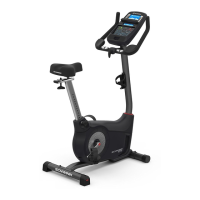
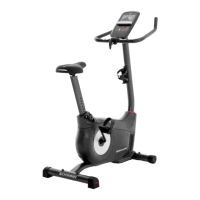
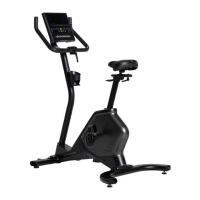
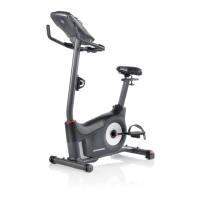
Schwinn 170i Upright Bike - User Manual

Schwinn 170i Upright Bike
36 pages
Print Icon
To Next Page IconTo Next Page
Loading...
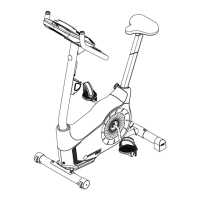
ASSEMBLY MANUAL / OWNER’S MANUAL
170i
This product is compliant with the
applicable CE requirements.

Questions and Answers

  • M
    Matthew CraigAug 16, 2025
    What to do if my Schwinn Exercise Bike has no display or won't turn on?
    • P
      psmallAug 17, 2025
      First, ensure that the Schwinn Exercise Bike is plugged into a functioning wall outlet. Then, check the adapter and connections for damage, replacing them if necessary. Make sure all wires in the cable are intact and that the cable is securely connected and oriented properly, with the small latch on the connector lined up and snapped into place. Inspect the console for cracks or damage, and replace it if needed. If the console shows only a partial display and all connections are fine, replace the console.
  • M
    Morgan MccoyAug 19, 2025
    How to fix seat post movement on Schwinn 170i Upright Bike Exercise Bike?
    • S
      scottwilliamsAug 19, 2025
      To resolve seat post movement on your Schwinn Exercise Bike, ensure the adjustment pin is locked into one of the seat post adjustment holes and that the knob is securely tightened.
  • E
    Elizabeth WarrenAug 22, 2025
    Why does my Schwinn 170i Upright Bike console shut off while I'm using it?
    • H
      Hannah MartinAug 22, 2025
      If your Schwinn Exercise Bike console shuts off during use, ensure the unit is plugged into a working wall outlet and the connection is secure and undamaged, replacing parts if needed. Check that all wires in the cable are intact and the cable is properly connected. Unplug the unit for 3 minutes, then reconnect it. Also, verify the magnet is in place on the pulley and that the speed sensor is aligned with the magnet and connected to the data cable; realign or replace if damaged.
  • J
    Joseph MarshAug 25, 2025
    What does the “E2” error code mean on my Schwinn 170i Upright Bike console?
    • C
      Christina FowlerAug 26, 2025
      If the console of your Schwinn Exercise Bike displays an “E2” error code, check that all wires in the cable are intact, replacing the cable if any wires are cut or crimped. Ensure the cable is securely connected and properly oriented, making sure the small latch on the connector lines up and snaps into place.
  • A
    Ashley WarrenAug 27, 2025
    Why are the pedals loose or why is my Schwinn Exercise Bike difficult to pedal?
    • B
      brookeandersonAug 27, 2025
      To fix a loose or difficult-to-pedal Schwinn Exercise Bike, securely tighten the pedal to the crank, ensuring the connection isn't cross-threaded. Also, tighten the crank securely to the axle, making sure the cranks are connected at 180 degrees from each other.
  • J
    Jose HooverAug 30, 2025
    What to do if my Schwinn 170i Upright Bike Exercise Bike displays 'Please Pedal' or no speed/RPM?
    • B
      Brian BarberAug 30, 2025
      If your Schwinn Exercise Bike displays a “Please Pedal” error code or shows no speed/RPM reading, check that all wires in the cable are intact, replacing the cable if any are cut or crimped. Ensure the cable is securely connected and properly oriented, with the small latch on the connector lined up and snapped into place.
  • J
    jordanclarkSep 2, 2025
    What to do if my Schwinn Exercise Bike doesn't display Contact HR?
    • E
      ecookSep 2, 2025
      To troubleshoot the 'Contact HR not displayed' issue on your Schwinn Exercise Bike, first, ensure the cable is securely connected to the console. Next, center your hands on the HR sensors, keeping them still with equal pressure on each side. You might also try using a conductive electrode cream to improve contact. If these steps don't work, the handlebars may need to be replaced.
  • J
    Jessica DoyleSep 5, 2025
    Why is the telemetric HR displayed incorrectly on my Schwinn 170i Upright Bike Exercise Bike?
    • M
      Marie WilliamsSep 5, 2025
      To resolve the issue of your Schwinn Exercise Bike displaying telemetric HR incorrectly, ensure that a personal electronic device is not blocking the HR receiver on the left side of the media tray.
  • P
    Patricia JohnsonSep 7, 2025
    What to do if my Schwinn 170i Upright Bike doesn't display Telemetric HR?
    • K
      kenneth55Sep 7, 2025
      To address the issue of your Schwinn Exercise Bike not displaying telemetric HR, ensure that you are using a “POLAR®” compatible and uncoded strap, placed directly against your skin with the contact area wet. Try moving the unit away from potential sources of interference like TVs or microwaves. If the issue persists, replace the strap. If the HR still doesn't function, replace the console.
  • A
    Anthony RodriguezSep 10, 2025
    How to stop my Schwinn 170i Upright Bike Exercise Bike from rocking?
    • D
      Douglas DavisSep 12, 2025
      To stop a Schwinn Exercise Bike from rocking or sitting unevenly, adjust the levelers until the bike is level. If the surface is extremely uneven, move the bike to a more level area.

Summary

ASSEMBLY MANUAL; OWNERS MANUAL

Important Safety Instructions for Assembly

Safety Warning Labels and Serial Number

Specifications and Setup Requirements

Assembly Guide

Attaching Stabilizers and Console Mast

Connect stabilizers and install the console mast, gasket, and top shroud.

Installing Handlebars and Console

Mount handlebars and console unit onto the mast, ensuring cable connections are secure.

Installing Seat Post and Seat

Insert and secure the seat post, then attach the seat for proper positioning.

Before You Start Operation

Important Safety Instructions for Operation

Product Features Overview

Heart Rate Monitoring

Operating the Exercise Bike

Quick Start and User Profiles

How to start workouts and manage user profiles for personalized tracking.

Editing and Resetting User Profiles

Instructions for customizing and clearing user profile data.

Fitness and Recovery Test Programs

Instructions for performing fitness and recovery tests to monitor progress.

Heart Rate Control Workouts

Setting up workouts based on target heart rate zones for improved cardiovascular conditioning.

Workout Management and Statistics

How to change workouts, pause/stop, view results, and access GOAL TRACK statistics.

Console Setup Mode

Maintenance Procedures

Troubleshooting Common Issues

Power and Display Problems

Solutions for issues related to the console not powering up or displaying correctly.

Heart Rate Sensor Issues

Troubleshooting steps for contact and telemetric heart rate sensor detection and accuracy.

Schwinn 170i Upright Bike Specifications

General IconGeneral
BrandSchwinn
Model170i Upright Bike
CategoryExercise Bike
LanguageEnglish

Related product manuals