EasyManua.ls Logo

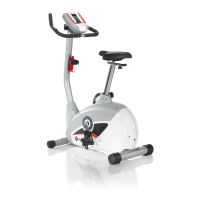
Schwinn Journey 1.0 - User Manual

Schwinn Journey 1.0
62 pages
Print Icon
To Next Page IconTo Next Page
Loading...
1
Schwinn
130, 170 (Model Year 2013), Journey 1.0 and
Journey 1.5 (Model Year 2013) Upright Bikes Service Manual
8006483.070119.F
Service Manual
Section Code Section Page Number
1 Important Safety Instructions 2
1 Safety Warning Labels and Serial Number 3
1 Reading the Product Specification Label 3
1 Specifications 3
1 Maintenance 4
1 Leveling the Machne 5
1 Moving the Machine 5
1 USB Charging 5
1 Troubleshooting 6
1 Console Service Mode 8
1 Maintenance Parts Exploded View 10
1 Replacement Procedure Skill Level 12
Mechanical Procedures
2 Belt Tension Adjustment 13
3 Set the Brake Tension (Calibration) 16
Part Replacement
4 Console 19
5 Pedals 21
6 Crank Arms – 170 23
7 Transport Wheels 27
8 Shrouds 29
9 Handlebar Assembly 34
10 Console Mast 37
11 Data Cable in the Mast 41
12 Brake Assembly 44
13 Servo Motor 46
14 Drive Belt and Flywheel Assembly 50
15 Belt Tensioner Assembly (Idler Assembly) 53
16 Drive Pulley Assembly (Crank Assembly) – 130 55
17 RPM Sensor (Speed Sensor) 59
18 Power Inlet 60
TM
Table of Contents
Nautilus, Inc., (800) NAUTILUS / (800) 628-8458, www.NautilusInc.com - Customer Service: North America (800) 605-3369, csnls@nautilus.com | outside U.S. www.nautilusinternational.com |
© 2013 Nautilus, Inc. | Schwinn is a trademark licensed to Nautilus, Inc., which is registered or otherwise protected by common law in the United States and other countries. Polar
®
is a
trademark of its owner.
ORIGINAL MANUAL - ENGLISH VERSION ONLY
8018282.070119.B

Questions and Answers

  • V
    Vincent TaylorAug 17, 2025
    How to fix no display on Schwinn Journey 1.0 Exercise Bike?
    • K
      Kimberly JacobsAug 17, 2025
      If your Schwinn Exercise Bike is not displaying anything on the console, displaying only a partial image, or will not turn on, first ensure the unit is plugged into a functioning wall outlet. Check that the connection is secure and undamaged, replacing the adapter or connection if necessary. Inspect the cable for any crimps or cuts and replace it if damaged. Ensure the cable is securely connected and properly oriented, with the small latch on the connector lined up and snapped into place. Check the console display for cracks or other damage, and replace the console if damaged. If the console only shows a partial display and all connections are fine, replace the console.
  • M
    Michael PetersAug 20, 2025
    What does E2 error code mean on Schwinn Exercise Bike?
    • A
      Amber SuarezAug 20, 2025
      If your Schwinn Exercise Bike displays an “E2” error code, check the cable for any cut or crimped wires and replace it if necessary. Ensure the cable is securely connected and properly oriented, with the small latch on the connector lined up and snapped into place. If these steps do not resolve the issue, contact Customer Care for further assistance.
  • F
    fgonzalezAug 23, 2025
    Why is the telemetric HR displayed incorrectly on my Schwinn Journey 1.0 Exercise Bike?
    • R
      Rebecca HollandAug 23, 2025
      If your Schwinn Exercise Bike operates but the telemetric heart rate is displayed incorrectly, ensure that the HR receiver is not blocked by a personal electronic device in the left side of the media tray.
  • K
    Katie GlassAug 26, 2025
    Why are the pedals loose or unit difficult to pedal on my Schwinn Exercise Bike?
    • F
      ftapiaAug 26, 2025
      If your Schwinn Exercise Bike pedals feel loose or the unit is difficult to pedal, make sure the pedal is tightened securely to the crank, ensuring the connection isn't cross-threaded. Also, ensure the crank is tightened securely to the axle, and that the cranks are connected at 180 degrees from each other.
  • K
    Kristin ReidAug 28, 2025
    Why is telemetric HR not displayed on my Schwinn Journey 1.0?
    • E
      Emily WrightAug 28, 2025
      If your Schwinn Exercise Bike operates but the telemetric heart rate is not displayed, ensure the strap is “POLAR®” compatible and uncoded, placed directly against the skin, and the contact area is wet. If the strap has replaceable batteries, install new ones. Select the Edit User Profile option and ensure the WIRELESS HR setting is set to ON. Try moving the unit away from sources of interference like TVs or microwaves. If the heart rate still doesn't function after eliminating interference, replace the strap. If the issue persists, replace the console.
  • J
    John NicholsAug 31, 2025
    Why does my Schwinn Exercise Bike console shut off while I'm using it?
    • P
      Patrick WallerAug 31, 2025
      If your Schwinn Exercise Bike console shuts off during use, ensure it's plugged into a functioning wall outlet and the connection is secure and undamaged. Also, check the cable for damage (cuts or crimps) and secure connection, ensuring the small latch on the connector is properly aligned and snapped in place. Try unplugging the unit for 3 minutes, then reconnecting it. Finally, verify the magnet is in place on the pulley, and the speed sensor is aligned with the magnet and properly connected; realign or replace if damaged.
  • N
    Nicholas HuntSep 3, 2025
    What to do if contact HR is not displayed on Schwinn Journey 1.0?
    • I
      Ian TorresSep 3, 2025
      If your Schwinn Exercise Bike operates but doesn't display contact heart rate, ensure the cable is securely connected to the console. Make sure your hands are centered on the HR sensors and kept still, applying relatively equal pressure to each side. Using a conductive electrode cream may improve conductivity. If these steps don't resolve the issue, the handlebars may need to be replaced.
  • T
    Thomas AndersonSep 5, 2025
    How to fix Schwinn Exercise Bike that rocks?
    • M
      Marisa KnoxSep 6, 2025
      If your Schwinn Exercise Bike rocks or doesn't sit level, adjust the levelers until the bike is stable. If the surface is extremely uneven, the levelers may not compensate enough, so move the bike to a more level area.
  • J
    jessemorrisSep 8, 2025
    Why is there no speed/RPM reading on my Schwinn Journey 1.0?
    • A
      acevedocodySep 8, 2025
      If your Schwinn Exercise Bike is not displaying speed or RPM and the console shows a “Please Pedal” error code, check the cable for any cut or crimped wires, and replace it if necessary. Also, ensure the cable is securely connected and properly oriented, with the small latch on the connector lined up and snapped into place.
  • C
    Christopher WhiteSep 12, 2025
    How to stop seat post movement on Schwinn Exercise Bike?
    • D
      Deborah WallaceSep 12, 2025
      To resolve seat post movement on your Schwinn Exercise Bike, ensure the adjustment pin is locked into one of the seat post adjustment holes and that the knob is securely tightened.

Summary

General Information and Safety

Important Safety Instructions

Essential safety guidelines for operating and servicing the exercise bike.

Product Specifications and Identification

Details on serial numbers, specification decals, and machine dimensions.

Bike Operation and Maintenance

Routine Maintenance Schedule

Guidelines for daily, weekly, and monthly checks and cleaning procedures.

Basic Bike Setup and Mobility

Instructions for leveling, moving, and USB charging functionality.

Troubleshooting Common Issues

Diagnosing and resolving common problems with the bike's functionality.

Console Operations and Adjustments

Console Service Mode and Diagnostics

Accessing console setup, manufacturing menus, and diagnostic tests.

Adjust Belt Tension

Procedure for adjusting the drive belt tension for optimal performance.

Set Brake Tension (Calibration)

Instructions for calibrating the resistance brake system.

Component Replacement Guides

Replace Console and Handlebar Assembly

Guides for replacing the console and handlebar components.

Replace Drive System Components

Procedures for replacing the drive belt, tensioner, and crank assembly.

Replace Sensors and Power Inlet

Instructions for replacing RPM sensor and power inlet.

Schwinn Journey 1.0 Specifications

General IconGeneral
BrandSchwinn
ModelJourney 1.0
CategoryExercise Bike
LanguageEnglish

Related product manuals