EasyManua.ls Logo

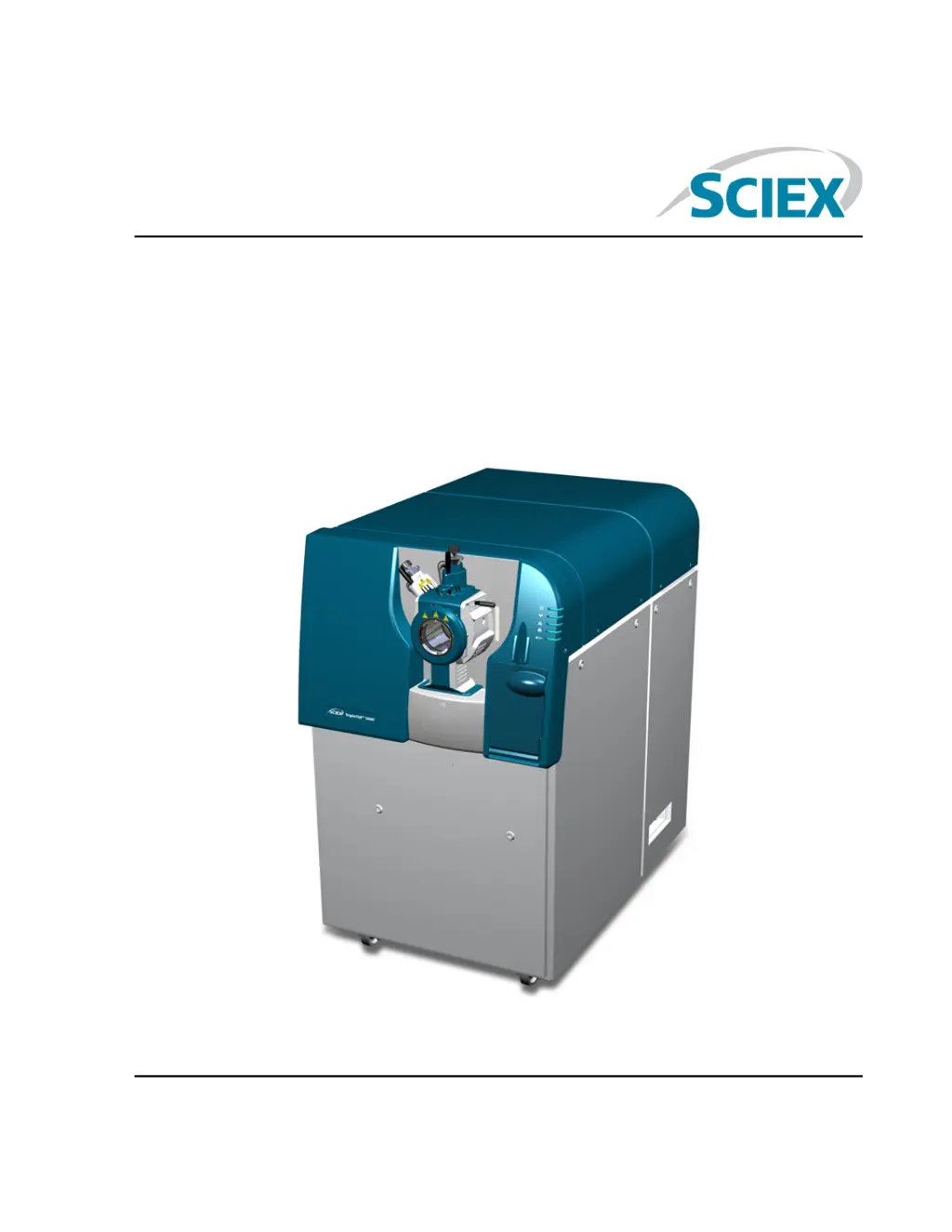
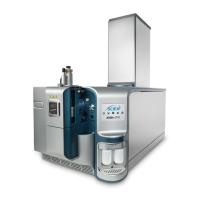
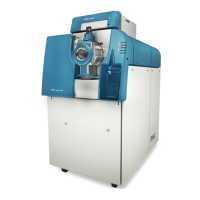
SCIEX TripleTOF 5600 Plus - User Manual

SCIEX TripleTOF 5600 Plus
131 pages
Print Icon
To Next Page IconTo Next Page
Loading...
TripleTOF
®
5600/5600+ System
System User Guide
January 2018RUO-IDV-05-7040-B

Table of Contents

Questions and Answers

  • M
    Michelle StevensonAug 13, 2025
    Why is sensitivity reduced in SCIEX TripleTOF 5600 Plus?
    • D
      Danielle LamAug 13, 2025
      Reduced sensitivity in SCIEX Laboratory Equipment can stem from several factors: * Ion source parameters may not be optimized. Optimize the ion source parameters using the Analyst TF software Help system. * The sample may have degraded or has a low concentration. Verify the sample concentration and use a fresh sample. * There might be a leak in the syringe or sample line. Inspect and repair any leaks, ensuring all fittings are the correct type and size. * The probe may not be installed properly. Remove and reinstall the probe.
  • J
    Joseph AdamsAug 16, 2025
    What to do if a system fault occurs in SCIEX TripleTOF 5600 Plus due to high vacuum pressure?
    • C
      Cody HouseAug 16, 2025
      If a system fault occurs in your SCIEX Laboratory Equipment because the vacuum pressure is too high: * Inspect and repair any leaks. * Ensure the correct orifice plate is installed. * Inspect the roughing pump oil level, and then contact the local QMP or an FSE to add oil.
  • J
    Jeremy MorganAug 20, 2025
    How to troubleshoot degraded mass spectrometer performance in SCIEX TripleTOF 5600 Plus Laboratory Equipment?
    • P
      Patricia HodgeAug 20, 2025
      To troubleshoot degraded mass spectrometer performance in SCIEX Laboratory Equipment: * Confirm that the sample was prepared correctly. * Verify that the fittings are the right size and type and make sure that they are tight. Do not overtighten the fittings. Replace the fittings if leaks continue.
  • J
    Jeffery ShannonAug 25, 2025
    What to do if the QJet ion guide is frequently dirty in SCIEX TripleTOF 5600 Plus Laboratory Equipment?
    • E
      Elizabeth PattersonAug 25, 2025
      If the QJet ion guide in your SCIEX Laboratory Equipment is extremely dirty or frequently becomes dirty, the Curtain GasTM flow rate might be too low. Verify the setting for the CUR parameter and increase it if needed.
  • P
    Paul AllenAug 27, 2025
    What to do if sensitivity is reduced (continued) in SCIEX TripleTOF 5600 Plus Laboratory Equipment?
    • A
      Amanda CarpenterAug 27, 2025
      If you're still experiencing reduced sensitivity in your SCIEX Laboratory Equipment: * Remove and install the ion source, ensuring that the latches are properly secured. If this does not resolve the issue, then install and optimize an alternate ion source. * If the O-rings are on the ion source, then install them on the vacuum interface.
  • M
    msmithAug 31, 2025
    What to do if the Analyst TF software reports a fault status due to the ion source in SCIEX Laboratory Equipment?
    • S
      spencemargaretAug 31, 2025
      If the Analyst TF software reports that the mass spectrometer is in Fault status because of the ion source in SCIEX Laboratory Equipment: * Confirm the fault in the Status panel of the device details page. * Install the probe. Refer to the ion source Operator Guide. * Remove and replace the probe. Tighten the retaining ring securely. Refer to the ion source Operator Guide.
  • J
    Jeanette WoodsSep 3, 2025
    What causes arcing or sparks in SCIEX Laboratory Equipment?
    • V
      vhallSep 4, 2025
      Arcing or sparks in SCIEX Laboratory Equipment can occur if the position of the corona discharge needle is incorrect. Turn the corona discharge needle toward the curtain plate, and away from the stream of heater gas. Refer to the ion source Operator Guide.
  • J
    Jeffrey ChavezSep 8, 2025
    What to do if the spray is not uniform in SCIEX TripleTOF 5600 Plus?
    • M
      Melanie CollinsSep 8, 2025
      If the spray is not uniform in your SCIEX Laboratory Equipment, the electrode may be blocked. Clean or replace the electrode. Refer to the ion source Operator Guide.

Summary

Operational Precautions and Limitations

Safety Guidelines

Covers general, electrical, chemical, ventilation, environmental, and electromagnetic safety.

Regulatory and Compliance Information

Details compliance with regulations for Australia, Canada, Europe, US, and International.

System Operation and Environmental Requirements

Outlines qualified personnel, laboratory conditions, performance specs, and equipment use.

Handling, Disposal, and Support

Includes contact info, documentation symbols, related docs, decommissioning, and disposal.

Principles of Operation

System Overview

Provides a high-level view of the system and its components.

Hardware Components

Details the physical components and their connections, referencing diagrams.

Theory of Mass Spectrometry

Explains the fundamental principles of how the mass spectrometer measures ions.

Data Handling and Software

Describes how data is acquired, processed, and managed by the software.

Operating Instructions - Hardware

System Startup Procedure

Step-by-step guide to powering on and preparing the instrument for operation.

System Shutdown Procedure

Instructions for safely powering down the instrument, including venting if necessary.

Syringe Pump Configuration

Details on adjusting the position of the integrated syringe pump for optimal use.

Syringe Pump Reset

Procedure for resetting the syringe pump if communication is lost.

Operating Instructions - Sample Workflows

Initial Instrument Setup

Steps for setting up the instrument for sample acquisition, including profiles and optimization.

Sample Acquisition Workflow

A typical workflow for acquiring data, from project creation to data analysis.

Operating Instructions - Hardware Profiles and Projects

Managing Hardware Profiles

How to create, configure, and activate hardware profiles for system devices.

Project and Subproject Management

Organizing data files using projects and subprojects for better data management.

Project Folder Management

Information on installed project folders, backing up, and recovering the API Instrument folder.

Tune and Calibrate

Mass Spectrometer Optimization

Procedures for verifying and optimizing the mass spectrometer's performance.

Performance Verification Dialog

Details on the dialog used for verifying or adjusting instrument performance.

Instrument Optimization Results

Understanding the results summary generated after instrument optimization.

Operating Instructions - Acquisition Methods

Creating Acquisition Methods

Steps for creating new acquisition methods using the editor or wizard.

Method Editor Operations

Adding experiments, periods, and copying methods within the editor.

Scan Techniques Explained

Overview of different mass spectrometry scan types supported by the system.

Method Parameters

Explanation of key parameters affecting source, compound, resolution, and detector settings.

Operating Instructions - Batches

Batch Queue Configuration

Setting options for how batches are processed and managed.

Batch Creation and Submission

Adding samples, sets, and submitting batches for acquisition.

Sample Acquisition and Status

Covers submitting samples, calibration, acquiring data, and managing the queue.

Batch Editor and Queue Management

Explains batch editor menus, queue states, and device status indicators.

Operating Instructions - Analyze and Explore Data

Data File Operations

Opening, navigating, and viewing experimental conditions of data files.

Data Visualization and Extraction

Displaying data in tables, showing ADC data, chromatograms, and generating XICs.

Chromatogram and Spectrum Analysis

Working with TICs, spectra, XICs, BPCs, DAD data, and adjusting thresholds.

Graph Management and Tools

Managing chromatogram and spectra panes, graphical processing, and data manipulation.

Service and Maintenance Information

Maintenance Schedule and Best Practices

Recommended maintenance tasks, cleaning practices, and required materials.

Cleaning Procedures

Detailed instructions for cleaning system surfaces, front-end, curtain plate, and orifice plate.

Component Maintenance

Procedures for emptying drain bottle, inspecting oil level, replacing fan filters, and storage.

Mass Spectrometer Troubleshooting

Common System Issues and Solutions

Table of symptoms, possible causes, and corrective actions for system problems.

Recommended Calibration Ions

PPG Calibration Ions

Lists recommended calibration ions for Q1 PPG positive and negative modes.

APCI;ESI Calibration Solutions

Provides calibration ions for APCI/ESI positive and negative solutions for TOF MS.

Exact Masses and Chemical Formulas

PPG Exact Masses

Detailed exact masses and chemical formulas for PPG calibration standards.

Toolbar Icons

Software Interface Icons

Icons for project management, acquisition method editor, and acquire mode.

Explore Mode Icons

Icons for navigating and processing data within the Explore mode.

Glossary of Symbols

General and Safety Symbols

Definitions of common symbols including regulatory marks, hazards, and electrical symbols.

Handling and Environmental Symbols

Symbols related to product handling, environmental compliance, and hazards.

Glossary of Warnings

Product Handling and Operational Warnings

Explains labels and warnings related to impact, tilt, and operational safety.

SCIEX TripleTOF 5600 Plus Specifications

General IconGeneral
Scan SpeedUp to 100 Hz
MS/MSYes
DetectorMicrochannel Plate (MCP)
Mass AnalyzerQuadrupole, Time-of-Flight (TOF)
Ion SourceElectrospray Ionization (ESI) and Atmospheric Pressure Chemical Ionization (APCI)
Data Acquisition ModesIDA
Power Requirements100-240 V, 50/60 Hz
ResolutionUp to 40, 000 FWHM
Mass Accuracy2 ppm RMS with internal calibration; 5 ppm RMS with external calibration

Related product manuals