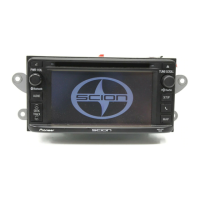
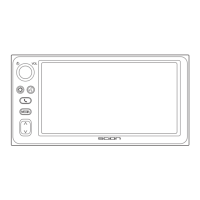
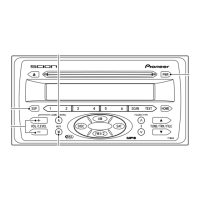
1 DISC
Switches to the CD mode. (Only
effective if a disc is loaded)
2 EJECT
Press to eject the disc currently play-
ing.
3 TRK5<UP>
Press to proceed to the next track.
4 TRK∞ <DOWN>
Pressing once takes you back to the
start of the track currently playing.
Press to return to the previous track.
5 PRESET 1 (Random)
If you press this, is indicated
in the display and starts to play tracks
on the disc being played in random
order. Press again to cancel.
6 PRESET 2 (Repeat)
If you press this, is indicated
in the display and starts to repeat the
track being played. Press again to
cancel.
7 PRESET 5 (1)
While this is pressed, play of the
track is reversed.
8 PRESET 6 (¡)
While this is pressed, play of the
track is fast forwarded.
9 SCAN
If you press this, is indicated
in the display and starts to play the
first 10 seconds of each track on the
CD being played. Press again to can-
cel.
0 TEXT
Press, and display indications change
as follows:
ELAPSED TIME = DISC TITLE = TR
TITLE (track title)
If you press and hold until you hear a
beep, the display will change to the
next page. A maximum of 2 pages
(24 characters) can be displayed.
CAUTION
Compact disc players use an
invisible laser beam which
could cause hazardous radia-
tion exposure if directed out-
side the unit. Be sure to oper-
ate the player correctly.
9


 To Next Page