Need help?
Do you have a question about the ScreenBeam Single ECB7250 and is the answer not in the manual?
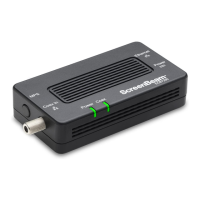
Introduces the ScreenBeam ECB7250 MoCA 2.5 Network Adapter and its purpose for extending home networks.
Lists the items included in the ECB7250 MoCA 2.5 Network Adapter package.
Outlines the necessary coaxial ports and electrical sockets for adapter installation.
Details the key features of the ECB7250, including ports, setup, and LED indicators.
Step-by-step guide to connecting the initial ScreenBeam ECB7250 adapter to the network.
Explains how to enable MoCA encryption for enhanced security and device visibility.
Instructions for connecting the adapter when a coaxial port is already in use by another device.
Steps for installing further ECB7250 adapters in different locations within the home.
Details the one-year Limited Hardware Warranty and 90-day software updates.
Explains how local laws may affect warranty rights and disclaimers.
Provides essential safety precautions for using the adapter to prevent injury or damage.
Guidelines for connecting the coaxial cable screen shield to Earth for safety compliance.
Information on FCC compliance, potential interference, and mitigation measures.
States compliance with FCC rules for US products, including conditions for operation.
Advises users that unauthorized modifications can void operating authority.
States compliance with Industry Canada rules for Canadian products, including operation conditions.
Provides resources and contact details for product support, updates, and troubleshooting.
 General
| Brand | ScreenBeam |
|---|---|
| Model | ECB7250 |
| Category | Adapter |
| Wireless Standard | 802.11ac |
| Frequency Band | 2.4 GHz, 5 GHz |
| Connectivity | Wireless |
| Ports | HDMI, USB |
| Range | Up to 100 feet |
| Security | WPA2 |
| Wireless Technology | Miracast |
| Maximum Resolution | 4K UHD |
| Power | 5V |
| Compatibility | Windows, Android, iOS |

 To Next Page