TB-9024 Page 3 of 7
© 2017 DESCO INDUSTRIES, INC.
Employee Owned
SCS - 926 JR Industrial Drive, Sanford, NC 27332 • (919) 718-0000 • Website: StaticControl.com
Impedance Measurements
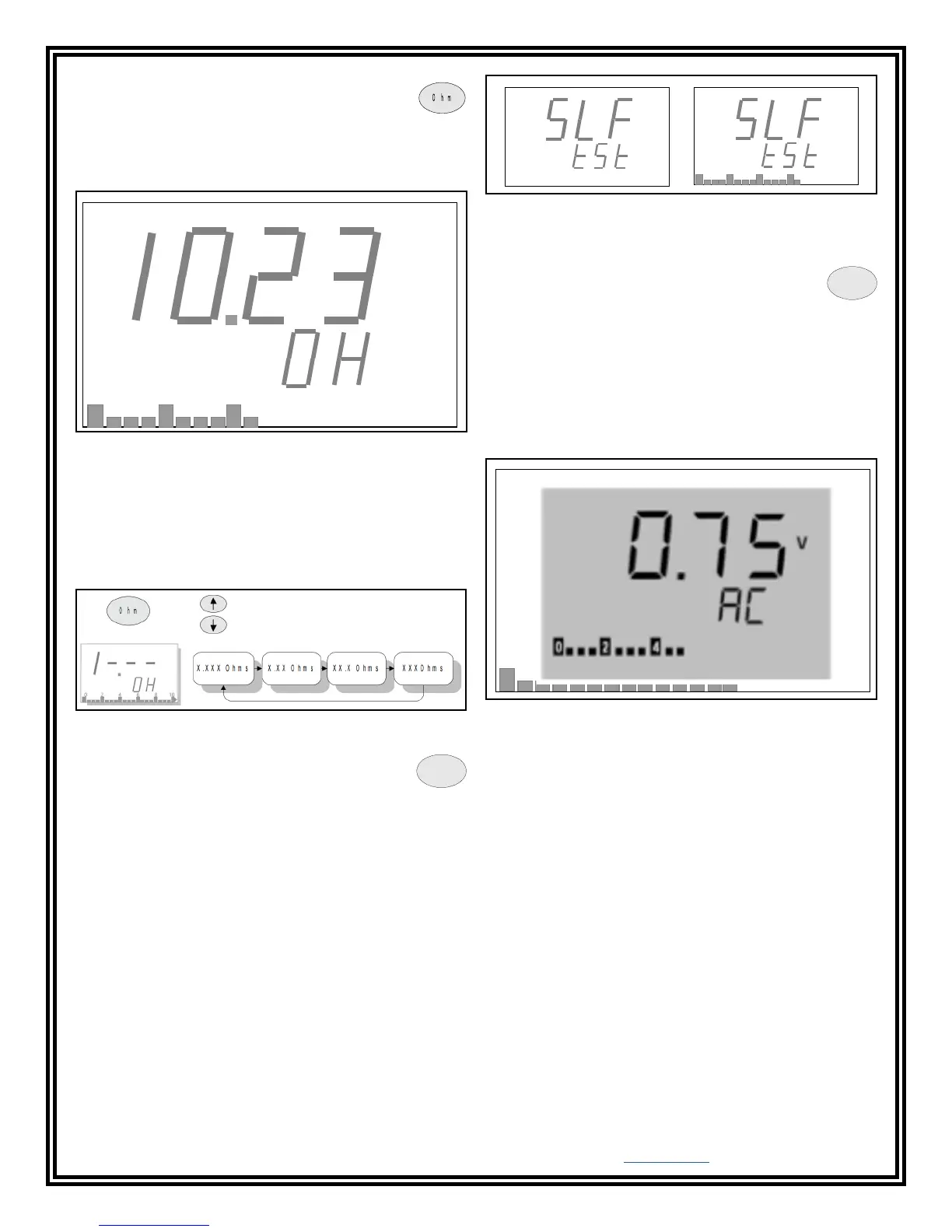
Press the Ohm button to go to ground
impedance mode. You should see a screen
similar to the one shown in Figure 6. The impedance
mode is indicated by “OH” on the bottom display line.
Voltage on Ground Measurements
The presence of voltage on a ground is never
desirable. The Ground Pro Meter can measure
both AC and DC voltages on a ground.
AC Voltage
Integrity Meter will switch to AC voltage measurement
mode and you should see a screen similar to one in
Figure 9. You can adjust the measurement scale using
the Up and Down arrow buttons.
E M I
R e f .
V
P o w e r
C
H o l d
0 2 4
Figure 6. Impedance screen
V
0 62 4
Figure 9. AC voltage display
Figure 7. Changing the measurement scale
Scaling
The Ground Pro Meter has four different scales for
measuring ground impedance. Choose the appropriate
scale for your measurements using the Up and Down
arrow buttons.
Auto-Zeroing Test Leads
Test leads offer added impedance and may alter
measurement results, especially at a lower scale.
In order to take impedance of test leads into account,
short the ends of the test leads together and press the
Function button (F) until you see the screen shown in
Figure 8. In a few seconds, this screen will disappear
and you will hear a short beep. The Ground Pro Meter
will return to normal measurement mode. Now when the
test leads are shorted together, the display should show
zero Ohms, even though the test leads may have some
impedance. The correction factor will be saved in the
internal memory.
If the test leads are not shorted properly or become
accidentally disconnected during this process, auto-zero
will fail and you should hear a long beep before the
display returns to the impedance measurement screen.
In this case you will need to repeat this process again.
0 62 4
Figure 8. Auto-zero test screens
F
DC Voltage
Press the V button again to switch to DC voltage
measurement mode. You should see a screen similar
to the one in Figure 10. As in AC mode, you can adjust
the measurement scale using the Up and Down arrow
buttons.
Overload
If voltage on the ground is above the maximum level on
a particular scale, you should see an overload indicator
such as the one in Figure 10. In such a case, go to the
next scale using the Up arrow button.


 To Next Page