EN ::: 19
1
3
4
8
6
5
7
9
10
2
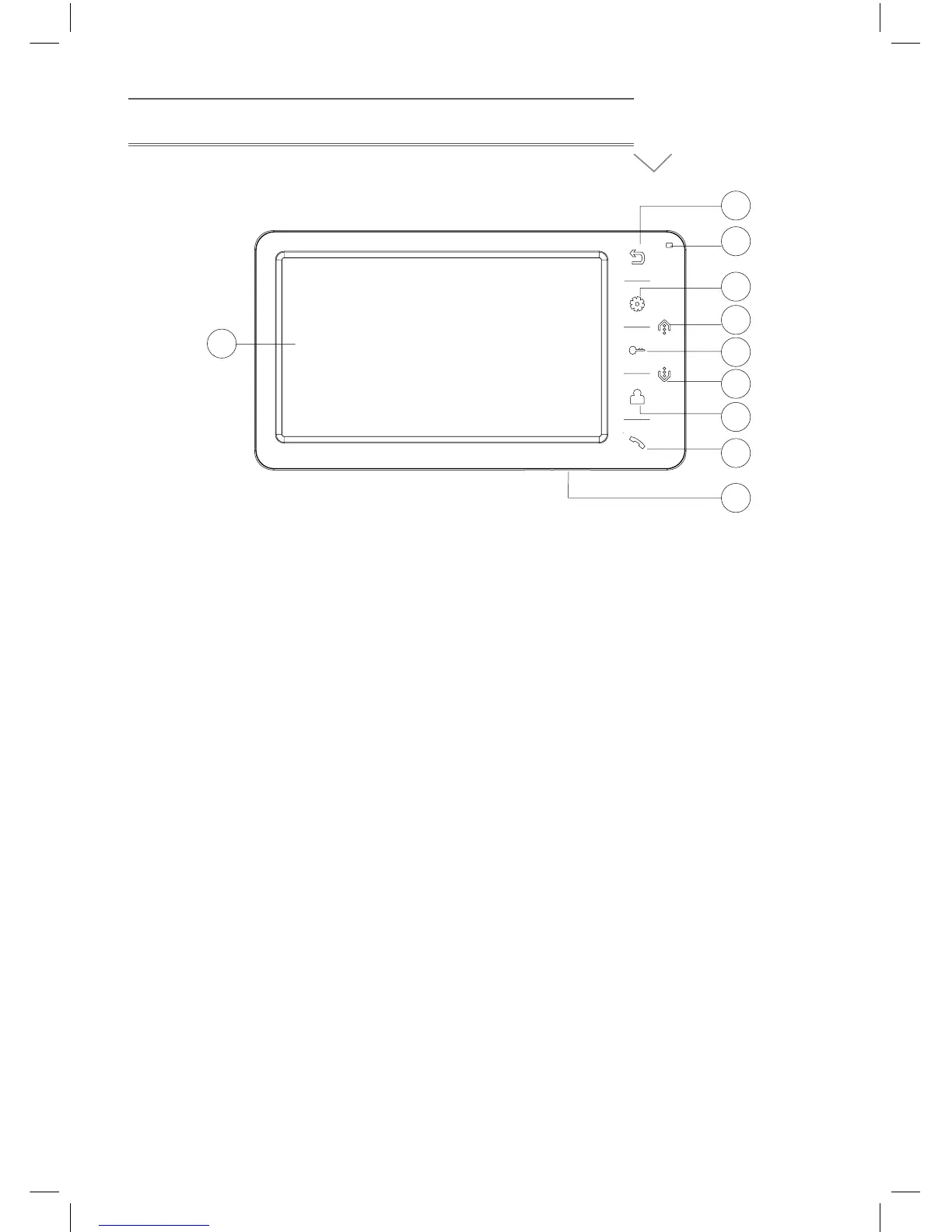
THE FUNCTION AND NAME OF EACH PART
1) Return button: Return/hang off
2) Indicator light: Power indicator light
3) Menu button: Enter system menu/Conrm
4) Navigation button Up: Choose/Adjust
5) Unlock button: Unlock
6) Navigation button down: Choose/ Adjust
7) Monitor button: Monitor
8) Answer button: Answer/Call
9) Power on/off
10) LCD


 To Next Page