SCUF Envision | 5 Quick Start Manual | English
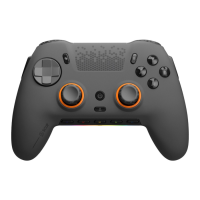
Meet Envision.
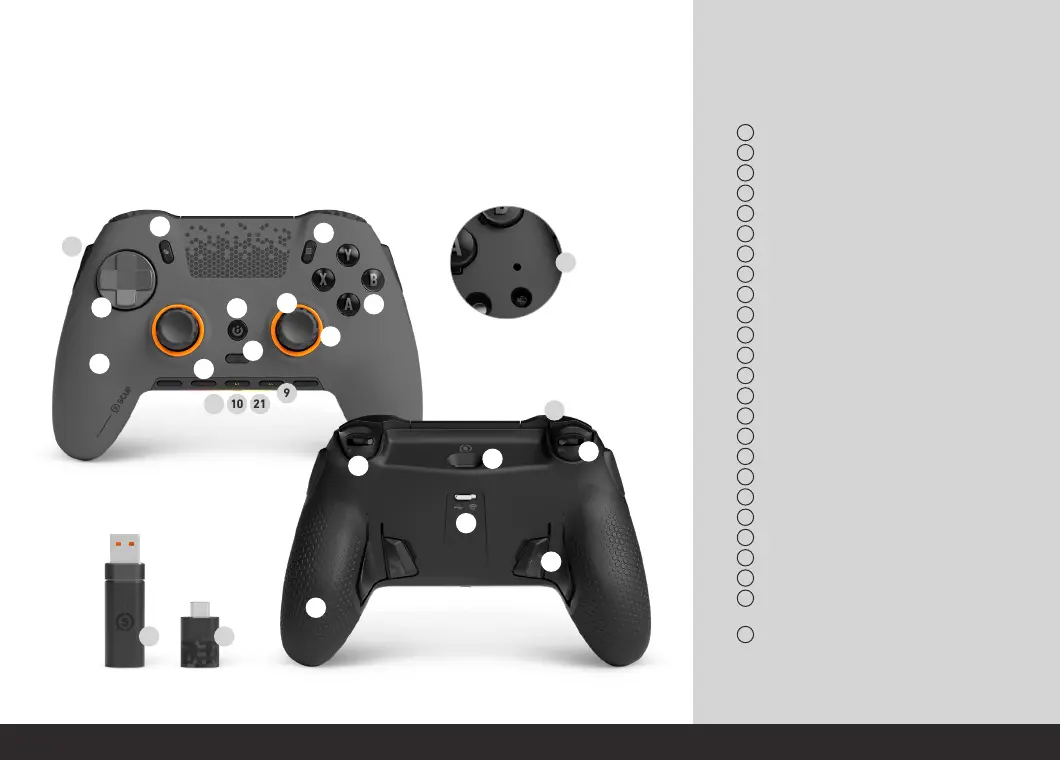
View Button
Menu Button
Start Button
Mechanical Action Buttons
Interchangeable Thumbsticks
Interchangeable Anti-Friction Rings
Removable Mechanical D-Pad
G Keys
RGB Lighting Strip
3.5mm Jack Port
Removable Faceplate
Remappable Side Action Buttons (SAX)
Bumpers (LB & RB)
USB-C Port
Triggers (LT & RT)
Instant Trigger Switch (Envision Pro only)
Reset Button
Profile Button
Wired/Wireless Switch (Envision Pro only)
Battery Indicator (Envision Pro only)
Mute Indicator
Slipstream Dongle (Envision Pro only)
Remappable Paddles
High-Performance Grip
(Envision Pro only)
USB-C to USB-A adapter
* Please note that the Start button will bring up the Xbox
Game Bar on devices running Windows 10. This feature is
disabled for devices running Windows 11.
1
5
9
2
6
10
3
7
11
4
8
12
13
17
21
14
18
22
15
19
23
24
25
16
20
Built to perform and give you the advantage no matter what you play. Get more out of your
game with more control and sharper reactions.
1
2
3
4
5
6
7
8
9
10
11
12
18
2120
17
19
13
14
15
16
23
24
22 25


 To Next Page