SF-A9 Machine User Manual
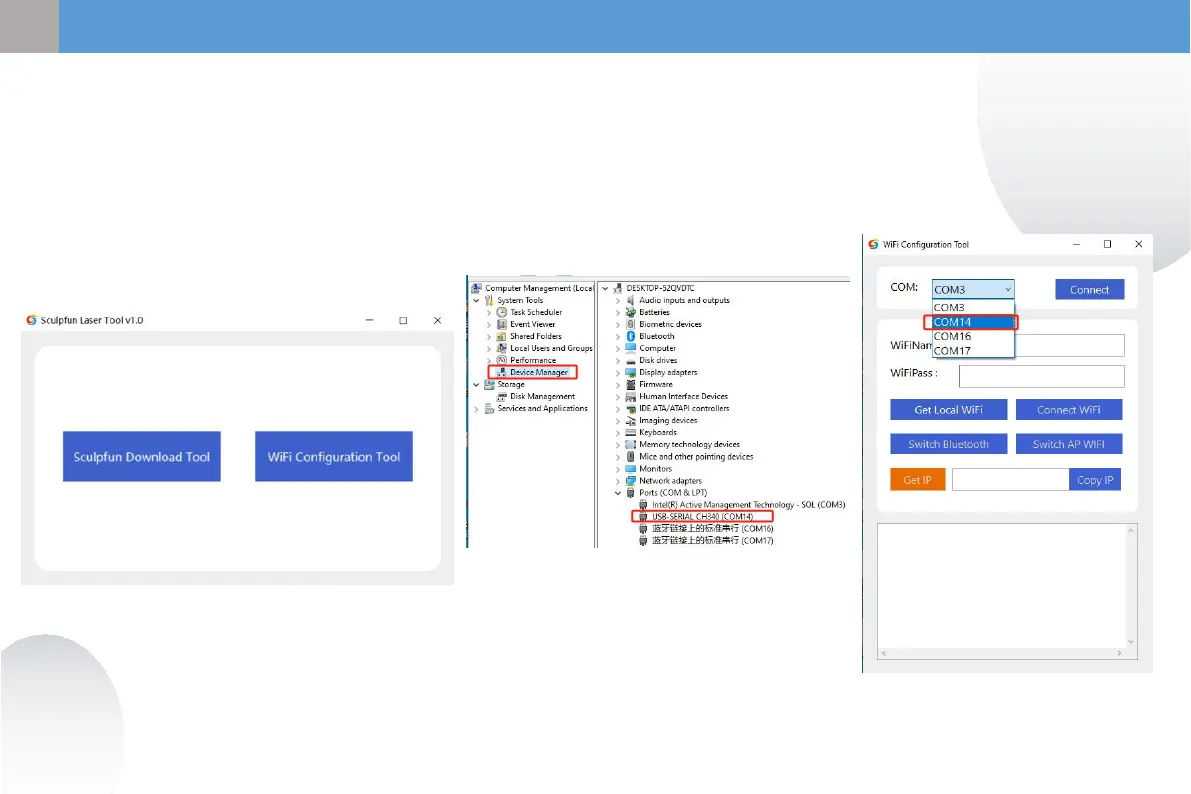
① Connect the machine with a data cable
computer
② Open the downloaded Sculpfun Laser Tool
configuration software on your computer
③ Choose WiFi Configuration Tool
5.2 Mobile APP connection method 2
(WIFI mode: connect to home wifi)
① Select the COM of the
machine
② Click Connect to connect
the machine
① ②
① Open computer management
② Check the COM
corresponding to CH340
9
EN


 To Next Page